×
NetEffect Joins Taazaa to Expand Enterprise AI, Platform Integration, and Modernization Services. Learn more
Categories
AEM

What It Actually Takes to Move a Live AEM Site to Edge Delivery

Key Takeaways 

  • AEM Sites and Edge Delivery Services now coexist on the same domain and CDN, enabling incremental migration rather than a big-bang cutover. 
  • There’s no direct migration path from the Page Editor to the Universal Editor: the move is only recommended for projects transitioning to Edge Delivery Services. 
  • The refactoring work is real: component dialogs, front-end code and editable fields all need rebuilding for the EDS architecture. 
  • The Experience Modernization Agent automates a significant share of migration work, compressing timelines from months to weeks or days for qualifying sites. 
  • A 100 Lighthouse score is the expected EDS baseline, not an optimization target, and it makes the performance case for migration concrete. 

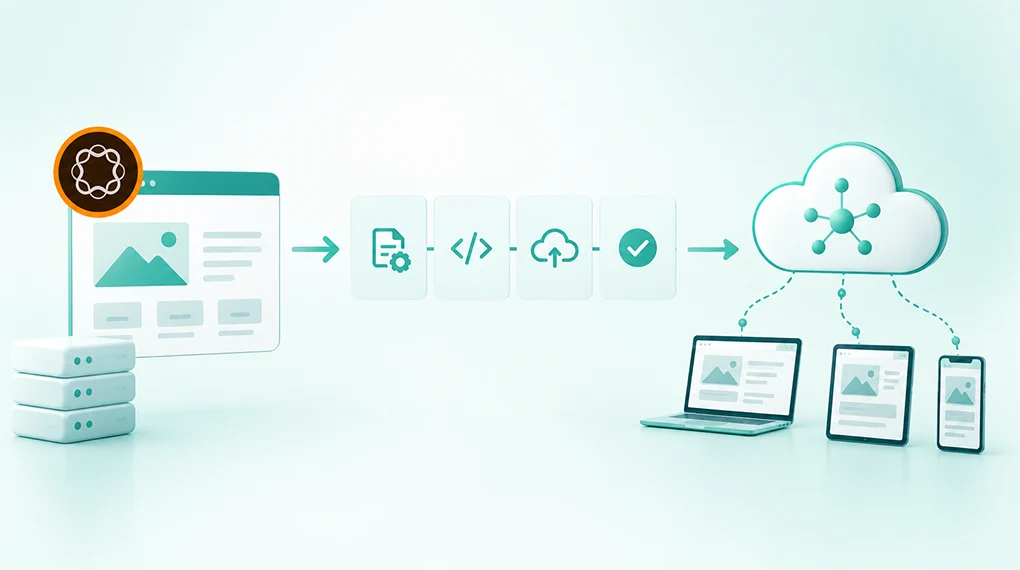
Moving a live AEM site to Edge Delivery Services means rebuilding the front end and rethinking the content architecture at the same time, on a site that’s still serving real traffic. Since Adobe Summit 2026, AEM Sites and Edge Delivery Services pages coexist on the same domain and the same CDN, so migration can happen incrementally. That removes the all-or-nothing objection that stopped most EDS conversations. 

The Objection That Stopped Most EDS Conversations 

Until recently, EDS looked like an all-or-nothing decision. Teams had to replatform the entire site, rebuild every component and cut over on a fixed date. For live, business-critical sites, that risk profile was hard to justify. 

That objection is now structurally resolved. According to Adobe’s Cloud Manager documentation, organizations can deliver experiences using EDS while continuing to use AEM Author. AEM Sites pages and EDS pages coexist on the same domain. Traffic routes to different origins by path through the same Adobe-managed CDN. 

A team can migrate one high-traffic section to EDS first, validate the performance gains in production and expand from there. That shifts the conversation from “should we migrate” to “where do we start.” 

What Actually Changes in the Architecture 

Understanding what needs to change technically separates realistic migration plans from ones that discover their scope mid-project. 

The Front-End Rebuild 

According to Adobe’s EDS overview, EDS replaces AEM Publish and Dispatcher with a front-end approach built for the network edge. Front-end code built with Core Components, HTL templates and clientlibs doesn’t transfer to EDS. The EDS model is plain CSS and JavaScript managed through GitHub with no build pipeline required. 

For most enterprise AEM Sites implementations, this means component dialogs move from the Page Editor model to the Universal Editor’s properties rail, and front-end code rebuilds as EDS blocks in plain JavaScript and CSS. Editable fields map to the Universal Editor’s data attribute model, and teams need to rearchitect any custom JavaScript inside component dialogs entirely. 

Teams should scope this refactoring work honestly before planning begins. Volume depends on how many custom components exist and how complex their dialog structures are. This piece on why IT and marketing misalignment is the biggest risk in Adobe implementations explains why scoping decisions made without cross-functional agreement create the most expensive mid-project surprises. 

The Universal Editor Transition 

According to Adobe, there’s no direct migration path from the Page Editor to the Universal Editor, because the two technologies are fundamentally different. The Universal Editor doesn’t support the Template Editor, Style System or Responsive Grid. Those use cases move to lean CSS and JavaScript in EDS. 

The authoring experience changes for content authors. Authors tend to adapt quickly, since the interface is simpler than the Page Editor’s. But teams need to factor author training into the migration timeline before go-live, not after. 

The Content Model 

EDS organizes content as blocks, the building units of EDS pages. Each block is defined by markup and JavaScript rather than Sling models or HTL templates. Authors create pages by assembling blocks through the Universal Editor or document-based authoring in Word or Google Docs. 

The existing content architecture needs mapping to EDS blocks before migration begins. Pages relying heavily on AEM’s Responsive Grid or nested components require the most redesign work. Simpler content patterns migrate faster. For teams thinking through how content architecture decisions affect long-term platform performance, our post on why the content supply chain, not the content team, is usually the real bottleneck covers the upstream decisions that matter most. 

The Incremental Migration Model 

Adobe’s Cloud Manager offers two EDS deployment types. For live AEM Sites migrations, an HTTP proxy routes specific URL paths to an EDS origin while the rest of the domain stays on AEM Sites. 

A practical migration sequence looks like this: 

Stage What Moves to EDS What Stays on AEM Sites 
Stage 1 High-traffic content-heavy pages: news, blog, campaign landing pages Transactional, form-heavy and deeply integrated pages 
Stage 2 Marketing and brand pages after Stage 1 validated Pages requiring complex integrations 
Stage 3 Remaining pages as EDS blocks are built and validated Legacy pages with complex custom component structures 
Full cutover Entire site on EDS AEM Author retained for content creation and governance 

Performance gains from the first migrated paths are visible in production before the broader migration commits. The 100 Lighthouse score EDS delivers by default becomes a live proof point rather than a slide in a business case. This article on how AEM hits a 100 Lighthouse score with Edge Delivery Services covers the architecture behind it and what threatens it after go-live. 

Where the Experience Modernization Agent Changes the Equation 

The front-end refactoring work has historically been the primary cost driver in EDS migrations. The Experience Modernization Agent changes that for qualifying sites. 

According to Adobe’s Modernization Agent overview, it supports migrations from a wide range of CMS platforms, legacy AEM and design systems into production-capable EDS projects. It accelerates migrations from months to weeks or days. Skills include page migration, bulk import, design extraction, navigation setup and web scraping. 

There are important constraints to understand before building a migration timeline around the agent. Source content needs to be publicly accessible: the scraping skill can’t reach intranet sites or anything behind authentication, a VPN or a firewall, though it does handle dynamic, client-side-rendered content as long as it’s reachable at a URL. The agent targets EDS only and doesn’t produce output for traditional AEM Sites architectures. Developers keep full authority over what goes live through GitHub review workflows. 

For sites that meet the accessibility requirement, the agent reduces front-end rebuild from the most expensive migration phase to a review-and-refine activity. For teams thinking through how the agent fits the broader AEM agentic layer, this post on what Adobe’s AI agents actually change about your day covers each agent’s role in content operations. 

Pre-Migration Assessment: What to Confirm Before Committing 

Run these four checks before building a timeline or budget. 

Assessment Area What to Check Why It Matters 
Component inventory Count custom components and rate dialog complexity Each Page Editor dialog needs rebuilding for Universal Editor 
Content accessibility Confirm source pages are publicly accessible without authentication Determines whether the Experience Modernization Agent can be used 
Integration landscape Audit third-party scripts, analytics tags and personalization tools Scripts outside EDS phased rendering sequence degrade Lighthouse scores 
Author change management Define training plan and feedback period before go-live Authors discovering a changed interface on launch day create internal resistance 

For a structured framework covering these and other pre-migration decisions, this guide on replatforming to AEM maps the readiness assessment, taxonomy and governance decisions that shape the rest of the timeline. 

What a Realistic Migration Timeline Looks Like 

No two migrations are identical, but a handful of variables drive most timelines. How many custom components need refactoring, whether the Experience Modernization Agent can handle bulk content migration and how many paths migrate incrementally versus all at once all factor in. So does the complexity of the integrations, the scope of third-party script review and the scale of author change management. 

Sites with simple component structures and publicly accessible content can compress a historically six-to-nine month project into weeks for the first paths. Complex enterprise sites with many custom components drive timelines toward three to six months for the first meaningful migrated set. 

The incremental model means the business case doesn’t require waiting for full migration to validate. Real performance data from the first migrated paths, compared against the same paths on AEM Sites, is the most credible evidence a DX leader can present for expanding scope. For a full picture of post-migration activation sequencing, our whitepaper on AEM optimization for enterprise covers each activation phase with its business case. 

Starting the Right Conversation 

An EDS migration is an architecture decision before it’s a project. A 30-minute conversation with the NetEffect team maps your current AEM architecture against EDS migration requirements, identifies where the Experience Modernization Agent can accelerate the work and outlines what an incremental plan looks like for your environment. 

Book a Focus Area Audit 

Frequently Asked Questions

1. Can AEM Sites and EDS pages coexist on the same domain? 

Yes. Adobe’s Cloud Manager documentation confirms specific URL paths can route to an EDS origin while the rest of the domain stays on AEM Sites through the same CDN. This is the technical foundation for incremental migration. 

2. Do content authors need retraining for EDS? 

Yes, but the change is typically well received. The Universal Editor offers simpler WYSIWYG in-context editing. Document-based authoring via Word or Google Docs is also available. Teams should plan author training before go-live, not after. 

3. Can the Experience Modernization Agent migrate any AEM site? 

Not all sites qualify. Source content needs to be publicly accessible, and anything behind authentication, a VPN or a firewall can’t be processed by the scraping skill. For qualifying sites, the agent significantly reduces the front-end rebuild timeline. 

4. Is there a direct path from Page Editor to Universal Editor? 

No. Adobe confirms no direct migration path exists, due to fundamental technology differences. Moving to Universal Editor is only recommended alongside an EDS transition. 

5. How does EDS migration affect existing AEM governance workflows? 

AEM Author remains the content creation and governance layer after migration. Existing workflows, permissions and approval configurations continue to apply. The delivery layer changes. The governance layer doesn’t. For regulated environments, this article on enforcing content governance with AEM workflows covers how controls carry through an EDS migration.


Categories
AEM

What Adobe MCP Actually Does and Why it Matters for Your Team

Key Takeaways

  • Model Context Protocol (MCP) is the layer that enables AI tools to take real actions within Adobe Experience Cloud, not just generate text alongside it.
  • Adobe has been building MCP support directly into AEM, Adobe Target, Adobe Journey Optimizer and other Experience Cloud products throughout 2025 and 2026. This is available now, not on a future roadmap.
  • For marketing ops and content teams, MCP means AI can draft, update, tag and publish content inside your live Adobe environment using plain-language instructions.
  • 2026 is the window because Adobe’s MCP rollout is still early. Teams that configure it now build a real operational advantage. Teams that wait will spend the next two years catching up.

What MCP Actually Is

You’ve probably heard the term MCP come up more in the past few months. Most explanations go straight into technical language and lose the room quickly.

Here’s the version that matters for marketing and content ops leaders.

AI tools like ChatGPT or Claude are good at generating content. What they’ve historically been bad at is doing anything with that content inside the systems your team actually uses. They produce a draft and then a human copies it, logs into Adobe, finds the right page, pastes it in and tags it manually. The AI was a writing tool. The actual work of running your content environment stayed manual. Sound like your team’s setup?

MCP changes that. It’s an open standard that lets AI tools connect directly to platforms like Adobe Experience Cloud and take real action inside them. Not just write. Actually do things: create pages, update content, tag assets, trigger workflows, check content against brand guidelines and push changes through for review.

A simple way to think about it: before MCP, AI was a capable assistant sitting outside your office, passing notes through the door. With MCP, that assistant has a key, knows where everything is and can walk in and do the work.

Adobe has now built MCP support into its core products. That’s what makes this relevant to content ops and marketing leaders today, not just developers.

What Adobe Has Actually Built

This isn’t a pilot program. Adobe has been shipping MCP integration across several Experience Cloud products throughout 2025 and 2026. Here’s what’s live:

Adobe Product

What Your Team Can Now Do With AI

Adobe Experience Manager (AEM)

Create, edit and publish pages and content fragments. Search and import assets. Manage content across multiple sites and regions.

Adobe Target

Inspect A/B tests, analyze performance reports and explore audiences and offers using natural-language prompts, without navigating multiple UI screens.

Adobe Journey Optimizer

Access and collaborate on campaign and channel configuration data directly from Claude, without switching platforms or writing API queries.

The AEM integration is the most relevant for content operations teams day to day. When a content manager types something like “update the hero banner for the spring campaign across all regional pages,” the AI identifies what needs to change, makes the updates inside AEM and routes for review. The same access rules your team has manually still apply. The AI can’t touch anything the logged-in user doesn’t already have permission to edit.

For marketing ops leaders, the Target and Journey Optimizer integrations matter just as much. MCP is what connects audience data, personalization and campaign management without your team having to manually bridge each system.

What This Looks Like for a Content Team Day to Day

The difference between “AI integration” and something a content ops leader actually cares about usually comes down to specifics. Here’s what MCP-enabled workflows look like in practice.

Without MCP:

  • Writer drafts content in a separate AI tool
  • Copies and pastes output into AEM manually
  • Finds the correct page or template
  • Formats and places content
  • Tags assets one by one
  • Submits for review through a separate system
  • Publishes after approval

With MCP (AI connected directly to Adobe):

  • Writer describes the task in plain language
  • AI drafts content, places it in the right template, applies tags and routes for review
  • Approval and publish happen inside the same flow

The practical result is fewer manual steps between content being created and content going live. For teams managing high volumes across multiple sites or markets, that reduction changes what’s achievable with the headcount you already have.

Here are some specific things teams are doing right now with MCP inside AEM:

  • Updating content across multiple regional pages in one instruction instead of going page by page
  • Searching the DAM using plain-language descriptions instead of navigating folder structures
  • Checking content against brand guidelines automatically before it goes to review
  • Coordinating localization across different regional versions without manual back-and-forth between teams

Three Things Worth Understanding Before You Activate

You don’t need to understand how MCP works at the code level to make good decisions about it. But these three points are worth knowing because they affect whether your implementation holds up as your team grows.

1. Your existing access rules still apply. When AI is given access to a live content environment, the first question is always: what can it change and who controls that? With Adobe’s MCP setup, the AI operates under the same access rules as the person using it. If a content author can’t publish directly to your main website, the AI acting on their behalf can’t either. This isn’t a separate safeguard bolted on. It’s built into how the system works.

2. MCP is an open standard, not an Adobe-only format. This matters for teams thinking about long-term flexibility. Because MCP is an open protocol, the same connection that works with Claude or ChatGPT today will work with other AI tools as the ecosystem develops. You’re not tied to one AI vendor by choosing to activate MCP inside Adobe.

3. Your content doesn’t feed into AI training. A common concern with AI in enterprise environments is whether your proprietary content ends up being used to train the AI model. With Adobe’s MCP setup, the AI accesses and acts on your content in real time and that content isn’t used for training. It stays in your environment.

If you’re thinking about how MCP fits into a broader Adobe buildout, or want to understand where it sits in the implementation sequence, this phase-based implementation roadmap is a useful reference before you start configuration work.

Why 2026 Is the Window

Adobe’s MCP rollout is recent and moving fast. AEM’s Content MCP Server has been shipping since early 2026. Adobe Target’s MCP server launched in public beta, with active documentation updates through mid-2026. The standard is being adopted widely.

That timing creates two practical advantages for teams that move now.

Early activation builds compounding returns. Teams that get MCP working in 2026 will have a year or more of AI-assisted content operations experience before competitors who wait. Content velocity, asset organization, personalization capability and governance practices all improve through use. The gap between early and late movers tends to widen, not close.

The configuration window is open. Right now, organizations activating MCP well inside their Adobe environment are defining what good looks like for their industry. That’s a very different position from implementing a mature, widely adopted tool two or three years from now when everyone has it.

This isn’t an argument for rushing into a poorly planned setup. It’s a reason to treat MCP activation as a strategic priority this year rather than a project to schedule later.

What Activation Actually Takes

Here’s an honest picture of what getting started involves, written for leaders rather than developers.

What you need to have in place first:

  • AEM as a Cloud Service (MCP is a Cloud Service feature and isn’t available on older on-premise installations)
  • The right Adobe license tier for the MCP products you want to activate
  • A clear picture of who has access to what in your content environment before you connect AI to it

What the setup involves:

  • Connecting your preferred AI tool (Claude, ChatGPT, Cursor and Microsoft Copilot Studio are all currently supported for AEM) to Adobe’s MCP servers
  • Signing in through Adobe’s identity system
  • Deciding which workflows you want to automate first and what guardrails you want in place

Where most of the time goes: Getting the foundation right before activation. If your DAM has inconsistent tagging, AI-assisted tagging will replicate that inconsistency at scale and faster. If your content access structure is unclear, you’ll spend time fixing permission issues mid-setup rather than after. The teams that move through MCP activation fastest are the ones that sorted governance and taxonomy first. Not a tall order, but it does require honest prep work before you flip the switch.

This is why IT and marketing need to be aligned before activation begins, not after. If that conversation hasn’t happened yet in your organization, this post on why IT and marketing misalignment is the most common risk in Adobe implementations is worth reading before you start.

The Practical Summary

MCP isn’t a future capability. It’s running in production inside Adobe Experience Cloud right now and enterprise teams are using it to cut the manual work between content creation and content going live.

For executive buyers, the case is simple: the platform you’re already paying for can now do significantly more with the team you already have. Activation is a configuration and workflow decision, not a new purchase.

For marketing ops leaders, it’s equally direct: MCP is what makes AI a real part of your content operations, rather than a drafting tool your team uses on the side and then pastes from.

The white paper goes deeper on each of the five focus areas where MCP and Adobe’s AI layer produce the clearest returns, including what the activation path looks like for each and what teams have found after running it in a live environment.

[Download the white paper]

Frequently Asked Questions

What does MCP stand for and why is everyone talking about it now?

MCP stands for Model Context Protocol. It’s an open standard that lets AI tools connect to real software systems and take action inside them, rather than just producing text. The reason it’s getting attention now is that Adobe and other major platforms have built MCP support directly into their products in 2025 and 2026, making AI integration a practical option for content and marketing teams, not just a developer experiment.

Does our team need technical staff to activate MCP in Adobe?

Some technical involvement is needed for the initial setup. Once the connection is established, content authors and marketing ops teams can give instructions in plain language without needing to understand the underlying configuration. The technical work is a one-time setup, not an ongoing requirement.

Is Adobe MCP available on all Adobe Experience Cloud plans?

MCP support is currently available for AEM as a Cloud Service, Adobe Target and Adobe Journey Optimizer. It isn’t available for older on-premise AEM installations. License requirements vary by product, so a Focus Area Audit is the fastest way to confirm what your current setup already supports.

What is the difference between Adobe MCP and the AI Assistant already in AEM?

Adobe’s built-in AI Assistant is a guided interface for specific tasks like content generation and asset search. MCP is the underlying connection that lets external AI tools (Claude, ChatGPT and others) work inside AEM directly. The two work alongside each other. Adobe recommends using the built-in AI Assistant for content edits and deletions, since it includes additional review steps before changes go through.

How does MCP handle our content security?

The AI can only access and change what the logged-in user is already permitted to touch. Content is accessed in real time and isn’t used to train the underlying AI model. Adobe’s identity system controls authentication, so access is scoped and auditable in the same way manual work is.

Ready to see which focus areas are most relevant for your Adobe environment? Download the white paper for the full picture.

Categories
AEM

How to Integrate AEM and Adobe Target for Enterprise Personalization

Key Takeaways

  • AEM supplies governed, modular content through Experience Fragments; Adobe Target supplies the real-time intelligence to decide who sees what
  • Experience Fragments are the operational bridge: authored in AEM, exported to Target’s offer library, updated without developer handoffs
  • The modern integration uses IMS authentication on the backend and the AEP Web SDK on the frontend, with JSON exports keeping campaigns resilient to AEM component changes
  • Adding Adobe Experience Platform shifts personalization from segment-level to individual-level, with unified profiles updating in real time
  • Content governance matters as much as the technical integration; content drift between AEM and Target is the most common failure point at scale

Generic content has a measurable cost. Adobe’s own research consistently shows that the majority of consumers disengage or abandon brands when content misses the mark on relevance. For enterprise brands managing dozens of markets and millions of sessions, the gap between knowing personalization matters and executing it at scale is almost always a technology and architecture problem. Not an ambition problem.

What Each Platform Actually Does

Before understanding how AEM and Adobe Target work together, it helps to be clear about what each one does independently. And why neither is sufficient alone.

Adobe Experience Manager (AEM) is where content is created, governed and published. It manages the full lifecycle of web experiences: pages, components, assets, workflows and templates. Its strength is at the authoring and delivery layer.

What AEM doesn’t know, on its own, is who the specific person viewing that content is. Or what content variation is most likely to drive the outcome the business needs from that interaction.

Adobe Target is where personalization decisions happen in real time. It evaluates who the user is, what activity they should be placed into and which content variation to serve based on behavioral data, audience profiles and AI-driven predictions from Adobe Sensei.

What Target doesn’t control, on its own, is the content itself. It needs content to serve. Without a governed, scalable content source, personalization campaigns get bottlenecked by the effort required to create and maintain offer libraries. That’s a slow way to scale.

The integration bridges exactly this gap. AEM supplies governed, modular content. Target supplies the intelligence to decide who sees what. Together, they form a personalization engine where content quality and decisioning quality reinforce each other.

The Role of Experience Fragments

Experience Fragments are the mechanism that makes this integration operationally practical at enterprise scale.

An Experience Fragment is a reusable content block authored in AEM. It contains the markup, layout and content for a self-contained experience: a hero banner, a promotional offer, a call-to-action block. Authors build Experience Fragments in AEM using the governance workflows they already work within.

Once created, an Experience Fragment can be exported from AEM directly into Target’s offer library. In Target, it becomes an offer that can be served as a variation in any personalization activity. The marketing team works in Target to define who sees which offer. The content team works in AEM to create and update the offers themselves. No handoffs required.

Why this matters for enterprise operations:

  • Content authors remain in AEM, the environment they know and that has governance built into it
  • Marketing practitioners remain in Target, the environment designed for audience management and testing
  • When a headline or image changes in AEM, the update flows through to active Target campaigns once the Experience Fragment is republished
  • No developer involvement is needed for copy changes, offer updates or variant creation

As NetEffect’s detailed analysis of how to integrate AEM and Adobe Target explains, a sloppy integration creates synchronization problems and content drift. Experience Fragments managed through a proper IMS connection eliminate both because AEM remains the single source of truth.

How the Technical Integration Works

The AEM and Adobe Target integration involves two distinct connections: a backend connection for content synchronization and a frontend connection for real-time decisioning.

Backend: IMS Authentication

The connection between AEM and Adobe Target runs through Adobe’s Identity Management System (IMS). This authentication layer allows AEM to communicate securely with the Target API, exporting Experience Fragments directly into the Target offer library.

According to Adobe Experience League documentation, establishing this connection involves creating an Adobe Developer Console project with OAuth server-to-server credentials, configuring an IMS integration in AEM and verifying the connection health before any content export is attempted. Once configured, authors can select “Export to Adobe Target” directly from an Experience Fragment. The content moves to Target’s offer library automatically. No developer handoff.

Frontend: AEP Web SDK

The frontend decisioning layer determines which offer gets served to which user in real time. The modern architecture uses the Adobe Experience Platform (AEP) Web SDK rather than older library approaches.

As NetEffect’s analysis of personalization in AEM with AEP and Target explains, the Web SDK creates a unified data pipeline across Adobe Experience Cloud solutions. It processes personalization at the Edge Network rather than in the browser, eliminating the “flicker effect” where users briefly see default content before the personalized version loads.

Exporting Experience Fragments as JSON rather than HTML is the architectural decision that makes this integration durable at scale. HTML exports couple content to its presentation layer; changes to AEM components can break live Target campaigns. JSON exports separate content data from presentation style, keeping campaigns resilient to component updates and AEM releases.

What Target Does With AEM Content

Once Experience Fragments are available as offers in Target, the decisioning engine applies several activity types to determine who sees what. Note that Auto-Target and Automated Personalization require Adobe Target Premium; Auto-Allocate is available in Target Standard.

Activity Type

How It Uses AEM Content

Best Suited For

A/B Test

Randomly serves two or more Experience Fragment variants to defined traffic splits

Validating which content variation performs better

Experience Targeting (XT)

Serves specific Experience Fragments to specific audience segments based on rules

Delivering different experiences to different market segments

Auto-Allocate

Progressively shifts traffic to the better-performing variant automatically

Maximizing conversion during live campaigns

Auto-Target

Uses Adobe Sensei to serve the best variant to each individual user

Personalization at the individual level rather than segment level

Automated Personalization

Matches specific content components to individual user profiles using machine learning

High-volume personalization across product or content catalogues

The distinction between segment-level and individual-level personalization matters for enterprise planning. Segment-level activities, such as Experience Targeting, are manageable without extensive data infrastructure. Individual-level activities, such as Auto-Target and Automated Personalization, require unified customer profiles and produce their best results when integrated with Adobe Experience Platform.

Adding Adobe Experience Platform: The Unified Profile Layer

For enterprises that want to move beyond segment-level personalization toward individual-level decisioning, AEP adds the data layer that makes it possible.

AEP’s Real-Time Customer Data Platform (RT-CDP) ingests behavioral data from every touchpoint: web sessions, mobile interactions, CRM records, email engagement and offline purchase history. It creates a unified customer profile that updates in real time. When a user’s behavior signals high purchase intent, that signal is available to Target in milliseconds. Not the following morning.

The combination of the three platforms creates a self-reinforcing engine:

  • AEP identifies who the user is and what their unified profile looks like at this moment
  • Target decides which content variation best serves that profile toward the desired business outcome
  • AEM supplies the content variations that Target selects from, governed and updated by content teams in their native environment

As NetEffect’s analysis on personalization in AEM with AEP and Target notes, this combination moves organizations past basic A/B testing into experiences that adapt as quickly as a user interacts. The practical shift is from asking “which banner performed better for segment X” to asking “what should this specific person see right now.”

The Operational Model That Makes It Sustainable

The technology is only part of what makes this integration work at enterprise scale. The operational model determines whether the capability is sustainable or becomes a maintenance liability.

Content governance prevents drift. When personalization offers are managed outside AEM, approved content and live content gradually diverge. Compliance teams approved the AEM version. Users see the Target version. That’s the content drift problem. Mandating that all personalization content originates as Experience Fragments in AEM and flows to Target through the IMS integration eliminates this category of problem entirely.

A/B testing velocity depends on content readiness. The most common bottleneck in enterprise personalization programs is not Target configuration. It’s content supply. Marketing teams can define an audience and set up an activity in Target within hours. If the Experience Fragments don’t exist in AEM, the campaign can’t launch. Content planning and personalization planning need to happen in coordination. Not sequentially.

For organizations managing large portfolios of sites and markets, this challenge scales with the portfolio. NetEffect’s analysis of why AEM is built for organizations managing 100+ websites covers how AEM’s multisite architecture and centralized asset management provide the content infrastructure that personalization at that scale depends on.

Where AI Fits Into the Picture

Adobe Sensei operates across both AEM and Target to accelerate personalization without requiring manual decisions for every audience-content combination.

In Target, Sensei powers Auto-Target and Automated Personalization, continuously evaluating which content variation best serves each individual user based on their real-time profile. The system learns from every interaction. No manual retraining required.

In AEM, Sensei contributes AI-assisted asset tagging, smart content recommendations and metadata suggestions that make it easier for content teams to create and classify the Experience Fragments that Target depends on.

The practical implication: AI reduces manual overhead at both ends of the personalization loop. That said, the quality of outputs depends on the quality of inputs. Well-tagged, well-governed AEM content produces more accurate AI-assisted personalization than a disorganized content library. The technology amplifies whatever architecture it runs on.

Personalization at Scale Requires Both Platforms

Adobe Target without AEM is a powerful decisioning engine without a governed content supply. AEM without Target is a well-managed content system without personalization intelligence. Together, with the architecture and operational disciplines described in this post, they form the enterprise personalization capability that neither can provide independently.

The organizations that extract the most value from this combination invest in both the technical integration and the operational model before they attempt to scale personalization across markets and channels.

If your organization is evaluating this integration or trying to understand why an existing personalization program isn’t delivering expected returns, get in touch with the NetEffect team to discuss your personalization architecture.

Frequently Asked Questions

How do Adobe Target and AEM work together for personalization?

AEM supplies governed, modular content through Experience Fragments exported to Target’s offer library. Target uses audience data, rules and Adobe Sensei AI to decide which Experience Fragment to serve each user in real time. The integration connects through IMS authentication on the backend and the AEP Web SDK on the frontend.

What are Experience Fragments and why do they matter?

Experience Fragments are reusable content blocks authored and governed in AEM, exported to Target as offers. Marketers use them as personalization variations in A/B tests and targeting activities without touching page code or waiting for developer support. When content is updated in AEM, the change flows automatically to active Target campaigns.

What is the difference between A/B testing and Auto-Target?

A/B testing randomly splits traffic between fixed content variations and measures which performs better. Auto-Target uses Adobe Sensei to evaluate each individual user’s profile and serve the content variation most likely to drive the desired outcome for that specific person, moving beyond segment-level to individual-level personalization.

What role does Adobe Experience Platform play?

AEP’s Real-Time CDP creates unified customer profiles from data across all channels, updating in real time rather than overnight batches. These profiles give Target the behavioral context to move beyond static audience segments toward individual-level decisioning, serving the right content to the right person at the exact moment of highest intent.

Get in touch with NetEffect to discuss your personalization architecture.

Categories
AEM

Top 10 AEM Guides Features That Accelerate Enterprise Documentation

Key Takeaways

  • AEM Guides solves documentation scale problems at the architecture level, not through workarounds
  • DITA-native authoring, content reuse and conditional publishing work as a connected system, not a feature checklist
  • Component-level translation sends only changed content to translators, cutting cost and turnaround time
  • Browser-based review workflows produce audit trails that satisfy regulatory review obligations
  • AI-assisted authoring improves as repository quality improves; architecture precedes AI value
  • NetEffect’s global case study: 60% faster publishing cycles and 30% less authoring effort using AEM Guides

Enterprise documentation programs fail for predictable reasons. Content gets duplicated. Translations cost more than they should. Governance depends on people remembering things. Publishing to multiple channels means manual work that scales poorly. Adobe Experience Manager (AEM) Guides addresses each of these problems at the architecture level rather than through workarounds.

One framing point before the list. These features are most valuable as a system. Content reuse reduces translation volume. Translation efficiency makes multichannel publishing to more markets financially viable. Review workflows with version control produce auditable governance records. Planning this interdependency before configuration begins is what separates transformational implementations from functional ones.

1. DITA-Native Web Editor

The problem it solves: Technical writers switching between XML editors and content management systems lose time, introduce formatting errors and can’t collaborate with non-technical reviewers in real time.

AEM Guides provides a browser-based Web Editor built specifically for Darwin Information Typing Architecture (DITA) XML authoring. Authors work in a structured environment without needing to know XML syntax. The editor enforces DITA topic structure automatically. Concept topics stay conceptual. Task topics stay procedural. Reference topics stay factual.

What changes in practice: authors create structurally valid DITA without XML training, reviewers annotate directly in the browser without installing tools and formatting decisions are separated from authoring decisions. That separation is the foundation of all downstream reuse. Adobe Experience League documentation covers the Web Editor’s full authoring and publishing environment in detail.

2. Single Source Publishing to Multiple Output Formats

The problem it solves: Publishing the same documentation to a PDF manual, a web portal, an AEM Sites page and a mobile help system currently requires separate authoring or formatting work for each destination.

AEM Guides publishes from a single DITA source to multiple output formats simultaneously through configurable publishing presets. Source content is authored once. The publishing engine applies channel-specific transformation rules to produce each output without manual adaptation. As NetEffect’s analysis of multichannel publishing with AEM Guides explains, adding a new channel doesn’t add authoring work. It adds a publishing preset.

Output formats include PDF and print for technical manuals and regulatory submissions, HTML5 for web-based help systems and support portals, AEM Sites for customer-facing content integrated with marketing experiences, EPUB for mobile documentation and offline access, and JSON for headless and API-driven content delivery.

3. Content Reuse Through Conrefs and Keyrefs

The problem it solves: A safety warning, legal disclaimer or product specification appearing in forty documents requires forty manual updates every time it changes. Each missed update is a compliance risk.

DITA’s content reference mechanisms eliminate this problem architecturally rather than procedurally. A conref lets an author pull a fragment from one canonical topic into any other topic that needs it. When the content changes, the update happens in one place and propagates automatically everywhere the fragment appears.

Keyrefs work similarly for variable terminology. Product names, version numbers and market-specific language are managed centrally. Changing a key value in one file updates every instance across the entire content library. For enterprises managing compliance-critical documentation, this isn’t a convenience feature. It’s a risk management mechanism. NetEffect’s DITA 101 guide covers how this model reduces risk in regulated environments. A deeper look at conref and keyref implementation is available in NetEffect’s content reuse guide for AEM Guides.

4. Conditional Publishing and Profiling

The problem it solves: Maintaining separate documentation sets for different product variants, audience types or markets requires authoring the same base content multiple times with minor variations.

Conditional publishing in AEM Guides uses DITA profiling attributes to include or exclude content at the topic or element level based on defined conditions. A single topic set produces a beginner guide and an expert reference. Or a version for market A and a version for market B. One source replaces multiple parallel documentation branches, variant-specific updates happen in a single location and new variants are added by creating a new condition profile rather than duplicating content.

Translation volume also decreases. Only one source set requires localization rather than one per variant.

5. Translation and Localization Workflow

The problem it solves: In a document-centric environment, the entire document goes to the translator even when only a small portion has changed. Organizations pay for retranslation of content that was already approved.

AEM Guides manages translation at the component level. Only topics that have changed since the last cycle go to the translation provider. When integrated with a translation memory-enabled TMS, previously approved translations are reused automatically rather than retranslated.

The difference adds up quickly. Moving to a component-based translation workflow significantly reduces redundant translation volume and eliminates manual formatting effort across languages, as NetEffect’s analysis of structured content ROI illustrates. What used to take weeks per language takes days.

6. Review and Approval Workflows

The problem it solves: Documentation review cycles managed through email chains and shared drives have no audit trail, no deadline enforcement and no visibility into where content is in the approval process.

AEM Guides provides browser-based review workflows where every participant works in the same environment without exchanging files. Review tasks go to specific users with defined deadlines. Reviewers comment directly on topics. Authors respond and track resolution in the same interface. Multiple reviewers work simultaneously on different aspects of the same content.

Every review action is logged with a timestamp and user attribution. For enterprises with regulatory review obligations, the audit trail alone justifies the workflow investment. Demonstrating who reviewed what, when and what changed in response is a compliance requirement that email-based processes satisfy poorly.

7. Version Control and Baseline Management

The problem it solves: Publishing a specific version of documentation for a product release while continuing to develop the next version is difficult when content has no component-level versioning.

AEM Guides provides version control at the topic level. Every topic has its own version history. Changes are tracked, attributed and reversible. A baseline captures the complete state of a topic set at a specific point in time.

This matters most in two enterprise scenarios. First, regulatory submissions: documentation submitted for regulatory review must remain frozen exactly as submitted, even as development continues on the next version. Second, product release documentation: multiple product versions often share overlapping topics with release-specific variations, and baseline management lets each release reference the exact topic versions current at that release date.

8. AEM Assets Integration and Shared Asset Management

The problem it solves: Documentation teams maintaining a separate image and media library from the marketing team’s AEM Assets repository end up with two versions of every approved asset, maintained independently. Version inconsistency gets discovered only when a customer notices.

Because AEM Guides operates natively within the AEM repository, documentation and marketing teams share the same asset library. An approved product diagram on the marketing site is the same file referenced in the technical manual. When the asset updates in AEM Assets, both the marketing page and the documentation topic reflect the current version automatically.

That overhead, which grows with every product launch and every brand refresh, disappears entirely rather than just shrinking.

9. Content Search and Reuse Discovery

The problem it solves: Authors who can’t find existing content create new content. In a large DITA repository, duplicate topics inflate translation costs, introduce inconsistency and undermine the reuse model that justified the investment in structured authoring.

AEM Guides provides metadata-driven search across the entire content repository. Before creating a new topic, authors search by topic type, product, version, audience or review status. Search results surface existing topics that match the need, making reuse the path of least effort rather than the path of extra effort.

The reuse tracking capability adds a second layer. It shows where a topic is currently referenced across maps and outputs. Authors see the downstream impact of a change before making it. Administrators identify orphaned topics with no current references, candidates for retirement rather than indefinite maintenance.

10. AI-Assisted Authoring and Smart Suggestions

The problem it solves: Authors writing in DITA spend time on structural compliance checks, metadata tagging and terminology consistency that doesn’t add content value. These tasks slow down topic creation without improving content quality.

AEM Guides AI Assistant provides contextual suggestions within the Web Editor based on existing repository content. Smart suggestions recommend existing topics or fragments relevant to the content being authored, reducing duplication before it’s created. Content summarization condenses long reference material for secondary contexts. A text prompt feature lets authors edit or reformat selected content without manual rewriting. Metadata assistance suggests short descriptions based on topic content, reducing manual classification effort.

One critical point for enterprises evaluating AI features: AI in AEM Guides amplifies the quality of the content architecture it operates on. A well-structured DITA repository with clean metadata produces accurate and useful suggestions. A disorganized repository produces suggestions that require as much correction as manual authoring would have taken. The investment in content strategy pays additional dividends when AI capabilities are activated.

What This Looks Like at Scale

NetEffect implemented AEM Guides as part of a global content program for a professional services firm managing more than 180 websites across 150-plus markets. The combined effect of these features, operating as an integrated architecture rather than as independent tools, produced measurable results.

Publishing speed improved by 60% through automation and structured content reuse. Authoring effort dropped by 30%, freeing teams for higher-value work. Content consistency was achieved across 180-plus websites while regional teams retained the flexibility to adapt tone and messaging for local markets. Leadership gained real-time visibility into performance across all markets.

Every figure comes from NetEffect’s published case study on unifying 180-plus websites with AEM.

Features Deliver Through the Foundation Beneath Them

AEM Guides provides a genuinely capable set of enterprise documentation features. The ten covered here address the core operational challenges that make documentation programs expensive, slow and difficult to govern at scale.

The organizations that see strong outcomes treat AEM Guides as the execution layer for a strategy defined before the build began. Features are only as good as the information architecture, taxonomy and governance model they operate on.

If you’re evaluating AEM Guides or assessing why an existing implementation isn’t delivering expected returns, the NetEffect team can help you assess your environment and outline a practical path forward.

Frequently Asked Questions

What are the key features of AEM Guides for enterprise documentation?

AEM Guides provides DITA-native authoring, single-source multichannel publishing, content reuse through conrefs and keyrefs, conditional publishing, component-level translation, browser-based review workflows, topic-level version control, native AEM Assets integration, metadata-driven content search and AI-assisted authoring. Each feature addresses a specific operational problem that limits documentation velocity at enterprise scale.

How does AEM Guides handle translation for global enterprises?

AEM Guides sends only changed content components for translation rather than full documents, and when integrated with a translation memory-enabled TMS, reuses previously approved translations automatically. Language-specific outputs are generated through publishing presets without manual formatting effort. This component-level approach reduces translation costs and time to market as content volume grows.

How does AI-assisted authoring work in AEM Guides, and what determines its quality?

AEM Guides AI Assistant provides smart suggestions, terminology checks and metadata tag recommendations based on existing repository content. The quality of its suggestions depends directly on the quality of the underlying content architecture. Well-structured repositories with clean metadata produce significantly more accurate suggestions than disorganized ones. Architecture investment pays AI dividends.

NetEffect works with global enterprises on AEM Guides implementations from content strategy through go-live. To discuss your documentation environment, get in touch.

Categories
AEM

AEM Guides Implementation Checklist for Enterprises

Key Takeaways

  • AEM Guides implementation is an operating model change, not a software deployment
  • The content audit and DITA information architecture phase is the most consequential; getting it wrong forces expensive rework mid-build
  • Content migration should start with a pilot on representative content before bulk conversion begins
  • Team enablement compresses at your peril; insufficient training costs more after go-live than it saves before it
  • Governance needs to be embedded in workflows and document states, not added as a procedural layer afterward
  • Organizations that follow a structured, phased approach have seen publishing cycles accelerate by 60% and authoring effort drop by 30%

Most AEM Guides implementations miss something. Not a feature. Not a configuration step. Something earlier and harder to fix.

The gap is almost always organizational. Teams finalize the architecture before the content strategy is defined. The DITA model gets designed without the people who’ll actually author in it. Governance workflows get configured for compliance sign-off, but nobody thinks about daily authoring velocity until frustration sets in. Migration gets treated as a bulk conversion exercise rather than a content redesign opportunity. Training lands in the final two weeks before go-live, which means authors go live nervous and develop workarounds that stick around for years.

AEM Guides is a serious platform. It delivers serious results when it’s implemented seriously. This checklist covers every phase from pre-implementation planning through post-launch governance. It’s designed for enterprise content and technology leads who need a complete picture of what a well-run implementation actually requires.

The Six-Phase Implementation Overview

The table below maps every phase, its primary focus, the window it runs in and the single most important question to answer before advancing. Phases overlap by design. Migration and platform configuration run in parallel. Team enablement begins before migration is complete. Don’t treat these as sequential gates.

Phase

Focus

Timing

Definition of Done

Key Question Before Advancing

1. Pre-Implementation Planning

Business outcomes, stakeholder alignment and governance model

Before any technical work

Outcomes documented, stakeholders aligned, governance model established

Can every stakeholder describe a successful implementation in the same terms?

2. Content Audit and Information Architecture

Content inventory, DITA model design, taxonomy and metadata

Weeks 1 to 4

DITA model validated with authors and governance stakeholders before configuration begins

Does the model reflect how content will actually be authored, not just how it should be structured?

3. Platform Configuration

AEM Guides setup, workflow design and publishing presets

Weeks 3 to 8

Environments configured, workflows tested end-to-end, publishing presets produce valid output

Has every workflow been tested by a representative author, reviewer and publisher rather than only the configuration team?

4. Content Migration

Legacy content conversion, import and validation

Weeks 6 to 12

All in-scope content migrated, validated and accessible with references intact and metadata applied

Has migrated content been reviewed by a content owner, not just validated technically?

5. Team Enablement

Role-specific training and process adoption

Weeks 8 to 14

Every author, reviewer and publisher can complete core tasks independently

Have authors completed at least one full content lifecycle in the production environment before go-live?

6. Go-Live and Post-Launch Governance

Launch readiness, cutover and ongoing governance

Weeks 12 to 16 and ongoing

Go-live criteria met, governance cadences scheduled, success metrics tracked

Are post-launch governance reviews already on the calendar before launch day?

What Each Phase Actually Requires

The table captures the structure. This section covers what makes each phase harder than it looks.

Phase 1: Pre-Implementation Planning

Organizations that run successful AEM Guides implementations almost always invest more in this phase than they planned. The decisions made here constrain every phase that follows. Changing direction during configuration or migration costs significantly more than getting alignment right upfront.

The critical output isn’t a project plan. It’s a shared definition of success: specific business outcomes, documented stakeholder alignment and a governance model for scope decisions during the build. Without that, even technically excellent implementations drift.

Phase 2: Content Audit and Information Architecture

This is the most underinvested phase in most enterprise implementations. The quality of the DITA information model determines whether the platform delivers structured reuse at scale or simply replicates unstructured content in XML format. A weak model produces a repository that looks organized on the surface but functions like document chaos underneath. Reuse never materializes. Conditional publishing requires constant workarounds. Authors route around the model instead of within it.

As NetEffect’s analysis of AEM Guides architecture makes clear, architecture determines whether features actually scale. Getting the model right before a single workflow is configured is the single most important discipline in this program.

Phase 3: Platform Configuration

According to Adobe Experience League documentation, AEM Guides provides all core CCMS (component content management system) functions including authoring, collaboration, review, translation, search and reporting for DITA content. Each of these functions requires deliberate configuration. Relying on default settings is how implementations create technical debt they discover at scale.

The most common mistake here isn’t misconfiguration. It’s testing workflows only with the configuration team rather than with actual authors, reviewers and publishers. Representatives from every role should run real content through real workflows before this phase closes.

Phase 4: Content Migration

Content migration is where the information architecture decisions from Phase 2 get tested against real content. As NetEffect’s analysis of the AEM Guides migration process and tools explains, most migrations blend automated conversion with manual refinement. Automate what’s bulk and repetitive. Refine what’s high-value and complex.

Run a pilot migration on representative content before committing to bulk conversion. Structural problems are cheap to fix in a pilot. They’re expensive, incomplete and messy to fix in a fully migrated repository.

Phase 5: Team Enablement

This is the phase most commonly compressed when timelines tighten. Compressing it doesn’t save time. It transfers the cost of insufficient enablement to the post-launch period, where it shows up as low adoption, workarounds and governance failures that erode the implementation’s value for months.

Managing content lifecycle in AEM Guides isn’t about process overhead. It’s about protecting quality as scale increases. Teams need to understand the lifecycle disciplines, not just the tool functions. That distinction matters most for compliance reviewers and localization managers, whose workflows require judgment, not just navigation.

Phase 6: Go-Live and Post-Launch Governance

Go-live isn’t the end of the implementation. It’s the beginning of the operational phase. The governance decisions made here determine whether the implementation delivers on its business case over a multi-year horizon.

Governance that relies on memory and manual reviews erodes as content volume grows and team composition changes. The organizations that sustain strong results embed governance into workflows, document states and metadata requirements. Then it’s not a process people have to remember. It’s something the platform enforces.

What Good Looks Like: Results From a Real Enterprise Implementation

NetEffect implemented AEM Guides as part of a global AEM program for a professional services firm managing 180+ websites across 150+ markets. The structured content architecture built during that engagement delivered measurable results within the first 90 days.

Outcome

Result

Publishing speed

60% faster through automation and structured reuse

Authoring effort

30% reduction, freeing teams for higher-value work

Brand and content consistency

Achieved across 180+ websites with regional flexibility

Leadership visibility

Real-time performance insight across all markets

These results came from following the kind of disciplined approach this checklist describes: content model designed before configuration, governance embedded in workflows rather than bolted on afterward and teams enabled before go-live rather than after. You can read the full story in NetEffect’s case study on unifying 180+ websites with AEM.

The Mistakes That Keep Showing Up

The checklist above tells you what to do. These are the patterns that consistently go wrong when organizations skip steps.

Starting platform configuration before the DITA model is validated is the most expensive mistake in this list. When model gaps surface during configuration, the environment has to be redesigned mid-build. That’s not a minor adjustment; it cascades across workflows, permissions, publishing presets and migration mapping.

Migrating all content before testing the information model is a close second. Discovering structural problems in a fully migrated repository means working through them at full scale rather than in a controlled pilot. Run the pilot. It takes time. It costs far less than the alternative.

Training teams too close to go-live is the mistake that damages adoption the longest. Authors who go live without confidence build workarounds. Workarounds become habits. Habits become the actual operating model, and the platform never delivers what it was configured to deliver.

Treating go-live as project completion is how governance gaps accumulate. They don’t show up immediately. They compound quietly over six to twelve months until a content quality failure or audit finding makes them visible. Schedule post-launch governance reviews before launch day, not after.

Is Your Organization Ready to Implement AEM Guides?

Before beginning an AEM Guides implementation, it’s worth understanding where your organizational readiness stands. The Adobe Readiness Assessment covers technology alignment, change management readiness and content operations maturity across seven dimensions. It takes five minutes and gives you a clear picture of the gaps before the build begins.

For organizations that want to discuss their specific content environment and implementation approach, get in touch with NetEffect.

Frequently Asked Questions

How long does an enterprise AEM Guides implementation take?

Most run between 12 and 20 weeks depending on content volume, migration complexity and integration requirements. Organizations with large legacy content libraries or multi-system integrations should plan toward the longer end. Phased deployments that launch a subset of content types first can compress the initial timeline.

How do you measure implementation success?

Measure against the baseline established before implementation: publishing cycle time, authoring effort per topic, translation volume and cost, compliance review turnaround and content reuse rate. Platform adoption rate alone isn’t a meaningful measure. The operational improvements the platform was implemented to produce are.

NetEffect works with global enterprises on AEM Guides implementations from content strategy through go-live and post-launch governance. Get in touch or take the Adobe Readiness Assessment to understand where your organization stands today.

Categories
AEM

AEM Guides Cloud vs On-Premise: How to Choose the Right Deployment for Your Organization

Key Takeaways

  • AEM Guides Cloud and on-premise are two different operating models, not two versions of the same product
  • Cloud shifts infrastructure responsibility to Adobe; on-premise keeps it internal, along with all the overhead that entails
  • Organizations with strict data residency requirements or deep platform customizations have legitimate reasons to stay on-premise
  • Adobe’s product roadmap is cloud-first; the capability gap between cloud and on-premise will widen over time
  • Migration makes most sense when existing infrastructure is aging, not as a reaction to a single feature gap
  • The deployment decision shapes how content teams work, what they can access and how much capacity goes to platform maintenance vs. content production

Choosing between AEM Guides as a Cloud Service and an on-premise deployment isn’t a technical preference.

It’s a strategic decision, one that shapes how your content teams work, how your IT organization manages the platform and what your organization can realistically deliver over the next three to five years.

The Deployment Decision That Shapes Everything Downstream

Most organizations treat the AEM Guides cloud vs. on-premise question as an infrastructure conversation, with IT evaluating hosting options and procurement comparing licensing models until a decision gets made. Often without the people who’ll live with it most having much say.

What usually goes unexamined is how the deployment model shapes the day-to-day experience of content teams, the operational burden on IT and the organization’s ability to adopt new capabilities as they become available. These aren’t secondary considerations. They’re what determines whether the platform investment produces its intended return.

AEM Guides as a Cloud Service and AEM Guides on-premise aren’t two versions of the same product. They represent fundamentally different operating models, and understanding what each asks of your organization, not just what it provides, is the only foundation for a decision that holds up over time.

What Is AEM Guides as a Cloud Service?

AEM Guides as a Cloud Service is Adobe’s cloud-native deployment of its component content management system (CCMS). Adobe manages the underlying infrastructure: servers, security patches, platform updates and scaling. According to Adobe Experience League documentation, AEM as a Cloud Service is built on a containerized microservices architecture with CI/CD pipelines managed through Adobe Cloud Manager. Security and maintenance updates reach all instances automatically; larger feature releases are delivered through Cloud Manager, which Adobe controls and schedules on behalf of all customers.

For content teams, this means always working on the current version of the platform. New capabilities, including AI-assisted authoring features, enhanced publishing presets and expanded integration options, become available without a separate upgrade project standing in the way.

For IT teams, the shift is more straightforward: infrastructure management moves from internal teams to Adobe. The organization retains responsibility for content configuration, integration design and user governance, but gives up the burden of server provisioning, patch management and capacity planning. For most IT organizations, that’s not a loss.

What Is AEM Guides On-Premise?

AEM Guides on-premise is the self-managed deployment model, where the organization hosts and maintains the platform on its own infrastructure or within an Adobe Managed Services arrangement. Maximum control over the hardware environment, the upgrade schedule and the configuration of every layer of the stack.

That’s the genuine value proposition for on-premise. Upgrades happen on the organization’s timeline. Customizations can go deeper than the cloud model permits. Data never leaves the organization’s own infrastructure unless the organization decides otherwise.

That control comes with a real operational commitment. Infrastructure management, security patching, performance tuning and upgrade planning are all internal responsibilities, and each major version upgrade is a project in itself, requiring testing, migration planning and often significant development effort. You don’t just flip a switch.

Core Differences at a Glance

Dimension

AEM Guides Cloud

AEM Guides On-Premise

Infrastructure management

Adobe managed

Organization managed

Update cycle

Continuous, automatic

Manual, version-based

Customization depth

Extension framework

Full platform access

Data residency

Adobe infrastructure

Organization infrastructure

Cost structure

Operational expenditure

Capital + operational expenditure

New feature access

Immediate

Delayed or unavailable

Infrastructure Management

With AEM Guides Cloud, Adobe owns the infrastructure layer entirely, and scaling, uptime and security patching happen automatically. Internal IT teams shift from server management toward cloud operations competency, which for most organizations is already the direction they’re heading anyway.

With on-premise, the organization manages the full stack: servers, databases, operating systems and disaster recovery. Higher operational burden, more control. That’s the honest summary.

Upgrade and Update Cycles

AEM Guides Cloud receives continuous updates through Adobe Cloud Manager without requiring the organization to initiate or plan the process. Security and maintenance updates happen automatically; feature releases are scheduled and delivered by Adobe. On-premise deployments follow a version upgrade cycle managed internally, which creates a compounding problem: delayed upgrades create a growing gap between what the organization is running and what Adobe currently offers, and the longer you wait, the more complex the eventual upgrade becomes.

Customization and Extensibility

On-premise deployment supports deeper customization, including platform-layer modifications that cloud infrastructure simply can’t accommodate. Organizations with highly specific workflow requirements or legacy integrations that can’t be redesigned often need this depth.

AEM Guides Cloud supports customization through Adobe’s defined extension frameworks, which covers the majority of enterprise content operations use cases. Crucially, customizations built within that framework stay compatible with future platform updates, removing a significant ongoing maintenance burden.

Data Residency and Compliance

On-premise gives organizations complete control over data location and access. Organizations with strict data residency requirements, classified content obligations or regulatory constraints that prevent data from leaving controlled environments require it.

AEM Guides Cloud stores and processes data within Adobe’s infrastructure. Adobe holds ISO 27001:2022 and SOC 2 Type 2 certifications, and for most enterprise content operations, those certifications are sufficient. Organizations with country-specific data localization requirements need to evaluate their specific obligations against Adobe’s documented residency options before concluding cloud isn’t viable.

Total Cost of Ownership

On-premise carries higher upfront capital expenditure for hardware, infrastructure and setup, plus irregular additional costs each time a major upgrade is required. The cost structure is predictable between upgrades but genuinely unpredictable across a multi-year horizon.

AEM Guides Cloud converts that capital expenditure to predictable operational expenditure. Infrastructure costs, maintenance and updates are included, and the spike costs associated with major upgrade projects disappear.

Who Should Choose AEM Guides Cloud?

Not every organization. But there’s a clear profile.

Organizations whose primary content challenge is operational velocity and scale, rather than deep platform customization, are the natural fit. They need content teams to move quickly, adopt new capabilities and reduce the administrative overhead that comes with platform maintenance.

Organizations operating across multiple markets or regions benefit from the cloud model’s architecture, which scales with content volume without requiring proportional infrastructure investment. As NetEffect’s analysis of how AEM Guides enables multichannel publishing explains, the cloud model suits organizations publishing structured content across many simultaneous output destinations.

IT organizations already moving toward cloud-native operating models are also natural candidates, since adding another on-premise system works directly against that strategic direction. And organizations that want early access to Adobe’s AI-powered authoring and publishing capabilities should know that cloud-first feature delivery means cloud deployments receive these capabilities before on-premise versions, and in some cases exclusively.

Who should consider staying on-premise?

The case for staying on-premise is narrower than it used to be, but it’s real.

Regulatory or security environments that prohibit data from residing outside controlled infrastructure are the clearest case. Government agencies, defense contractors and organizations handling classified content often face legal obligations that make cloud deployment non-negotiable regardless of other factors.

Organizations with significant existing investment in on-premise AEM infrastructure that isn’t yet at end of life have a reasonable case as well. Migrating ahead of schedule generates costs that can outweigh the cloud model’s benefits over a realistic timeframe.

Deep customization is the third factor. Organizations with highly customized AEM Guides implementations built on platform-layer modifications that the cloud extension framework can’t accommodate would need to redesign those customizations before any migration can proceed. That’s a separate project with its own cost and timeline, worth understanding before you commit.

Organizations operating in markets with immature cloud infrastructure or unreliable connectivity also face a practical availability risk that on-premise doesn’t introduce.

The Migration Question

For organizations currently on AEM Guides on-premise, the question isn’t whether to eventually move to cloud. Adobe’s roadmap is increasingly cloud-first. New capabilities, AI features and platform innovation are prioritized for cloud delivery. On-premise will continue to be supported, but the capability gap will widen. That’s not speculation; it’s Adobe’s stated product direction.

The more productive question is when migration makes sense and what it actually requires.

As NetEffect’s analysis of AEM migration risks enterprises most commonly miss documents, the risks that cause the most damage in AEM migrations are almost never technical. They’re the operating assumptions built into the existing implementation that conflict with how the cloud platform works, and content structure, workflow design and custom code all require evaluation before migration begins, not during it.

Migration makes most sense when existing infrastructure is approaching end of life, when the capability gap is materially affecting content operations and when the organization has the capacity to treat the move as an operating model change rather than a hosting upgrade. As NetEffect’s analysis of measuring the ROI of structured content shows, organizations that approach this shift deliberately see measurable gains in translation efficiency, content reuse and governance overhead reduction.

Making the Right Deployment Decision

There’s no universally correct answer. The right model depends on regulatory context, existing infrastructure maturity, content operations requirements and the organization’s broader technology direction.

Organizations that make this decision well evaluate it as a content operations question first and an IT procurement question second. The deployment model determines how content teams work, what capabilities they can access and how much of the organization’s capacity goes toward platform maintenance rather than content production. Getting that alignment right from the beginning produces a more durable outcome than optimizing the infrastructure decision in isolation.

If you’re working through this, NetEffect’s Adobe Readiness series covers technology alignment as one of seven readiness dimensions and provides a structured starting point for the conversation.

Talk to NetEffect about AEM Guides deployment

Frequently Asked Questions

What is the difference between AEM Guides Cloud and on-premise?

AEM Guides Cloud is a fully managed deployment where Adobe handles infrastructure, automatic updates and scaling. On-premise gives the organization full control over the platform environment at the cost of managing infrastructure and upgrade cycles internally. The two models differ in operational burden, customization depth, data residency control and access speed to new capabilities.

Should enterprises choose AEM Guides Cloud or on-premise?

Cloud is the right choice for organizations prioritizing operational velocity, scalability and access to Adobe’s latest capabilities without infrastructure overhead. On-premise is the right choice when regulatory requirements mandate data sovereignty, existing infrastructure investment isn’t yet at end of life or deep platform customization is required. The decision turns on which constraint is more binding: operational agility or environmental control.

When should an enterprise migrate from AEM Guides on-premise to cloud?

Migration makes most sense when existing infrastructure is approaching end of life, when the capability gap between versions is materially affecting content operations and when the organization can treat migration as an operating model change rather than a hosting shift. Organizations with active data residency constraints should evaluate those requirements against Adobe’s documented compliance certifications before concluding cloud isn’t viable.

For a detailed conversation about how AEM Guides deployment fits your specific content operations and technology environment, get in touch with NetEffect.

Categories
AEM

Implementing AEM: A Phase-Based Roadmap for Enterprise Success

Key Takeaways

  • Success begins with an RFP that prioritizes business outcomes and technical scalability over mere feature checklists.
  • Implementing AEM workflows and content governance early prevents the typical “content sprawl” that drains ROI post-launch.
  • Modern AEM implementations favor a composable tech stack, allowing enterprises to integrate best-of-breed tools without vendor lock-in.
  • Building a reusable component library is the most effective way to reduce long-term development costs and ensure brand consistency.
  • The “Go-Live” phase is not the finish line. Successful enterprises use data-driven debugging and performance monitoring to continuously refine the CX.

For a global enterprise, choosing Adobe Experience Manager (AEM) is a statement of intent. It signals a move toward customer experiences that actually work and content that scales. But here’s the thing: the gap between purchasing the license and achieving a successful “Go-Live” is often where the most ambitious digital transformations fall apart.

AEM implementation is not a “plug-and-play” exercise. It’s an intricate orchestration of technical architecture, content strategy and organizational change. To move from the Request for Proposal (RFP) to a high-performing production environment, enterprises must follow a rigorous, phase-based roadmap that prioritizes results over reports.

The Strategic RFP: Setting the Foundation

Most failed implementations can be traced back to a poorly defined RFP. If the initial document focuses solely on “features” rather than “outcomes,” the project risks scope creep from day one. An enterprise RFP for AEM must address the complexity of the existing ecosystem.

Before engaging AEM implementation partners, the organization must define its North Star. Are you solving for localized content delivery across 50 countries? Or are you focused on consolidating disparate legacy systems into a composable tech stack with AEM?

A successful RFP doesn’t just ask “Can AEM do this?” It asks, “How will AEM integrate with our existing PIM, CRM and ERP to drive a unified customer journey?” This clarity ensures that when you choose a partner, they’re aligned with your long-term business maturity, not just your immediate technical needs.

Discovery and Architectural Design

Once a partner is onboarded, the focus shifts to architectural integrity. This is where the “Define” and “Design” phases overlap. A common mistake at this stage is over-customization. AEM is powerful out of the box. The goal should be to use core features while building a scalable AEM component library for enterprise delivery.

Core Component Strategy

Enterprises should adopt a “Core Components first” mindset. By extending Adobe’s standardized components rather than building from scratch, you ensure better compatibility with future AEM version updates and reduce technical debt. This approach directly impacts AEM implementation costs. The more you stick to best practices, the lower your long-term maintenance burden.

Content Governance and Workflows

In an enterprise environment, content is created by hundreds of users across various departments. Without a strict roadmap for enforcing content governance with AEM workflows, the system quickly becomes a digital junkyard. Successful implementations design approval cycles, permission sets and automated metadata tagging during the design phase, not as an afterthought.

Development and Composable Integration

The development phase is where the vision meets reality. For the modern enterprise, “monolithic” is a dirty word. Today’s strongest Adobe AEM implementations lean into the composable nature of the Adobe ecosystem.

API-First Connectivity

AEM often serves as the hub of your Digital Experience Platform (DXP), but it shouldn’t be an island.

Whether you’re using AEM Sites for web delivery or AEM Assets for Digital Asset Management (DAM), the integration layer must be robust. Using a headless or hybrid approach allows your marketing team to create content once and deploy it across web, mobile and even IoT devices without duplicating effort.

Localization and Translation Best Practices

For global enterprises, the “Translation Integration Framework” within AEM is a critical success factor.

Best practices involve setting up “Live Copy” and “Language Copy“ roots early. Live Copy is part of AEM’s Multi Site Manager, which handles site structure and content inheritance across regions. The Translation Integration Framework works alongside it, managing the actual content translation workflows. Together they allow for a hub-and-spoke model where global brand standards are maintained at the center while local teams adapt content for cultural nuances without breaking the site’s architecture.

The Work Doesn’t Stop at Go-Live

A successful AEM implementation isn’t a single event. It’s a commitment. The organizations that get the most out of AEM aren’t the ones that crossed the finish line fastest. They’re the ones that treated go-live as mile one, not the last mile.

From a well-scoped RFP to a composable architecture built for the long haul, the pattern is clear: decisions made early ripple forward in ways that either compound your investment or quietly drain it. Content governance, component strategy, localization frameworks; none of these are details you bolt on later. They’re the scaffolding everything else rests on.

The good news? You don’t have to figure this out alone.

At NetEffect, our AEM experts have guided enterprises through every phase of this journey, from messy legacy migrations to full composable builds. If you’re planning an implementation, evaluating partners or just trying to untangle where your current setup went sideways, let’s talk.

Ready for a change? Chat with one of our AEM experts today to see how we can help you reach peak efficiency.

Frequently Asked Questions

How long does a typical AEM implementation take for a large enterprise?

It depends on scope, but most enterprise implementations run somewhere between six and 18 months from RFP to go-live. Factors like the number of legacy systems being integrated, the complexity of your localization needs and how much custom development you’re carrying all shift the timeline significantly.
Organizations that arrive with a clear North Star and well-documented requirements tend to move faster and spend less. The ones that treat discovery as optional usually learn why it isn’t.

What’s the biggest mistake companies make when implementing AEM?

Over-customization. AEM ships with a robust set of core components and a well-designed content framework. When teams bypass those in favor of building everything from scratch, they’re creating technical debt that shows up during every future upgrade. The better path is to extend what already exists, document every deviation and treat the component library as a living asset, not a one-time deliverable.

Do we need a dedicated AEM partner, or can we manage implementation in-house?

You can manage parts of it in-house, and many enterprises do. But the honest answer is that a hybrid model tends to work best. Internal teams bring institutional knowledge, business context and long-term ownership. A specialized AEM partner brings pattern recognition from dozens of similar implementations, which saves you from the kind of architectural mistakes that are expensive to undo. The RFP phase is actually the best time to think this through, because how you staff the project shapes every decision that follows.

Categories
AEM

How to Get Started with Adobe Experience Manager Guides

Key Takeaways

  • AEM Guides is a cloud-native Component Content Management System (CCMS) designed to manage technical documentation at scale.
  • It utilizes DITA to allow teams to create, manage and publish content as reusable components.
  • Multi-channel publishing enables a single source of truth to power web, PDF, mobile apps and headless applications simultaneously.
  • Native integration with Adobe Experience Cloud ensures that technical documentation isn’t siloed away from marketing and analytics.
  • It significantly reduces “Time-to-Market” by allowing global updates from a single source component to propagate across thousands of pages without manual editing.

For an organization managing thousands of pages of technical documentation, the traditional Content Management System (CMS) often becomes a bottleneck. Most platforms are designed for marketing copy, not the complex, structured data required for manuals, help guides and compliance papers.

Adobe Experience Manager (AEM) Guides solves this by bringing component-based authoring into the enterprise ecosystem. It’s a specialized solution for those who need to manage high-velocity technical content without losing the brand consistency of their main site.

What is Adobe Experience Manager Guides?

AEM Guides (formerly known as XML Documentation for AEM) is a powerful, enterprise-grade Component Content Management System (CCMS). While a standard CMS manages pages, a CCMS like AEM Guides manages “components” or small blocks of information.

Think of it this way: instead of writing a 50-page manual as one document, you write 50 individual “topics.” If a safety warning or a product spec change, you edit it once and it automatically updates everywhere that topic is used. Every manual. Every website. Every app.

It’s built directly on top of AEM, which means you don’t have to jump between different platforms to manage your marketing site and your technical help center. They live in the same environment, sharing the same assets and governance.

The Role of DITA in Structured Content

At the heart of AEM Guides is Darwin Information Typing Architecture (DITA). It’s an XML-based standard for authoring and delivering information. It’s the “secret sauce” that makes content reusable and searchable.

Most beginners find DITA intimidating because it requires a shift in mindset. You aren’t “formatting” a document; you’re “structuring” information. Because the content is structured, AEM Guides can handle the formatting for you. You write the text once and the system applies the correct CSS for the web or the right layout for a PDF.

If you’re new to this concept, our guide, DITA 101: Structured Content for Reuse and Compliance, breaks down exactly how this structure saves hundreds of hours in manual editing.

Core Features of AEM Guides

AEM Guides isn’t just a text editor; it’s a full lifecycle management tool for technical communication. Here are the features that define the platform:

1. A Powerful Web-Based Editor

You don’t need to be an XML expert to use AEM Guides. It provides a user-friendly, browser-based editor that feels familiar to anyone who’s used a modern CMS. It supports “What You See Is What You Get” (WYSIWYG) editing, but allows power users to dive into the XML code when necessary.

2. Advanced Content Reuse

This is where the ROI truly lives. You can reuse a single paragraph, a table, or an entire chapter across multiple “Maps” (the DITA term for a document’s structure). This eliminates the “copy-paste” errors that plague large organizations.

3. Automated Publishing Workflows

In the old days, generating a PDF from a website took a designer. With AEM Guides, it’s a one-click process. You can publish to AEM Sites, PDF, HTML5, EPUB, JSON for headless applications, Knowledge Base platforms and custom output via DITA-OT. This ensures your customers always see the latest version, regardless of how they access it.

4. Version Control and History

Because technical content is often tied to legal compliance, knowing “who changed what and when” is critical. AEM Guides provides deep versioning, allowing you to revert to previous states or compare two versions of a document side-by-side.

Why Do Enterprises Need AEM Guides?

If you’re only managing a 10-page website, AEM Guides is overkill. But for enterprises, especially in healthcare, manufacturing or software, the complexity of content can quickly become unmanageable.

Eliminate Content Silos

Often, the marketing team uses one CMS while the technical writers use a different, legacy tool. This creates a “disconnect” where the technical documentation looks and feels different from the rest of the brand. AEM Guides brings everyone into the same ecosystem. This is a critical part of AEM Cloud Service success, as it consolidates your technical stack.

Global Consistency at Scale

Imagine having to update a “Terms and Conditions” block across 180 regional sites. Doing this manually is a recipe for disaster. By using AEM Guides, you update the master component once. This level of control enabled us to unify one company’s AEM migration across nearly 200 sites, ensuring governance was baked into the architecture from day one.

Translation and Localization Efficiency

AEM Guides integrates with translation memory tools. Since you’re only translating “topics” rather than whole documents, you don’t waste money re-translating content that hasn’t changed. This can significantly reduce translation costs, as organizations pay only to translate new or changed topics rather than retranslate entire documents.

How AEM Guides Works with the Rest of Adobe Experience Cloud

One of the biggest mistakes companies make is treating technical documentation as a “passive” resource. In reality, your help guides are a goldmine of customer data.

When technical content from AEM Guides is published to AEM Sites, you can leverage Adobe Target to personalize the experience based on who’s looking at it. For example, a “Pro” user might see advanced troubleshooting steps, while a “Beginner” sees a simplified version. If you’re looking to bridge that gap, you can learn more about how to integrate AEM and Adobe Target to start personalizing the entire customer journey.

Getting Started: A Step-by-Step Approach

If your organization is considering a move to AEM Guides, don’t try to boil the ocean on day one. Here’s a typical roadmap for success:

  • Audit Your Content: Identify which pieces of content are repeated most often. These are your first candidates for DITA topics.
  • Define Your Taxonomy: How will you tag your content? Good metadata is what makes AEM Guides searchable for both your team and AI search engines.
  • Train Your Authors: Shift the focus from “document writing” to “topic authoring.”
  • Establish Governance: Set up your workflows. Who approves a technical change? How is it pushed live?

The Future of Technical Content

In the era of AI and Answer Engine Optimization (AEO), structured content is no longer optional. AI agents can’t read a 200-page “flat” PDF effectively. They need the structured, tagged and modular data that AEM Guides provides.

By moving to AEM Guides, you aren’t just cleaning up your documentation; you’re future-proofing your information architecture. You’re making it possible for AI to find and deliver the exact answer your customer needs in seconds.

A Better Way Forward

AEM Guides is the bridge between complex technical information and a seamless customer experience. It removes the friction of “copy-paste” workflows and replaces them with a scalable, governed system. For the modern enterprise, it’s the difference between a documentation “graveyard” and a vibrant, helpful content ecosystem.

If your technical content is currently a “visibility gap” in your organization, let’s talk about how to unify it. Contact NetEffect Today to see how we can help you architect a content strategy that scales.

Frequently Asked Questions

1. What is Adobe Experience Manager Guides used for?

It’s used to create, manage and publish large volumes of technical and help content. It uses a structured format (DITA) to allow for massive content reuse across multiple channels.

2. Is AEM Guides the same as AEM Sites?

No. AEM Sites is a standard CMS for web pages. AEM Guides is a CCMS (Component CMS) specifically for structured technical documentation. However, they are built on the same platform and work together natively.

3. Do I need to know XML to use AEM Guides?

While the system is based on XML (DITA), you don’t need to be a coder. The built-in web editor allows writers to create content in a visual environment similar to Microsoft Word or Google Docs.

4. How does AEM Guides help with SEO?

Because the content is structured and metadata-rich, it’s easier for search engines (and AI engines) to crawl and index. This can improve your content’s visibility and increase the likelihood of appearing in “featured snippets,” though rankings depend on many factors beyond content structure alone.

5. Can AEM Guides handle translations?

Yes. It has built-in translation workflows that allow you to manage multi-language content efficiently by only translating updated components rather than the entire document.

Categories
AEM

Understanding DITA: How Structured Content Transforms Enterprise Documentation in 2026

Key Takeaways

Something has shifted in how we interact with information. We don’t read documentation anymore. We pull fragments from smartwatches, ask AI assistants quick questions, scan augmented reality overlays for maintenance instructions. The old 200-page PDF sitting in a SharePoint folder? It’s become a liability.

For enterprises managing complex product lines, this reveals an uncomfortable truth: most institutional knowledge remains trapped in what we call “unstructured” formats. Word documents, flat HTML pages, legacy PDFs. The content exists, but it can’t flow to the places it needs to go.

Darwin Information Typing Architecture (DITA) offers a way forward. It’s an XML-based framework that moves content away from static files and into a modular, intelligent system. And in 2026, with AI reshaping how users discover and consume information, DITA isn’t just for technical writers. It’s becoming the backbone of serious information strategy.

What is DITA?

DITA is an open-standard XML data model designed specifically for technical content. That sounds abstract, so let’s make it concrete. In a typical Word document, a heading is just text with bigger font. The software doesn’t know whether that heading introduces a safety warning or a product specification. It’s formatting without meaning.

In DITA, every element carries semantic identity. A heading knows if it belongs to a Task, a Concept or a Reference. The content isn’t just formatted; it’s classified. According to Adobe’s documentation, this approach “enables native DITA support in Experience Manager, empowering AEM to handle DITA-based content creation and delivery” through tools like Adobe Experience Manager Guides.

The name itself reveals the philosophy behind the standard. “Darwin” refers to principles of specialization and inheritance, borrowing from evolutionary biology. Organizations can adapt the standard XML structures to meet specific industry needs without breaking the underlying architecture.

“Information Typing” means categorizing content by its purpose. “Architecture” signals that this is a structural framework, not merely a file format.

Think of it this way: DITA turns your company’s knowledge into a library of smart building blocks. Instead of rewriting a safety warning for 50 different product manuals, you write it once and point all 50 manuals to that single source. When the legal team changes the wording, every document updates automatically.

Why Structured Content Management Matters Now

Here’s the hurdle most enterprises face: a document-first mindset. When you write in a standard word processor, your content is unstructured. The software can’t distinguish between a product price and a phone number. It sees characters and pixels, nothing more.

Structured content management flips this around. Information gets organized into small, self-contained pieces that carry metadata. These pieces, called topics, allow computers to “understand” what they’re processing.

Why does machine-readability matter so much in 2026? Consider what happens when a customer asks an AI assistant: “How do I reset the valve on model X-500?” A structured system can pull the exact Task topic for that specific model and serve a precise answer. An unstructured system? It might point the user to a 400-page PDF and wish them luck.

Use structured headers (H1, H2, H3) for better parsing by AI systems and LLMs to prioritize fresh content that’s organized semantically. The connection between structured content and AI visibility isn’t theoretical. It’s becoming an operational requirement.

The Three Topic Types That Keep Content Clean

DITA enforces a strict separation of information types to prevent what we might call “content blurring,” where conceptual explanations get tangled with step-by-step procedures.

Adobe Experience Manager (AEM) Guides supports creating DITA topics of type: topic, task, concept, reference, glossary, DITAVAL, Markdown and more.

Task Topics provide step-by-step instructions. They tell users how to accomplish something specific, following a strict “Prerequisites, Steps, Result” structure. No wandering explanations allowed.

Concept Topics offer background information. They explain what something is or why it matters. Essential context, kept separate from the doing.

Reference Topics contain facts and data. Think specifications, API documentation, parts lists. Designed for quick lookups rather than narrative reading.

Why bother with this separation? Precision. If a product’s specifications change, you update only the Reference topic. You don’t hunt through 20 different Task documents to find where that spec might have been mentioned in passing. Each piece of content exists independently, ready to be assembled into whatever output the situation requires.

Cutting the Translation Tax

For global enterprises, localization represents one of the highest recurring costs in the content lifecycle. In traditional workflows, changing one sentence in a 100-page manual often means resending the entire document for translation. Multiply that across 20 languages and several updates per year. The math gets painful quickly.

DITA changes the equation. Adobe notes that AEM Guides provides industry-leading translation management and localization support that delivers significant savings on translation time and costs.

How does this work in practice? Because content is modular, you send only the specific topics that were edited. Translation memory becomes far more effective. If 10 products share 90 percent of the same features, you translate that shared content once. DITA also separates content from style, so you don’t manually fix the layout of Japanese or Arabic manuals. The system applies localized formatting automatically.

The platform even tracks which topics have been modified since the last translation. You can view the status of each topic, whether it requires re-translation or not and send only out-of-sync content for processing.

The Economics of Content Reuse

Content reuse sounds like a buzzword until you see the numbers. Adobe’s documentation describes how AEM Guides allows you to find and select relevant content faster, maximizing the ROI on content with every reuse through comprehensive search across the entire repository.

Consider a manufacturing company with generic topics for safety precautions.

Those warnings can be referenced and adapted across specific user manuals for each machine model, reducing redundancy while ensuring core safety information stays consistent.

In traditional publishing, if a safety warning or a brand name changes, you must find every document that contains that string and update it manually. This creates a massive ‘coordination tax’ on your editorial team.

DITA provides two mechanisms for reuse. Map-Based Reuse creates digital blueprints that pull the same topic into different contexts. A single Safety Procedures topic can appear in a User Manual, a Technician Guide and an Internal Training deck simultaneously. Content References allow fragment-level reuse, storing paragraphs like legal disclaimers in a central file that other topics simply point to.

Preparing Content for AI and Answer Engines

We’re in a transition. The old game was Search Engine Optimization. The new game includes what Adobe calls “LLM Optimization” or “Answer Engine Optimization,” which focuses on how you make your brand and content visible, trustworthy and retrievable within AI-generated answers.

AI models don’t browse websites the way humans do. They consume data. If your data is flat, like standard HTML without semantic structure, the AI has to guess the context. If your data uses DITA’s structured approach, it’s already organized in ways the AI can parse. The model knows which text is a Prerequisite, which is a Result, which is a Warning.

Here’s a question worth asking: what happens when AI assistants become the primary interface for your customers? If your documentation can’t be parsed accurately, your company’s knowledge becomes invisible to the systems people are actually using.

Adopting DITA now isn’t just about improving documentation. It’s about building a high-fidelity data set that will power custom LLMs and automated support tools for years to come.

Structured Content Fuels Personalization

Personalization gets discussed frequently in marketing circles, but it’s equally vital in technical documentation. A field technician doesn’t want to see consumer-level “User” instructions. They need “Repair” instructions specific to their certification level and the equipment variant they’re servicing.

DITA uses conditional attributes like “audience” or “platform” to filter content dynamically. AEM Guides allows you to define conditional attributes at the global level or folder level and associate conditional attributes with digital assets in the repository, which helps in publishing output based on the chosen conditions.

What does this look like in practice? When a specific user logs in, they see only the DITA topics relevant to their role, region or device. For high-stakes environments like healthcare or aerospace, this isn’t merely convenient. It’s a clinical requirement for efficiency and safety.

Practical Steps for Implementation

Moving to DITA represents a cultural shift as much as a technical one. You stop thinking about “writing manuals” and start thinking about “architecting information.” Adobe’s web editor hides all the complexities of the DITA structure from the writer while maintaining XML integrity underneath.

Content Audit. Identify where you’re repeating yourself across different documents and sites. This reveals your highest-value candidates for structured migration.

Information Modeling. Define your Task, Concept and Reference structures. Determine if you need specialized types for your industry.

Tool Selection. Choose a Component Content Management System that integrates with your existing enterprise stack. AEM Guides operates within the broader AEM ecosystem.

Migration Strategy. Don’t move everything at once. Start with a high-impact product line to prove the ROI of reuse before scaling across the organization.

The Difference Between Documents and Knowledge Assets

DITA draws a line between having a “pile of documents” and possessing a “knowledge asset.” In an era where speed, accuracy and multi-channel delivery define competitive advantage, trapping information in static files becomes an operational liability.

Structured content provides the agility to launch faster, the compliance controls to stay safe and the data fidelity to succeed as AI reshapes how users find and consume information.

AEM Guides delivers all core CCMS functions, such as authoring, collaboration, review, translation, search, reports and metadata management for DITA content, enabling authors to do more in less time through efficient content reuse and powerful workflows.

It’s time to stop writing for the page and start authoring for the ecosystem.

Do you need help making this a reality? Talk to one of our AEM experts who will help you understand the process and how you can get started.

Frequently Asked Questions

What is the difference between XML and DITA?

XML is the language; DITA is the grammar. XML provides a general way to tag data, but DITA supplies a specific set of rules and structures designed for technical documentation and content reuse. You can think of XML as the alphabet and DITA as a particular writing system built on that alphabet.

Is DITA only for large companies?

Large enterprises see the most dramatic return because massive reuse multiplies savings. However, any organization managing complex information or publishing to multiple channels will benefit from DITA’s structure. The threshold isn’t company size; it’s content complexity.

Can DITA content be used for marketing?

Yes. Using a modern CCMS like AEM Guides, DITA topics can be pulled into marketing web pages. This ensures technical specifications on the product purchase page always match the information on the support page. Consistency across the customer journey becomes automatic rather than manual.

Do I need special software to write DITA?

While you can technically write DITA in any text editor, most teams use specialized visual editors. AEM Guides provides a web-based editor with a simple and intuitive word-processing interface that maintains the XML structure in the background.Writers work in a familiar environment without needing to understand XML syntax.

Categories
AEM

Adobe Data Privacy Risks: What Enterprise Leaders Need to Know Before They Build

This is the final post in NetEffect’s Adobe Readiness series.

Key Takeaways

  • Adobe’s highest-value capabilities, including personalization, behavioral analytics and cross-channel data activation, create compliance exposure as a direct consequence of how they work, not as a side effect.
  • Most enterprise Adobe programs operate inside multiple regulatory frameworks simultaneously: GDPR, CCPA/CPRA, HIPAA and sector-specific obligations each carry distinct requirements.
  • Each major Adobe capability carries its own compliance profile. Treating them as a single, undifferentiated risk makes governance vague and hard to act on.
  • Legal and security teams brought in after architecture decisions are made can only find gaps in what’s already been built. Remediation at that stage costs significantly more than early involvement would have.
  • Governance built into an Adobe program covers four areas: consent architecture, data retention and deletion, access and audit controls, and incident response.
  • Risk and security gaps identified before the build begins can be designed around. The same gaps found after launch require remediation under production pressure.

The capabilities that make Adobe worth the investment are the same ones that create the most compliance exposure when they’re not governed properly. Not as a side effect. As a direct consequence of how the platform works.

Personalization, behavioral analytics, dynamic content and cross-channel data activation each introduce risk by design. Understanding that distinction changes how you build, and how much remediation you face on the back end.

Why Adobe Risk Is Different From Most Technology Risk

Most enterprise technology investments carry implementation risk: delayed timelines, integration failures, adoption shortfalls. Real problems. Manageable ones.

Adobe’s risk profile adds a category most technology programs don’t carry at the same level: regulatory exposure that scales with the platform’s commercial success. Every new personalization rule increases the volume of personal data being processed. Every new analytics configuration expands behavioral tracking scope. Every new audience segment activated across channels adds another data flow subject to consent and retention obligations.

The more effectively the platform is used, the larger the compliance surface becomes. That’s the part most organizations don’t plan for.

Organizations that build compliance into the design of their Adobe program use these features confidently and at full commercial value. Organizations that treat compliance as a post-launch concern discover the exposure when changing the architecture is significantly more expensive than designing it correctly the first time.

The Regulatory Environment Adobe Programs Operate In

Adobe programs don’t exist in a single regulatory context. Most enterprise implementations touch multiple frameworks simultaneously, and assuming general privacy awareness is sufficient creates real gaps. It usually isn’t.

GDPR governs processing of personal data belonging to EU residents regardless of where the organization is based. The most relevant obligations for Adobe programs are lawful basis for data collection, consent management for behavioral tracking, data subject rights including access and erasure, retention limits and cross-border transfer restrictions. Adobe Analytics, Adobe Target and Adobe Experience Platform (AEP) are all directly in scope.

CCPA and CPRA govern personal information collected from California residents above certain thresholds. They require disclosure of data collection practices, opt-out rights for data selling and sharing and defined retention and deletion processes. Adobe’s audience segmentation and activation features are directly in scope.

HIPAA governs protected health information for covered entities and their business associates. Adobe implementations in healthcare require Business Associate Agreements and specific data handling configurations. Default Adobe configurations don’t satisfy HIPAA requirements. Worth saying plainly: out-of-the-box is not compliant.

Sector-specific frameworks add another layer. Financial services organizations under GLBA, pharmaceutical and life sciences under FDA guidance, government entities under FedRAMP and educational institutions under FERPA each carry additional obligations affecting Adobe program architecture. In our work across these sectors, the gap between general awareness and specific obligation is where the most consequential compliance issues originate.

Four Features, Four Risk Vectors

Adobe’s highest-value capabilities each carry a distinct compliance profile. Treating them as a single undifferentiated data risk makes governance vague. Understanding each separately makes it actionable.

Behavioral Tracking and Analytics

Adobe Analytics collects data about how users interact with digital properties: pages visited, content consumed, paths taken and actions completed. That data is personal data under GDPR, CCPA and most modern privacy frameworks.

The compliance risk isn’t the collection itself. It’s the gap between what users are told is being collected and what’s actually collected, how long it’s retained and whether consent covers the full scope of tracking.

In programs we’ve worked on across industries, this gap is more common than organizations expect. It’s rarely discovered until a compliance review or a data subject access request forces a detailed audit of what the analytics configuration is actually doing. By then, the fix is architectural. Not a policy adjustment.

Personalization and Audience Segmentation

Adobe Target and AEP enable organizations to segment audiences and deliver differentiated experiences based on behavioral, demographic and contextual data. The compliance profile requires careful design across three dimensions.

First, whether data used to build audience segments was collected under consent that explicitly covers the personalization use. Second, whether segmentation logic creates outcomes regulations classify as discriminatory, a live concern in financial services and healthcare where certain audience characteristics can’t be used as targeting criteria. Third, whether users have a genuine mechanism to understand and control how their data shapes their experience, as required under GDPR’s transparency obligations and CCPA’s opt-out provisions.

Three design questions. All of them need answers before the first personalization rule is written.

Cross-Channel Data Activation

AEP connects data from web, mobile, in-store, CRM and third-party sources to create unified customer profiles driving coordinated experiences across channels. The compliance complexity is proportional to the number of data sources involved.

Each data source carries its own consent and retention obligations. When CRM data is combined with Adobe Analytics behavioral data and third-party audience data, the resulting unified profile may include data collected under different consent frameworks for different purposes. Activating campaigns from that combined profile creates liability that none of the individual data sources created independently.

Mapping consent origins across a unified profile before activation is a governance discipline most Adobe programs don’t have in place at launch. It’s also not optional.

AI-Driven and Automated Content Decisions

Adobe’s Sensei-powered recommendations and generative content features automate decisions about what individual users see. That automation creates a specific governance challenge the previous three features don’t.

GDPR Article 22 governs decisions made solely by automated means that produce legal effects or similarly significant effects on individuals. Not every content recommendation clears that bar. But automated decisions in high-stakes contexts, such as financial services eligibility, healthcare triage or insurance pricing, very likely do. Organizations using AI-driven personalization in those contexts must be able to provide meaningful information about the logic involved and, in applicable cases, offer the right to human review. Adobe implementations need governance structures that document decision logic, define which use cases fall within Article 22’s scope and establish a process for responding to individual rights requests.

This requirement is frequently overlooked. The technical capability to implement AI personalization is available long before the governance infrastructure to support it compliantly is in place. That gap is where the exposure lives.

Why Legal and Security Are Brought In Too Late

The pattern we observe most consistently across enterprise Adobe programs isn’t that organizations ignore compliance. It’s that they sequence it incorrectly.

Legal and security teams typically get involved in one of two ways: added to the distribution list for program status updates, or called in for a formal review once the platform architecture is substantially complete.

Neither works. Distribution list involvement is notification, not participation. Teams informed about decisions after they’re made can’t influence the architecture carrying the compliance risk.

Late-stage reviews find issues requiring changes to data flows, consent mechanisms and analytics configurations that were set early in the build. The cost of remediation at that stage, in time, budget and organizational friction, is significantly higher than involving those teams in the original design would have been. We’ve seen it play out that way more often than we’d like.

The organizations that handle this well bring legal and security into design conversations before data architecture decisions are made. That involvement removes rework cycles rather than adding them. As our analysis of AEM migration risks enterprises most commonly miss documents, the risks causing the most damage in Adobe programs are almost never the ones on the risk register during planning. Compliance assumptions built into data collection configurations fall exactly into this category.

What Governance Built Into Adobe Actually Looks Like

Compliance in an Adobe program isn’t a pre-launch checklist. It’s a set of architectural and operational decisions that determine how the platform behaves on an ongoing basis.

In programs we’ve designed and delivered across regulated industries, governance covers four areas.

Consent architecture is how user consent is collected, stored and enforced across the full Adobe ecosystem. This covers the consent management platform configuration, how consent signals flow to Adobe Analytics, Adobe Target and AEP and what happens when consent is withdrawn. AEP’s Real-Time CDP supports consent enforcement at the profile level, but automated policy enforcement requires deliberate configuration and, for the most granular controls, the Privacy and Security Shield or Healthcare Shield add-on. It’s a design and licensing decision, not a default capability.

Data retention and deletion defines what data is retained, under which legal basis, for how long and how deletion requests are fulfilled. AEP provides tooling for retention management and deletion fulfillment, but those tools require operational processes defined before data collection begins. Organizations that define retention policy after collection starts face a remediation problem, not a design problem.

Access and audit controls determine who has access to what data within the Adobe environment, how that access is logged and how compliance is demonstrated to a regulator when asked. AEM’s permission model and AEP’s access controls are configurable. Configuration decisions need to reflect actual compliance obligations, not operational convenience.

Incident response defines what the organization does if a data breach or compliance violation involves Adobe-processed data. This covers notification obligations under GDPR Articles 33 and 34, containment steps, how Adobe’s incident response processes integrate with the organization’s internal processes and who owns each action. Incident response planning completed before an incident produces an executable plan. Initiated during one, it produces improvisation under regulatory time pressure.

How the Adobe Readiness Assessment Evaluates Risk and Security

The Adobe Readiness Assessment includes a dedicated Risk and Security pillar. It evaluates three things: whether your organization understands the compliance and regulatory requirements your Adobe program operates within, whether legal and security resources are actively involved rather than simply notified and whether your team recognizes that Adobe’s most powerful capabilities require proportional governance investment.

Five minutes. Risk and security gaps identified before the build begins can be designed around. The same gaps identified after launch require remediation under production pressure, which is a considerably more expensive position to manage from.

Take the free Adobe Readiness Assessment to see where your organization stands across all eight dimensions.

Frequently Asked Questions

1. What data privacy risks does Adobe personalization create?

Adobe personalization uses behavioral and contextual data to deliver differentiated experiences, making it subject to GDPR, CCPA and equivalent frameworks. The risk covers three areas: whether data was collected under consent covering the personalization use, whether segmentation logic creates discriminatory outcomes and whether users have a genuine opt-out mechanism. These are design decisions that need answers before personalization rules are built, not after they’re live.

2. How does GDPR affect Adobe Analytics implementations?

Adobe Analytics collects behavioral data about identifiable individuals, making it personal data under GDPR. Organizations need a lawful basis for collection, must honor subject access and deletion requests and must configure retention settings to match their stated retention periods. Default Adobe Analytics configurations don’t satisfy GDPR requirements without deliberate compliance design.

3. Why should legal and security teams be involved early in an Adobe program?

Teams brought in after architecture decisions are made can only find gaps in what’s already been built, making remediation significantly more expensive. Teams involved during design shape what gets built so compliance is embedded rather than retrofitted. Early involvement removes rework cycles rather than adding process overhead.

This is the final post in NetEffect’s Adobe Readiness series.

Take the Adobe Readiness Assessmentto see where your organization stands across all eight dimensions. For a conversation about your compliance architecture, get in touch.