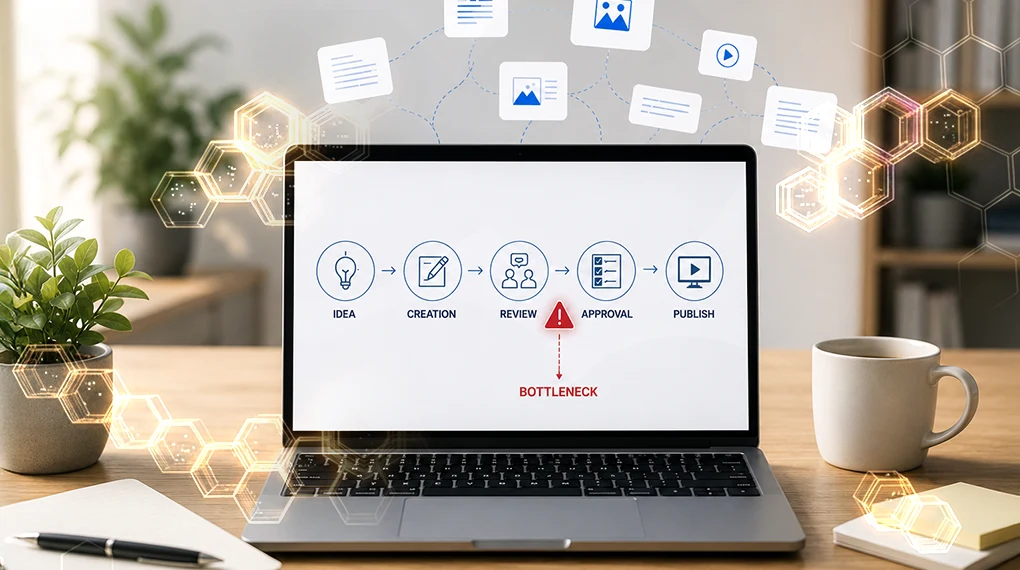
×
NetEffect Joins Taazaa to Expand Enterprise AI, Platform Integration, and Modernization Services. Learn more
Categories
AEM

Adobe Brand Visibility: What Your AEM Setup Needs to Get Full Value 

Key Takeaways 

  • Adobe Brand Visibility, formerly Adobe LLM Optimizer, is Adobe’s complete GEO platform combining AI visibility monitoring, content optimization and revenue measurement in a single workflow. 
  • It tracks brand presence across at least 10 LLM families including ChatGPT, Perplexity, Google AI Mode, Claude and Microsoft Copilot, and benchmarks your visibility against up to five competitors. 
  • The AEM setup requirements that determine how much value Brand Visibility delivers are the same ones that determine broader AI readiness: content structure, metadata consistency and crawler accessibility. 
  • AEM Edge Delivery Services customers have a head start. EDS’s clean HTML and 100 Lighthouse score baseline are exactly what AI agents need to read and cite content reliably. 

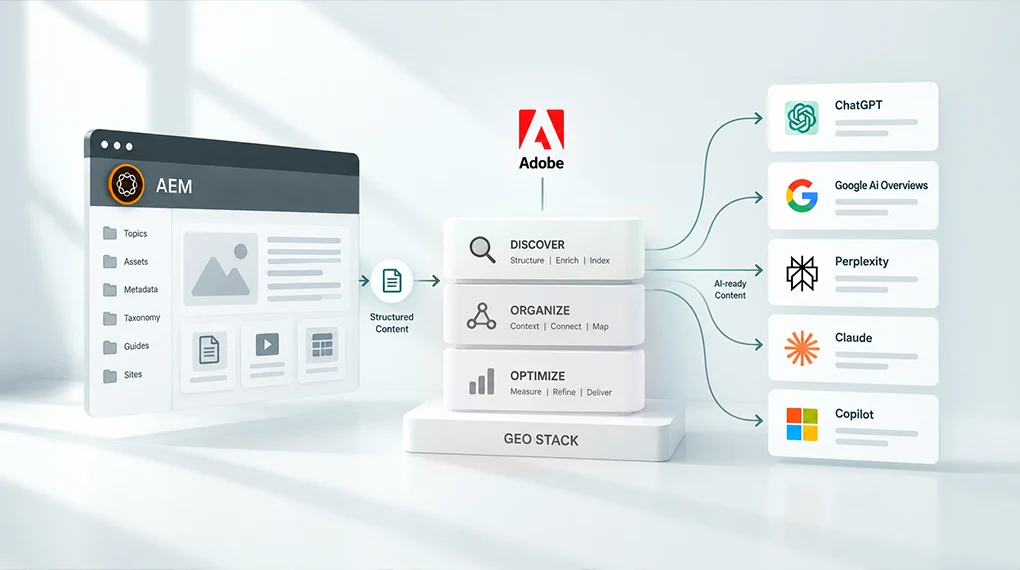
Adobe Brand Visibility is Adobe’s GEO stack: a unified platform that monitors how your brand appears across AI search engines, identifies what’s blocking visibility and deploys fixes directly to your AEM environment without requiring an engineering sprint. It works, but only as well as the AEM setup underneath it. This post explains what the platform does and what your AEM environment needs to have in place before it delivers full value. 

What Adobe Built and Why It Matters Now 

For most of the past decade, enterprise marketing teams optimized for one thing: ranking in Google search results. The playbook was well understood. Keywords, backlinks, page speed, structured data. The work was measurable and the outcomes were predictable. 

That old playbook still works about as well as it ever did. It just doesn’t cover where customers are looking anymore. 

AI-powered search is now a primary discovery channel. Adobe Digital Insights has tracked AI traffic to U.S. retail sites surging 1,324 percent between October 2024 and May 2026, with travel growing even faster at 2,215 percent over the same span. When a potential customer asks ChatGPT, Perplexity or Google AI Mode which platform is best for enterprise content management, which vendor leads for regulated industries or what the difference is between two competing products, they aren’t getting a ranked list of links. They’re getting a synthesized answer. Your brand is either in that answer or it isn’t. 

Adobe recognized this shift and built an entire product layer to address it. The result is Adobe Brand Visibility, announced June 17, 2026, as part of Adobe CX Enterprise. It combines the capabilities of Adobe LLM Optimizer with Semrush’s AI search database of nearly 300 million real AI search prompts in a single enterprise workflow. AEM customers don’t need to be sold on using it. The harder question is whether their AEM environment is set up to get the most from it. 

What Adobe Brand Visibility Actually Does 

Understanding the product before understanding the AEM requirements makes the connection between the two clearer. 

AI Visibility Monitoring 

Adobe Brand Visibility tracks brand visibility across at least 10 LLM families, including ChatGPT, Perplexity, Google AI Mode, Anthropic Claude and Microsoft Copilot, with competitive share-of-voice benchmarking against up to five direct competitors. It tells you not just whether your brand appears in AI answers, but how prominently, how accurately and against which queries. 

This monitoring layer uses CDN log analysis to identify AI agent traffic. That’s significant because standard analytics platforms can’t see AI bot traffic clearly. Adobe Brand Visibility can, and it connects that traffic to downstream engagement and revenue through native Adobe Analytics and Customer Journey Analytics integrations. 

Citation Readability Scoring 

The product includes a Citation Readability Score for each page, showing how much of your content AI agents can actually read and use. A companion Chrome extension, the AI Content Visibility Checker, lets teams run this check on any page without a product license. Practitioner guidance from Adobe frames a side-by-side comparison of what AI agents see versus what human visitors see as one of the most persuasive artifacts you can bring to a GEO investment conversation, particularly on your highest-value pages. 

Opportunity Identification and Deployment 

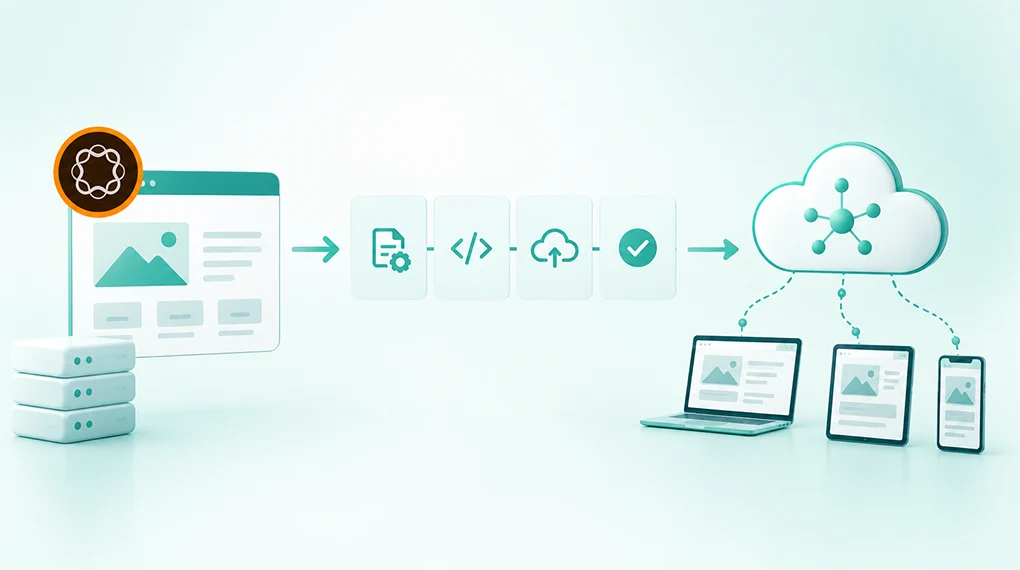
Adobe Brand Visibility surfaces prioritized recommendations and enables teams to act on them immediately. Fixes deploy in two ways: at the CDN edge in minutes without a CMS update, or through CMS updates for durable changes that persist. CDN edge deployment targets AI agents only and has no effect on the human visitor experience or existing SEO signals. 

The platform also covers off-site optimization: generating content for Wikipedia, YouTube, Reddit and earned media to expand citation authority on the third-party surfaces LLMs weight most heavily when forming answers. 

Revenue Measurement 

The Adobe Analytics integration connects every GEO optimization directly to conversions and revenue, with server-level confirmation that AI bots read the updated content. This moves GEO from a brand awareness exercise to a measurable growth initiative with numbers leadership already trusts. 

The AEM Requirements That Determine How Much You Get From It 

Adobe Brand Visibility is available as a free trial for AEM Cloud Service, Adobe Analytics and Customer Journey Analytics customers. Customers who activated before April 1, 2026 keep up to 200 prompts under their original terms. Everyone else gets up to 100 prompts, one domain and optimizations across up to 50 URLs for a single opportunity type. For most enterprise AEM teams, though, licensing isn’t what slows this down. Their AEM environment is. 

Key products supporting the solution include AEM Sites, AEM Sites Optimizer and Adobe Brand Visibility working together. They’re designed as an integrated stack. The monitoring layer shows you the gaps. The optimization layer closes them. But the underlying AEM environment determines how wide those gaps are in the first place. 

Here’s what matters most. 

1. Content Must Be Readable by AI Crawlers 

This is the most immediate and most frequently overlooked requirement. AI agents can’t cite content they can’t read. 

JavaScript-rendered content, gated pages, assets without text equivalents and pages that block AI crawlers in robots.txt are invisible to AI search regardless of their quality. According to Adobe’s data on US retail site AI readability, the average homepage scores only 75 percent on AI content readability. That means roughly a quarter of homepage content is effectively hidden from the AI systems your brand depends on for discovery. 

For AEM teams, the most common readability gaps show up in a handful of predictable places. Single Page Applications that render content in JavaScript rather than serving it as static HTML top the list. Pages that don’t include server-rendered fallback content for AI agent user agents are a close second. DAM assets, PDFs and video content without machine-readable text equivalents create another blind spot, and robots.txt configurations that inadvertently block AI crawlers alongside other bots round it out. 

Adobe’s own guidance points to a consistent fix for the SPA problem: adding a server-rendered block on every page template containing an AI-readable summary. Simple to implement. High impact. (#LINK-TBD: source claim needs Mitch’s confirmation, see pipeline report) 

2. Content Structure Determines Extractability 

AI systems don’t read pages the way human visitors do. They extract facts, assess credibility and synthesize answers from multiple sources. For that extraction to work accurately, content needs clear structure: direct answers near the top of the page, consistent entity naming and organized headings that signal what each section covers. 

AEM’s content fragment and experience fragment architecture is well-suited to this when it’s used correctly. Content fragments that are built around structured fields with consistent naming produce more reliable AI citations than pages built as free-form rich text. The content model decisions made during AEM implementation, or during a migration, directly affect how well AI systems can extract and use your content. 

For teams thinking through how content architecture connects to AI visibility, this post on what AI search actually looks for in your content covers the structural signals that determine whether content gets cited or skipped. 

3. Metadata Consistency Across the DAM 

Brand Visibility identifies content gaps based on real AI search prompts. When it recommends adding a page or updating existing content to address a visibility gap, that content needs to be findable, reusable and correctly tagged inside your AEM environment to be deployed quickly. 

A DAM with inconsistent taxonomy or missing metadata makes that process slower and less reliable. The right asset for a given gap may already exist in your DAM. If it can’t be found because the tagging is inconsistent, the optimization cycle extends from minutes to days. 

For teams still working through DAM governance and taxonomy decisions, this post on why your content supply chain, not your content team, is the real bottleneck covers how metadata decisions upstream affect content velocity downstream, which is exactly the dynamic that GEO optimization surfaces. 

4. AEM Cloud Service Shapes Your Trial Path, Not Your Deployment Ceiling 

The free trial gate described above is the main AEM-specific eligibility rule, and it’s worth separating from a claim that circulates often and isn’t accurate: that CDN edge deployment only works for AEM. It doesn’t. Optimize at Edge, the feature that pushes fixes live in minutes without a CMS update, is CDN-agnostic and CMS-agnostic. It’s documented to work with Fastly, Akamai and Cloudflare, on any content management system. 

Where AEM does matter is setup friction. AEM Cloud Service customers on Adobe’s managed Fastly get a self-serve, close to one-click routing setup inside the Brand Visibility UI. Fastly customers running their own instance configure it through VCL snippets instead, which typically means pulling in a developer. The same is true for Akamai and Cloudflare. So the practical AEM advantage isn’t exclusivity. It’s that AEM Cloud Service on managed Fastly is the fastest path from opportunity to live fix, with the least engineering involved. 

For teams weighing what their current deployment model means for broader AI agent access, our post on AEM 6.5 end of support and the three paths forward digs into what each option means for platform capability going forward.  

5. AEM Edge Delivery Services Teams Have a Head Start 

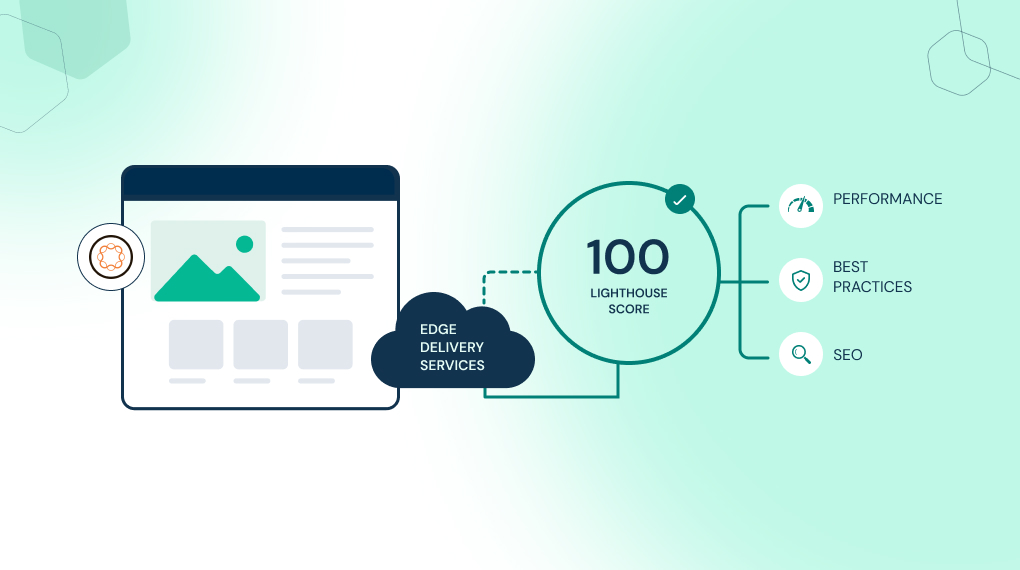
AEM Edge Delivery Services teams already have a meaningful advantage in AI search visibility. EDS produces clean, server-rendered HTML by default. The 100 Lighthouse score that EDS achieves as a baseline reflects exactly the kind of fast, well-structured, fully readable pages that AI agents cite most reliably. 

EDS’s plain JavaScript and CSS front-end model also eliminates the SPA rendering problem that creates the largest AI readability gaps in traditional AEM Sites implementations. If you’re on EDS, your pages are already structured to be read by AI. Brand Visibility lets you measure and optimize that advantage rather than first diagnosing why content is invisible. 

For teams evaluating a move to EDS as part of their broader AI readiness strategy, this post on how AEM hits a 100 Lighthouse score with Edge Delivery Services covers the performance architecture that makes EDS the strongest starting point for GEO work. 

What This Looks Like in Practice 

Before Brand Visibility’s wider launch, Adobe’s own marketing team ran the underlying LLM Optimizer technology on Adobe.com, testing it against the Firefly and Acrobat landing pages. The team identified gaps in how product descriptions, ratings and reviews were surfacing in AI answers. Automated recommendations resolved the issues without disrupting the visitor experience. Within one week, citations increased by five times for Adobe Firefly. Adobe Acrobat saw a 200 percent increase in LLM visibility versus competitors, and a 41 percent increase in LLM-referred traffic to Adobe.com pages. 

Those numbers reflect what happens when Brand Visibility runs on top of an AEM environment with clean content structure, readable pages and consistent metadata. The tool identified the specific gaps. The AEM infrastructure allowed them to be fixed quickly. The result was measurable within a week. 

In our work with enterprise AEM environments, the organizations seeing the fastest GEO returns from Brand Visibility are consistently the ones that addressed content readability and metadata consistency before activation, not alongside it. 

The Starting Point 

Adobe Brand Visibility is live now, with a free trial open to AEM Cloud Service, Adobe Analytics and Customer Journey Analytics customers. Before activating, the most useful first step is running the AI Content Visibility Checker on your 10 highest-value pages. Product pages, solution descriptions, thought leadership content, pricing pages and FAQs are the highest-priority targets. The Citation Readability Score for each page tells you exactly how much of your content AI agents can currently use. 

That score is your baseline. It tells you whether your AEM environment is ready to get full value from Brand Visibility immediately, or whether content readability and metadata work needs to happen first. 

For teams who want help mapping their current AEM setup against Brand Visibility’s requirements and identifying where the fastest GEO gains sit, a Focus Area Audit is the right starting point. 

Book a Focus Area Audit 

Frequently Asked Questions 

What is Adobe Brand Visibility and how does it relate to LLM Optimizer?

Adobe Brand Visibility is the evolution of Adobe LLM Optimizer, launched June 17, 2026 after Adobe combined it with Semrush’s AI search intelligence following Adobe’s acquisition of Semrush, completed April 28, 2026. It combines AI visibility monitoring, content optimization and revenue measurement in a single platform. The core GEO functionality is the same; the intelligence layer is significantly expanded. 

Does Adobe Brand Visibility work with any CMS or only AEM?

The free trial requires AEM Cloud Service, Adobe Analytics or Customer Journey Analytics. Once you’re using the product, the monitoring, analysis and CDN edge deployment capabilities are CMS-agnostic. Optimize at Edge works with Fastly, Akamai or Cloudflare regardless of what CMS sits behind them. AEM Cloud Service customers on Adobe’s managed Fastly get the simplest setup: a self-serve, near one-click flow. Everyone else configures it through CDN-specific steps, usually with a developer’s help. 

Can we use Adobe Brand Visibility if we’re still on AEM 6.5 or LTS on-premise?

The monitoring and citation readability analysis work for any publicly accessible site regardless of CMS. The free trial is gated to AEM Cloud Service, Adobe Analytics or Customer Journey Analytics customers, so an on-premise AEM 6.5 environment without one of those wouldn’t qualify for the trial on its own. For the paid product, CDN edge deployment isn’t limited to AEM. If your site sits behind Fastly, Akamai or Cloudflare, Optimize at Edge is available regardless of what’s on-premise or in the cloud. Confirm current trial and licensing terms with your Adobe rep before committing content ops time to it.

How quickly do GEO optimizations take effect?

CDN edge optimizations deploy in minutes and include server-level confirmation that AI bots read the updated content. CMS-based updates follow normal publishing workflows. Adobe Brand Visibility includes rollback capability for CDN edge changes, with no impact on the human visitor experience or existing SEO signals. 

What is the relationship between AEM Sites Optimizer and Adobe Brand Visibility?

AEM Sites Optimizer focuses on technical site performance, Core Web Vitals and SEO health inside AEM. Adobe Brand Visibility focuses on AI search visibility, citation monitoring and GEO optimization. Both are positioned as working together as part of the broader brand visibility stack alongside AEM Sites and Adobe Analytics. 
Categories
AEM

AEM 6.5 Support Ends in 2026. Here’s How to Choose What Comes Next

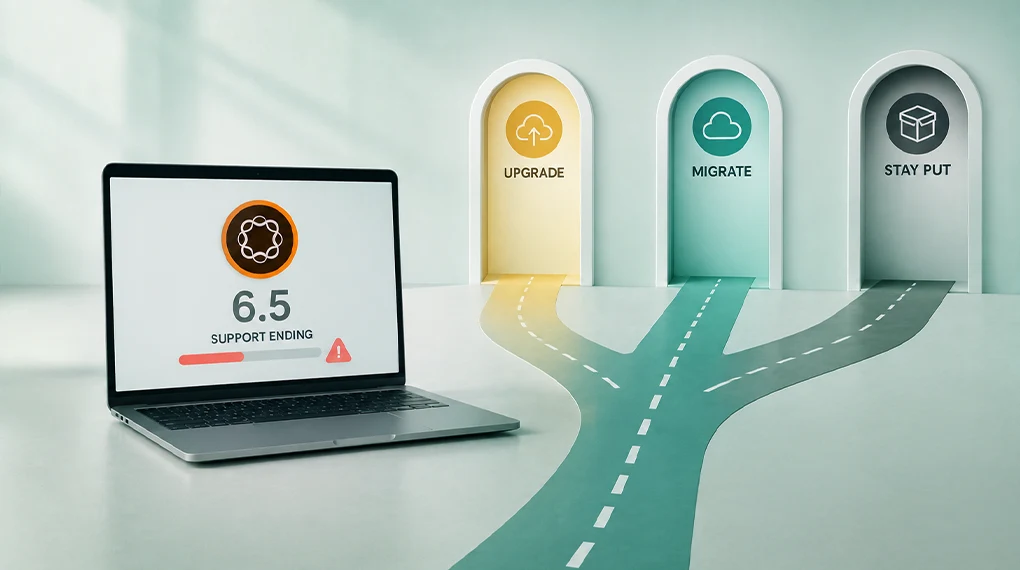
AEM 6.5 support ends August 31, 2026, for Managed Services customers, and February 2027 for on-premises. Three paths forward exist: AEM 6.5 LTS, AEM as a Cloud Service or AEM as a Cloud Service with Edge Delivery Services. The deadlines are the same for everyone. The paths aren’t.

Key Takeaways

  • Adobe Managed Services support for AEM 6.5 ends August 31, 2026. On-premises core support ends February 2027, with extended support available until February 2028.
  • AEM 6.5 LTS buys time without requiring a cloud migration, but it permanently blocks access to AI agents on LTS deployments, whether on-premises or on Managed Services.
  • AEM as a Cloud Service unlocks the full AI agent layer, continuous governance and personalization at scale.
  • AEM as a Cloud Service with Edge Delivery Services adds a 100 Lighthouse score baseline and faster authoring on top of everything Cloud Service offers.
  • The right path depends on your timeline, integration complexity and AI requirements, not on which option sounds most modern.

The Dates That Are Already Decided

This isn’t a future roadmap item. The deadlines are confirmed and published.

According to Adobe’s releases roadmap, the support timeline is:

Customer Type

Core Support Ends

Extended Support Ends

Adobe Managed Services

August 31, 2026

Not applicable

On-Premise

February 2027

February 2028

Service Pack 26 was the last supported service pack for AEM 6.5. AEM 6.5 LTS covers both customer types and extends the support window. But LTS is a bridge, not a destination. You still need to decide where to go next.

In our experience, teams that treat this as a future decision consistently underestimate how much lead time a well-executed upgrade requires. Starting the evaluation now isn’t early. For many teams it’s already late.

The Three Paths: What Each One Actually Means

Path 1: AEM 6.5 LTS

LTS stands for Long Term Support. It’s a separate product from AEM 6.5, built on newer Java versions (17 and 21) rather than the older Java 8 and 11 that AEM 6.5 runs on. It receives security patches and service packs without requiring a move to the cloud.

Think of LTS as pressing pause. Your team keeps working in a familiar environment. You defer the cloud migration and get more time to plan.

LTS gives you extended support on a familiar on-premise or managed services setup, lower short-term disruption than a cloud migration and more time to plan a deliberate move to Cloud Service later.

What LTS doesn’t give you: according to Adobe’s AI Agents overview, AI agents are only available on AEM as a Cloud Service and Edge Delivery Services. They’re not currently available on AEM 6.5, AEM 6.5 LTS, on-premises deployments or Managed Services. That’s a platform-level limitation built into the agent orchestration architecture, not a temporary rollout gap. LTS also doesn’t include Edge Delivery Services or automatic platform updates.

LTS is the right choice when your team needs time, not when it needs capability.

Path 2: AEM as a Cloud Service

AEM as a Cloud Service is the cloud-native version of AEM. Adobe manages the infrastructure. The platform updates automatically so your team is always on the latest version without scheduling manual upgrades.

For non-technical stakeholders, the simplest way to think about it is this: instead of your team managing the platform, Adobe manages it. Your team focuses on using it.

Cloud Service unlocks the full AI agent layer, including the Governance Agent for brand and compliance checks and the Experience Production Agent for content updates, page creation and form building. It updates automatically without manual service pack management, and its infrastructure scales with traffic on its own. Adobe documents HIPAA-ready configurations specifically for Cloud Service, an option it doesn’t extend to on-premise LTS deployments. Cloud Service also connects natively to Adobe Experience Platform and the rest of the Experience Cloud suite.

What to plan for: you’ll need to review and refactor custom code and redesign integrations with other systems. It’s a structured migration program, not a simple switch. For teams working through what that involves, our guide on why and how to migrate to AEM as a Cloud Service covers the decision factors clearly.

Path 3: AEM as a Cloud Service with Edge Delivery Services

Edge Delivery Services sits on top of Cloud Service and adds a performance delivery layer. Edge servers close to each visitor serve the content instead of a single central location, which makes pages faster by default.

Every EDS site targets a perfect 100 Lighthouse score out of the box, and Adobe treats that as the expected baseline rather than an advanced optimization goal. That score reflects how fast, accessible and well-structured a page is, and it directly affects search rankings and conversions. For a full explanation of what that means, our post on how AEM hits a 100 Lighthouse score is worth reading before evaluating this path.

EDS adds a 100 Lighthouse score as the baseline on every page. Authors can write in Word or Google Docs and publish directly, and EDS pages can coexist with existing AEM Sites pages on the same domain during migration.

What EDS requires beyond Cloud Service: the front-end of your current AEM site needs to be rebuilt. Existing templates, components and styling code don’t transfer directly. For teams evaluating what that rebuild involves, our guide on what it takes to move a live AEM site to Edge Delivery covers the scope and the incremental migration model.

How to Choose: The Decision Framework

No single path suits every organization. Five variables determine which one fits yours.

Variable

Points Toward LTS

Points Toward Cloud Service

Points Toward Cloud Service + EDS

Timeline pressure

Need time before committing to cloud

Ready to migrate in 12 to 18 months

Ready to migrate and want performance gains

AI capability requirement

AI is not a priority in the next 12 months

AI agents needed within the next year

AI agents plus high-performance delivery both required

Integration complexity

High complexity needs assessment time

Integrations already assessed and compatible

Integrations assessed and front-end rebuild scoped

Regulated environment

HIPAA not required

HIPAA readiness required

HIPAA readiness plus AI search optimization needed

Appetite for front-end change

Low: want minimal disruption

Medium: willing to refactor for Cloud Service

High: willing to rebuild front-end for EDS performance

Teams choosing LTS without a defined Cloud Service plan tend to face the same decision again 18 months later, with less time and more technical debt. LTS makes sense as a bridge when it has a clear destination. Without one, it delays a decision rather than solving it.

For a structured way to assess where your current environment stands, this AEM implementation checklist maps the technical and governance readiness questions that determine which path is realistic for your team.

The AI Capability Gap Is the Real Differentiator

The support deadline creates urgency. The AI capability gap is what makes the three paths unequal.

LTS deployments won’t have access to AI agents, whether on-premises or on Managed Services. This is confirmed, not a future product decision that could change. Teams that stay on LTS lose access to the tools that let AI operate within governed content workflows instead of alongside them.

For regulated industries, this matters most. The Governance Agent runs continuous compliance checks before content goes live. That capability doesn’t exist on LTS. On Cloud Service, it’s available today. For teams in financial services, healthcare or enterprise retail, our post on AEM for regulated industries covers governance capabilities in Cloud Service that LTS can’t match.

What the Upgrade Actually Involves

AEM 6.5 to LTS: the lightest path. The main work is a compatibility review of existing custom code against LTS’s newer Java requirements, migration to the LTS service pack track and validation testing. Most teams with a reasonably structured AEM 6.5 environment can complete this in a few months.

AEM 6.5 to Cloud Service: all the LTS compatibility work plus a cloud migration. You’ll need to refactor custom code, redesign integrations and migrate content with validated URL redirects. Realistically, six to 12 months for most enterprise environments.

AEM 6.5 to Cloud Service with EDS: everything Cloud Service requires, plus a front-end rebuild. In our experience, teams that plan the front-end rebuild as a separate, parallel workstream rather than folding it into the Cloud Service migration complete both faster and with fewer post-launch issues.

For teams building the business case for any of these paths, our whitepaper on AEM optimization for enterprise covers where the investment produces the clearest returns.

The Decision That Can’t Wait

The August 31, 2026, deadline for Managed Services customers is here. On-premises teams have until February 2027. Teams that act now can run a deliberate, well-planned program. Teams that wait until the deadline is close will be running a rushed one. The cost difference between those two approaches is significant.

A 30-minute conversation with the NetEffect team can map your current AEM 6.5 environment against all three paths and outline what a realistic program looks like from where you are today.

Book a Focus Area Audit

Frequently Asked Questions

Is AEM 6.5 LTS the same as AEM 6.5?

No. LTS is a separate product built on Java 17 and 21 rather than AEM 6.5’s Java 8 and 11. It delivers continued security patches and service packs without requiring a cloud migration.

Can we stay on LTS indefinitely?

No. LTS extends the support window, but it doesn’t replace the need to move to Cloud Service eventually. LTS customers, whether on-premises or on Managed Services, also permanently lose access to AI agents.

How long does migrating to Cloud Service take?

Simple environments typically complete in three to six months. Complex enterprise environments with many custom components and integrations typically run six to 12 months. Our phase-based AEM implementation roadmap maps where each decision point falls in that sequence.

Does moving to Cloud Service mean rebuilding our front-end?

No. Only teams also moving to Edge Delivery Services need to rebuild their front end. Cloud Service supports existing AEM Sites architectures with Core Components and HTL.

What happens if we miss the support deadline?

Adobe stops providing security patches, bug fixes and technical support. This creates security and compliance exposure that most regulated organizations can’t accept. Extended support is available for on-premises customers until February 2028 at additional cost but includes no new features.

Categories
AEM

What It Actually Takes to Move a Live AEM Site to Edge Delivery

Key Takeaways 

  • AEM Sites and Edge Delivery Services now coexist on the same domain and CDN, enabling incremental migration rather than a big-bang cutover. 
  • There’s no direct migration path from the Page Editor to the Universal Editor: the move is only recommended for projects transitioning to Edge Delivery Services. 
  • The refactoring work is real: component dialogs, front-end code and editable fields all need rebuilding for the EDS architecture. 
  • The Experience Modernization Agent automates a significant share of migration work, compressing timelines from months to weeks or days for qualifying sites. 
  • A 100 Lighthouse score is the expected EDS baseline, not an optimization target, and it makes the performance case for migration concrete. 

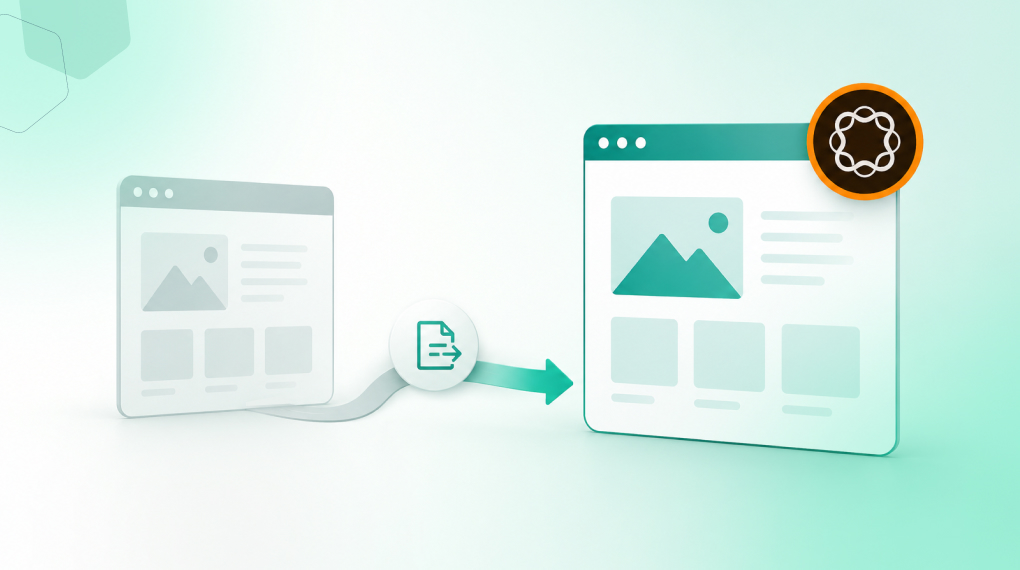
Moving a live AEM site to Edge Delivery Services means rebuilding the front end and rethinking the content architecture at the same time, on a site that’s still serving real traffic. Since Adobe Summit 2026, AEM Sites and Edge Delivery Services pages coexist on the same domain and the same CDN, so migration can happen incrementally. That removes the all-or-nothing objection that stopped most EDS conversations. 

The Objection That Stopped Most EDS Conversations 

Until recently, EDS looked like an all-or-nothing decision. Teams had to replatform the entire site, rebuild every component and cut over on a fixed date. For live, business-critical sites, that risk profile was hard to justify. 

That objection is now structurally resolved. According to Adobe’s Cloud Manager documentation, organizations can deliver experiences using EDS while continuing to use AEM Author. AEM Sites pages and EDS pages coexist on the same domain. Traffic routes to different origins by path through the same Adobe-managed CDN. 

A team can migrate one high-traffic section to EDS first, validate the performance gains in production and expand from there. That shifts the conversation from “should we migrate” to “where do we start.” 

What Actually Changes in the Architecture 

Understanding what needs to change technically separates realistic migration plans from ones that discover their scope mid-project. 

The Front-End Rebuild 

According to Adobe’s EDS overview, EDS replaces AEM Publish and Dispatcher with a front-end approach built for the network edge. Front-end code built with Core Components, HTL templates and clientlibs doesn’t transfer to EDS. The EDS model is plain CSS and JavaScript managed through GitHub with no build pipeline required. 

For most enterprise AEM Sites implementations, this means component dialogs move from the Page Editor model to the Universal Editor’s properties rail, and front-end code rebuilds as EDS blocks in plain JavaScript and CSS. Editable fields map to the Universal Editor’s data attribute model, and teams need to rearchitect any custom JavaScript inside component dialogs entirely. 

Teams should scope this refactoring work honestly before planning begins. Volume depends on how many custom components exist and how complex their dialog structures are. This piece on why IT and marketing misalignment is the biggest risk in Adobe implementations explains why scoping decisions made without cross-functional agreement create the most expensive mid-project surprises. 

The Universal Editor Transition 

According to Adobe, there’s no direct migration path from the Page Editor to the Universal Editor, because the two technologies are fundamentally different. The Universal Editor doesn’t support the Template Editor, Style System or Responsive Grid. Those use cases move to lean CSS and JavaScript in EDS. 

The authoring experience changes for content authors. Authors tend to adapt quickly, since the interface is simpler than the Page Editor’s. But teams need to factor author training into the migration timeline before go-live, not after. 

The Content Model 

EDS organizes content as blocks, the building units of EDS pages. Each block is defined by markup and JavaScript rather than Sling models or HTL templates. Authors create pages by assembling blocks through the Universal Editor or document-based authoring in Word or Google Docs. 

The existing content architecture needs mapping to EDS blocks before migration begins. Pages relying heavily on AEM’s Responsive Grid or nested components require the most redesign work. Simpler content patterns migrate faster. For teams thinking through how content architecture decisions affect long-term platform performance, our post on why the content supply chain, not the content team, is usually the real bottleneck covers the upstream decisions that matter most. 

The Incremental Migration Model 

Adobe’s Cloud Manager offers two EDS deployment types. For live AEM Sites migrations, an HTTP proxy routes specific URL paths to an EDS origin while the rest of the domain stays on AEM Sites. 

A practical migration sequence looks like this: 

Stage What Moves to EDS What Stays on AEM Sites 
Stage 1 High-traffic content-heavy pages: news, blog, campaign landing pages Transactional, form-heavy and deeply integrated pages 
Stage 2 Marketing and brand pages after Stage 1 validated Pages requiring complex integrations 
Stage 3 Remaining pages as EDS blocks are built and validated Legacy pages with complex custom component structures 
Full cutover Entire site on EDS AEM Author retained for content creation and governance 

Performance gains from the first migrated paths are visible in production before the broader migration commits. The 100 Lighthouse score EDS delivers by default becomes a live proof point rather than a slide in a business case. This article on how AEM hits a 100 Lighthouse score with Edge Delivery Services covers the architecture behind it and what threatens it after go-live. 

Where the Experience Modernization Agent Changes the Equation 

The front-end refactoring work has historically been the primary cost driver in EDS migrations. The Experience Modernization Agent changes that for qualifying sites. 

According to Adobe’s Modernization Agent overview, it supports migrations from a wide range of CMS platforms, legacy AEM and design systems into production-capable EDS projects. It accelerates migrations from months to weeks or days. Skills include page migration, bulk import, design extraction, navigation setup and web scraping. 

There are important constraints to understand before building a migration timeline around the agent. Source content needs to be publicly accessible: the scraping skill can’t reach intranet sites or anything behind authentication, a VPN or a firewall, though it does handle dynamic, client-side-rendered content as long as it’s reachable at a URL. The agent targets EDS only and doesn’t produce output for traditional AEM Sites architectures. Developers keep full authority over what goes live through GitHub review workflows. 

For sites that meet the accessibility requirement, the agent reduces front-end rebuild from the most expensive migration phase to a review-and-refine activity. For teams thinking through how the agent fits the broader AEM agentic layer, this post on what Adobe’s AI agents actually change about your day covers each agent’s role in content operations. 

Pre-Migration Assessment: What to Confirm Before Committing 

Run these four checks before building a timeline or budget. 

Assessment Area What to Check Why It Matters 
Component inventory Count custom components and rate dialog complexity Each Page Editor dialog needs rebuilding for Universal Editor 
Content accessibility Confirm source pages are publicly accessible without authentication Determines whether the Experience Modernization Agent can be used 
Integration landscape Audit third-party scripts, analytics tags and personalization tools Scripts outside EDS phased rendering sequence degrade Lighthouse scores 
Author change management Define training plan and feedback period before go-live Authors discovering a changed interface on launch day create internal resistance 

For a structured framework covering these and other pre-migration decisions, this guide on replatforming to AEM maps the readiness assessment, taxonomy and governance decisions that shape the rest of the timeline. 

What a Realistic Migration Timeline Looks Like 

No two migrations are identical, but a handful of variables drive most timelines. How many custom components need refactoring, whether the Experience Modernization Agent can handle bulk content migration and how many paths migrate incrementally versus all at once all factor in. So does the complexity of the integrations, the scope of third-party script review and the scale of author change management. 

Sites with simple component structures and publicly accessible content can compress a historically six-to-nine month project into weeks for the first paths. Complex enterprise sites with many custom components drive timelines toward three to six months for the first meaningful migrated set. 

The incremental model means the business case doesn’t require waiting for full migration to validate. Real performance data from the first migrated paths, compared against the same paths on AEM Sites, is the most credible evidence a DX leader can present for expanding scope. For a full picture of post-migration activation sequencing, our whitepaper on AEM optimization for enterprise covers each activation phase with its business case. 

Starting the Right Conversation 

An EDS migration is an architecture decision before it’s a project. A 30-minute conversation with the NetEffect team maps your current AEM architecture against EDS migration requirements, identifies where the Experience Modernization Agent can accelerate the work and outlines what an incremental plan looks like for your environment. 

Book a Focus Area Audit 

Frequently Asked Questions

1. Can AEM Sites and EDS pages coexist on the same domain? 

Yes. Adobe’s Cloud Manager documentation confirms specific URL paths can route to an EDS origin while the rest of the domain stays on AEM Sites through the same CDN. This is the technical foundation for incremental migration. 

2. Do content authors need retraining for EDS? 

Yes, but the change is typically well received. The Universal Editor offers simpler WYSIWYG in-context editing. Document-based authoring via Word or Google Docs is also available. Teams should plan author training before go-live, not after. 

3. Can the Experience Modernization Agent migrate any AEM site? 

Not all sites qualify. Source content needs to be publicly accessible, and anything behind authentication, a VPN or a firewall can’t be processed by the scraping skill. For qualifying sites, the agent significantly reduces the front-end rebuild timeline. 

4. Is there a direct path from Page Editor to Universal Editor? 

No. Adobe confirms no direct migration path exists, due to fundamental technology differences. Moving to Universal Editor is only recommended alongside an EDS transition. 

5. How does EDS migration affect existing AEM governance workflows? 

AEM Author remains the content creation and governance layer after migration. Existing workflows, permissions and approval configurations continue to apply. The delivery layer changes. The governance layer doesn’t. For regulated environments, this article on enforcing content governance with AEM workflows covers how controls carry through an EDS migration.

Categories
AEM

Replatforming to AEM: A Guide for Teams Leaving Another CMS

Key Takeaways

  • Replatforming to AEM isn’t a lift-and-shift exercise. Content architecture and governance decisions made during migration determine how much of AEM’s capability your team can use after go-live.
  • Adobe provides a phased migration framework including the Best Practices Analyzer, the Content Transfer Tool and the Experience Modernization Agent, each with a specific role in reducing migration risk.
  • The most expensive migration mistakes happen before any content moves: skipping readiness assessment, carrying forward broken taxonomy and under-resourcing governance design.
  • AEM as a Cloud Service is the only deployment model that supports the full AI agent layer, Edge Delivery Services and continuous governance.
  • Content migration and code migration are separate workstreams with different timelines and risk profiles, and treating them as one project is a leading cause of go-live delays.

Why Teams Leave Their Current CMS

The decision to replatform rarely starts with a technology preference. It starts with a business problem the current platform can no longer solve.

The patterns are consistent. Content teams are producing more output with the same headcount, and the platform wasn’t built for that volume. Personalization is on the roadmap, but connecting audience data to content delivery requires custom development the current CMS was never designed to support. Governance breaks down under deadline pressure because it depends on manual steps rather than system controls. And AI tools end up living around the platform, not inside it.

AEM as a Cloud Service addresses each of these, but only when the team treats the migration as a strategic program rather than a technical one. NetEffect’s case study on unifying 180 websites with AEM shows what that business case looks like in practice across a large-scale, multi-site environment.

What Makes AEM Migration Different

Most CMS migrations involve moving content from one structured system to another. AEM migration involves that plus several dimensions that need separate planning.

Content architecture isn’t portable. AEM organizes content as pages, content fragments, experience fragments and components. That structure is fundamentally different from most other CMSs. Migrating raw content without redesigning the architecture for AEM’s model creates a rework backlog that surfaces after go-live, not before.

Integrations require rearchitecting. Custom integrations with DAMs, CRMs, analytics platforms and marketing automation tools rarely port directly to AEM. Each one needs evaluation against AEM’s API-driven architecture and independent testing.

Teams need to redesign governance, not replicate it. Carrying forward the governance model from the old CMS misses the opportunity to build compliance controls into the platform from the start. Migration is the right moment to define metadata standards, permission structures and approval workflows correctly, before content populates the new environment.

Deployment model choice affects everything downstream. AEM as a Cloud Service is the only deployment model that supports the full AI agent layer, Edge Delivery Services, continuous governance and HIPAA readiness. For teams weighing this decision, this guide on AEM cloud versus on-premise deployment covers what that choice means for long-term capability.

Adobe’s Migration Framework: Four Phases That Determine Outcomes

Phase 1: Readiness Assessment

The readiness phase determines what the migration will actually involve before any content moves.

Adobe’s Best Practices Analyzer scans an existing AEM environment and flags what needs to change before a move to Cloud Service, cutting out a lot of the manual assessment work teams would otherwise have to do by hand. For teams migrating from a non-Adobe CMS, the equivalent work involves a content audit of the source platform, an integration inventory and a governance gap analysis.

In our experience, the teams that skip this phase and move directly to execution consistently encounter mid-migration scope changes that cost more to resolve than the readiness work would have. The output isn’t a project plan. It’s a realistic picture of complexity that informs one.

Phase 2: Content Architecture Design

This phase decides how the team will structure content in AEM before migration begins. Content model design determines how pages, content fragments and experience fragments fit together. Taxonomy and metadata schema decisions determine which fields you require, how you tag assets and how you classify content. URL structure and redirect mapping determine how you preserve or redirect existing URLs. And the governance model, meaning permissions, approval workflows and rights management, needs to be locked in before content arrives.

The taxonomy and metadata decisions made here have the longest-lasting impact on post-go-live capability. A clean, consistently enforced taxonomy is what makes personalization, AI-assisted authoring and DAM discoverability work. For teams building that foundation, our piece on why content architecture determines AI readiness covers the structural prerequisites that migration teams should treat as design requirements, not post-migration optimizations.

Phase 3: Content Migration Execution

Adobe’s Content Transfer Tool handles the mechanics of moving content from an existing AEM instance into the new Cloud Service environment. For teams migrating from a non-Adobe CMS, the equivalent is a bulk import process that maps source content into AEM’s content model.

Adobe recommends a phased approach to the actual move. Turn off asset processing workflows before ingestion starts, since running them during ingestion tends to degrade performance. Ingest the assets first and run processing workflows afterward in batches. Run the ingestion in wipe mode on the target environment so the team starts from a clean state, and validate content rendering after each batch before moving to the next one.

We consistently see content migration and code migration work best as parallel but separate workstreams. Combining them creates dependencies that slow both down and make issues harder to isolate when they surface.

Phase 4: The Experience Modernization Agent

For teams migrating from another CMS into AEM with Edge Delivery Services, Adobe’s Experience Modernization Agent is a significant accelerator. Per Adobe’s own documentation, it works across a wide range of source CMS platforms and can turn a migration that would normally take months into a matter of weeks or even days. Its capabilities cover the heavy lifting: importing pages in bulk, pulling design systems from an existing site, rebuilding navigation and pulling content through web scraping where needed.

Every change still runs through a GitHub-based review workflow before it goes live, so developers keep full authority over what ships. Speed doesn’t come at the cost of governance.

The CMS Migration Checklist

Before migration begins. Document the business case with specific capability gaps in the current CMS, and confirm the deployment model as AEM as a Cloud Service. Complete a content audit covering volume, types, age and quality, along with an integration inventory that assesses every connected system. Identify governance gaps across metadata, permissions and approval workflows.

During architecture design. Design the content model for AEM’s fragment and component architecture, with a metadata schema that enforces required fields at the system level. Complete and validate the URL mapping and redirect strategy, and document permission structures and approval workflows.

During content migration. Disable asset processing workflows before bulk ingestion begins. Migrate content in batches and validate rendering after each one, test and verify redirect mapping, and validate search and metadata accuracy.

Before go-live. Test every integration at production data volumes, and test permission structures for every user group. Validate performance with production-representative content, document and test the rollback plan, and resource and schedule the stabilization period.

For the implementation sequence behind this checklist, this phase-based AEM implementation roadmap maps each decision to the correct point in the program timeline.

What to Expect After Go-Live

A well-executed AEM migration doesn’t deliver its full return at go-live. It delivers a platform capable of that return as the team activates capabilities in sequence.

Phase

Timeframe

Focus

Stabilization

Weeks 1-4

Monitor, resolve issues, validate performance

Content operations

Months 2-3

AI-assisted authoring, DAM discoverability, workflow optimization

Personalization

Months 3-6

AEP connectivity, audience-content matching

AI agent layer

Months 6-12

Governance Agent, Experience Production Agent

Full optimization

Ongoing

Performance tuning, content supply chain refinement

Teams that sequence activation deliberately outperform those that try to activate everything at once. The migration creates the foundation. Each phase builds on it.

Starting the Conversation

A 30-minute conversation with the NetEffect team can map your current CMS limitations against AEM’s capability set, identify the migration complexity specific to your environment and outline what a realistic program looks like from readiness assessment to stabilization.

Book a Focus Area Audit

Frequently Asked Questions

Q1. How long does an AEM migration typically take?

Simple migrations with limited integrations and a clean content structure typically complete in three to four months. Complex enterprise migrations with many integrations and multi-site requirements typically run 6 to 12 months. The readiness assessment produces a realistic timeline for your specific environment before the program begins.

Q2. Can we migrate from any CMS to AEM?

Yes. Adobe’s Experience Modernization Agent supports migrations from a wide range of CMS platforms into production-capable Edge Delivery Services projects. The migration path varies by source platform complexity, but no CMS is categorically incompatible with AEM.

Q3. Should we migrate all content or start with a subset?

Starting with your highest-traffic or most business-critical pages allows you to validate the content architecture, integration connections and governance model before committing to full migration. Adobe’s Content Transfer Tool supports phased migration with batch ingestion and validation.

Q4. What happens to our SEO during migration?

Every URL that changes needs a validated redirect to preserve SEO equity and prevent 404 errors. Redirect mapping is consistently underestimated in migration planning and is one of the most common causes of post-launch performance degradation. Complete and test it before go-live, not after.

Q5. How does AEM migration connect to AI readiness?

The content architecture, taxonomy and governance decisions made during migration directly determine AI readiness after go-live. Our piece on why content architecture determines AI readiness covers the specific prerequisites that migration teams should treat as design requirements.

Categories
AEM

AEM for Regulated Industries: When Governance Isn’t Optiona 

Key Takeaways 

  • In regulated industries, governance works as a control embedded at every stage of content production, not a review step tacked onto the end. 
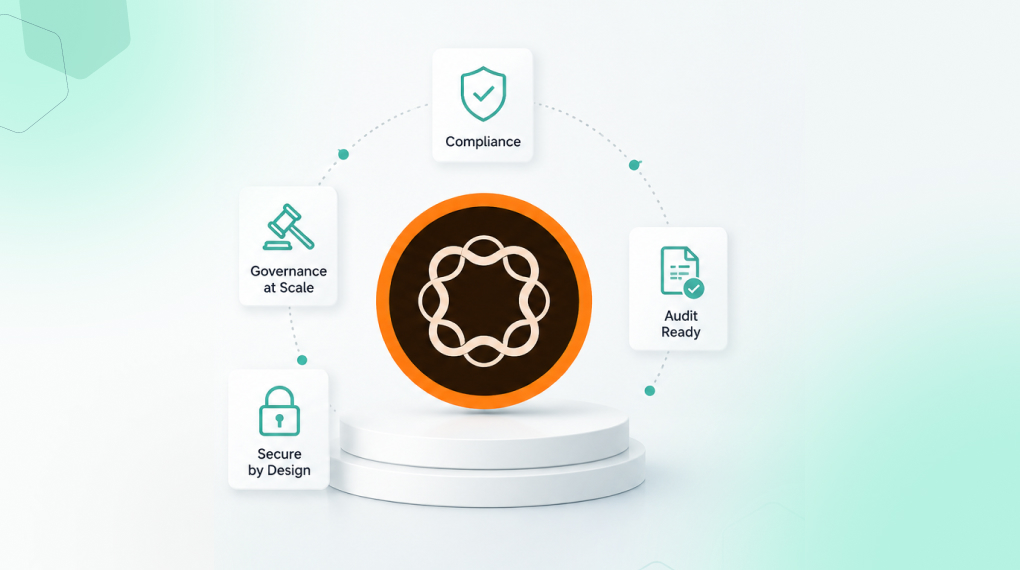
  • AEM’s content governance system covers permissions, metadata enforcement, digital rights management, approval workflows and continuous AI governance, all within a single platform. 
  • The most common governance gap in regulated Adobe environments is capability that already exists but isn’t configured to enforce compliance automatically. 
  • HIPAA readiness and digital sovereignty options are available for AEM as a Cloud Service, though healthcare and government configurations require additional licensing and, for PHI, a signed BAA. 
  • When AI enters the content production workflow, governance has to sit upstream of production, not get applied as a filter after the fact. 

What Governance Failure Actually Looks Like 

It rarely happens in a single dramatic moment. A disclosure goes live with outdated regulatory language. A licensed asset appears in a market where its rights have expired. A regional team publishes a product claim that legal flagged three weeks earlier, but the flag never reached the author. 

None of these require negligence. They only require treating governance as a review step at the end of the process instead of a control built into it. 

For organizations in financial services, healthcare, enterprise retail and the public sector, that distinction carries real consequences. Enforcement has to be built into the activation workflow, so compliance doesn’t depend on someone remembering the rules. When it isn’t, content becomes a liability before it becomes an asset. 

In financial services specifically, content is a compliance asset, not just documentation. Disclosures, regulatory notices, product documentation and agent support content underpin how financial institutions operate, serve customers and manage risk. As regulatory demands intensify and AI enters the picture, many organizations are discovering their content systems can’t keep up, creating quiet failures that slow reviews, introduce inconsistency and erode trust. 

What AEM’s Content Governance System Covers 

Permissions and Access Control 

In regulated environments, role-based access control is a compliance control, not just an implementation convenience. A content author on a regional marketing team shouldn’t have access to approved regulatory language templates unless they’re publishing within a defined, audited workflow. AEM’s permissions enforce those boundaries at the asset and page level, not just at the system level. 

Permissions need testing for every user group, with clearly defined limits around what each group can and can’t do. In practice, permission configurations set at implementation and never revisited are one of the most consistent sources of governance exposure we find in mature Adobe environments. Teams grow, roles change and access levels that made sense at launch become compliance risks within 18 months. 

Metadata and Taxonomy as Compliance Infrastructure 

A DAM without governance quickly becomes hard to use. The real value of AEM Assets shows up when metadata, permissions and taxonomy work together to make content instantly usable and reusable. 

For regulated organizations, metadata does more than support discoverability. It’s the mechanism that tells the system what a piece of content is approved for, which markets it applies to, what its rights status is and when it expires. Without structured, consistently applied metadata, compliance controls can’t function reliably at scale. Which fields are required versus optional should be a governance decision the system enforces, not something left to individual authors. 

Digital Rights Management 

Digital Rights Management in AEM protects the organization from legal, financial and reputational risk by ensuring licensed assets are used only within approved terms, while letting teams move quickly and confidently in a self-service environment. 

The goal is proactive risk management rather than reactive: standardized rights metadata, clear visual indicators at the point of asset use and controls that block non-compliant use automatically instead of auditing for it afterward. For organizations managing licensed imagery, third-party data, regulated financial content or patient-related material, this is where compliance programs succeed or fail. 

Continuous Governance with the AEM Governance Agent 

The Governance Agent enforces security, regulatory and brand policies on all content interactions and activations inside AEM. Key capabilities include automated brand governance for consistency and permissions and DRM controls for secure, compliant use of digital assets. 

Governance that runs quarterly catches problems that are already public. Governance embedded continuously in the content workflow catches them before they publish. In our experience, this is the capability that generates the strongest response from legal and compliance stakeholders once they understand how it works, because it reframes compliance from a cost center function into an operational control. 

For teams thinking through how the Governance Agent fits into a broader Adobe AI activation strategy, this post on what Adobe’s AI agents actually do covers how the agent layer connects to content operations in practice. 

HIPAA, Digital Sovereignty and Regulated Infrastructure 

For healthcare organizations and government entities, compliance extends beyond content governance into infrastructure. This is an area where we see significant underestimation during AEM planning. Organizations focus on workflow governance and overlook the infrastructure layer until a procurement or legal review surfaces it. 

Adobe documents HIPAA readiness for AEM as a Cloud Service. Extended Security for Healthcare can be applied to eligible services, and processing Protected Health Information still requires a signed Business Associate Agreement (BAA) with Adobe on top of that configuration. HIPAA readiness applies to production environments only. It doesn’t extend to development, staging or rapid development environments. 

For government and sovereignty-sensitive organizations, Adobe Experience Manager Managed Services offers sovereign cloud options, including the AWS European Sovereign Cloud and Microsoft Cloud for Sovereignty, giving customers more control over data residency and jurisdictional requirements. 

The practical implication is that infrastructure compliance gets significantly more expensive to address after the platform is live than during initial deployment planning. For teams evaluating deployment decisions, #LINK-TBD covers what those decisions mean for compliance readiness specifically. 

The Governance Configuration Most Teams Skip 

AEM’s presence doesn’t guarantee a functioning content governance system. The platform provides the capability. Configuration, taxonomy decisions, permission structures and workflow design determine whether that capability turns into actual compliance control. 

We see the same governance gaps recur across regulated Adobe environments. Metadata standards get defined but not enforced, so fields exist without becoming mandatory and compliant tagging ends up depending on individual authors instead of system requirements. Permissions get configured at launch and never reviewed again, so access levels drift as roles change and teams expand. Approval workflows exist in documentation but not in the system itself, so review steps get followed inconsistently because they aren’t embedded in AEM. And rights management gets treated as housekeeping rather than a legal control, so asset expiry dates and usage restrictions sit in metadata without ever connecting to automated use restrictions. 

Each gap represents a point where compliant behavior depends on human consistency rather than system enforcement. Organizations typically discover these gaps during external audits rather than internal reviews, which means the cost of finding them outpaces the cost of preventing them. 

For teams assessing where their current AEM implementation stands, this breakdown of enforcing content governance with AEM workflows covers the configuration decisions that determine whether the platform functions as a compliance system or just a content system. 

Governance and the AI Question 

The arrival of AI-assisted content generation raises a governance question compliance leaders in regulated industries are actively working through: how do you maintain compliance control over content produced faster than manual review can evaluate? 

The answer is to embed governance upstream of production, not slow down AI adoption by applying it as a downstream filter. 

The content governance system becomes the context layer AI operates within. Permissions determine what the AI can access. Metadata standards determine how AI-generated content gets tagged. Workflow controls determine where it routes for review. The Governance Agent determines whether it meets compliance requirements before it publishes. When that layer is well configured, AI accelerates compliant content production. When it isn’t, it accelerates the production of unreviewed content at a volume that creates audit exposure. 

For organizations thinking about how governance connects to broader content operations, this breakdown of why the content supply chain, not the content team, is the real bottleneck covers how governance decisions upstream affect content velocity downstream. 

Before the Next Audit 

The relevant question for digital and compliance leaders isn’t whether AEM can support a functioning content governance system. The capabilities are well established. The real question is whether your current configuration uses those capabilities as compliance controls, or whether governance still depends on people following guidelines rather than a system enforcing them. 

That distinction is what separates a content governance system from a content governance intention. In a regulated industry, only one of those is sufficient. 

Frequently Asked Questions 

Does AEM support HIPAA compliance for healthcare organizations? 

Adobe documents HIPAA readiness for AEM as a Cloud Service, and Extended Security for Healthcare can be applied to keep Protected Health Information within a compliant environment. Processing PHI still requires a signed Business Associate Agreement (BAA) with Adobe. HIPAA readiness applies to production environments only. Your Adobe Customer Success Manager can confirm provisioning requirements for your specific setup. 

How does AEM enforce governance without creating a compliance bottleneck? 

AEM enforces controls at the point of authoring, tagging and publishing rather than as a final review gate. That’s the difference between a compliance guardrail built into the workflow and a compliance gate that sits outside it. Guardrails are harder to bypass and don’t require a separate review step, which means compliant content moves faster, not slower. 

Is AEM’s full governance capability available for on-premise deployments? 

Core governance features, including permissions, metadata enforcement and DRM, are available across AEM deployment models. The Governance Agent and continuous AI governance capabilities require AEM as a Cloud Service. #LINK-TBD covers the decision factors in more detail.

How do we know if our current AEM governance configuration is actually working? 

The most reliable signal is whether compliance depends on people following a process or the system enforcing one. If governance relies on authors remembering to apply metadata, reviewers being manually notified or access permissions that haven’t been reviewed since implementation, the configuration is likely creating audit exposure. This phase-based AEM implementation roadmap covers what a well-configured governance layer looks like in practice.

What is the first step for a regulated organization that wants to audit its current governance setup? 

Start by mapping how content actually moves through your environment today: who has access to what, which metadata fields are required versus optional, where approval workflows live in the system versus in a process document and when permissions were last reviewed. That map surfaces the gaps faster than any tool-based audit. This breakdown of enforcing content governance with AEM workflows provides a structured framework for running that exercise.

Categories
AEM

How AEM Hits a 100 Lighthouse Score with Edge Delivery Services

Key Takeaways

  • Every AEM Edge Delivery Services site can and should achieve a Lighthouse score of 100, according to Adobe. That’s the expected baseline, not an advanced optimization target.
  • Edge Delivery Services serves content from the network edge, close to the user, eliminating the latency that traditional origin-server delivery creates.
  • Three architectural decisions drive the 100 score: phased rendering, persistent caching and lean front-end code. All three are built into the platform by default.
  • A perfect Lighthouse score directly affects SEO rankings, AI search visibility, bounce rates and conversion rates. It’s a business outcome, not just a technical metric.
  • Maintaining the score after go-live requires governance. The most common causes of degradation are third-party scripts, CDN misconfiguration, redirects and unoptimized images.

What the Lighthouse Score Actually Measures

Before getting into how Edge Delivery Services achieves 100, it helps to be precise about what that score reflects.

Google’s Lighthouse audit evaluates four categories:

Category

What It Measures

Performance

Page load speed and Core Web Vitals: LCP, INP, CLS

Accessibility

Screen reader compatibility, contrast ratios, ARIA labels

Best Practices

HTTPS, no deprecated APIs, secure dependencies

SEO

Crawlability, meta tags, mobile friendliness

Performance is the hardest category to perfect and the one most directly tied to business outcomes. It’s anchored by three Core Web Vitals: Largest Contentful Paint (LCP), Interaction to Next Paint (INP) and Cumulative Layout Shift (CLS). LCP measures how quickly the main content loads; a good score comes in under 2.5 seconds. INP measures how quickly the page responds to input, with a good score under 200 milliseconds. CLS tracks how much the layout shifts unexpectedly during load, and a good score stays under 0.1.

Traditional Adobe Experience Manager (AEM) deployments often struggle with all three, especially LCP, because they render content server-side and serve it from a central origin.

When Adobe implemented Edge Delivery Services on its own digital properties, the results were measurable across the full user journey. Adobe’s own web performance data tells the story: LCP dropped from 7.2 seconds to 3.4 seconds, Time to Interactive fell from 33.3 seconds to 4.5 seconds and CLS dropped from 0.388 to zero.

Beyond the technical metrics, Adobe also saw a 19 percent increase in search engine optimization (SEO) visits, a 40 percent increase in engaged visit rate, a 12 percent reduction in bounce rate and a 37 percent improvement in conversion rate on form pages, all tied to the Edge Delivery performance gains.

How Edge Delivery Services Achieves 100

Three architectural decisions drive the perfect score, and all three ship with the platform by default.

1. Phased Rendering

Edge Delivery Services loads content in three phases, each timed to protect the Core Web Vitals metrics Lighthouse checks, per Adobe’s phased rendering guide. Phase E, the eager phase, loads only what’s needed to reach LCP as fast as possible; nothing else executes until that’s done. Phase L, the lazy phase, picks up the remaining above-the-fold content once LCP is achieved. Phase D, the delayed phase, holds everything else, analytics, third-party scripts and non-critical decorations, until at least three seconds after the LCP event.

This sequencing heads off the most common Lighthouse score killers: render-blocking scripts, layout shifts from late-loading elements and slow Time to Interactive from heavy JavaScript on page load. For teams trying to understand how phased rendering fits into a broader AEM implementation sequence, this AEM implementation roadmap covers where performance architecture decisions belong relative to governance and content structure work.

2. Edge-First Delivery with Persistent Caching

Edge Delivery Services pushes rendered content to the network edge, serving it from nodes geographically close to each visitor rather than from a central origin server. Combined with persistent caching, pages load with minimal round-trip latency regardless of origin load.

Adobe’s Edge Delivery overview lays out the shift plainly. Edge Delivery Services replaces the traditional AEM Publish and Dispatcher layer with a multi-cloud software as a service (SaaS) solution. That removes the infrastructure bottlenecks that used to make AEM performance tuning a specialist job.

3. Lean Front-End Code

Edge Delivery Services uses a CSS and JavaScript-only front-end model managed through GitHub. Blocks, the building unit of Edge Delivery pages, load sequentially and arrive in small, compressed segments over HTTP/2.

Adobe’s Keeping It 100 guide is direct about one counterintuitive point: code minification doesn’t improve Lighthouse scores in Edge Delivery Services and just adds build complexity without a payoff. The platform is optimized at the delivery layer, so a perfect score doesn’t require specialist performance engineering on every project.

Why the Score Matters Beyond the Number

A Lighthouse score of 100 isn’t a vanity metric. It carries direct, measurable weight across four areas.

SEO and organic search. Core Web Vitals affect search rankings directly. Pages that load slowly, shift unexpectedly or respond sluggishly get penalized in Google’s ranking algorithm, and a perfect score maximizes those signals.

AI search and generative engine optimization (GEO). Edge Delivery websites are built to work for both traditional search engines and GEO, the practice of optimizing content for large language models (LLMs). For enterprise teams investing in AI search visibility, this post on AI search covers how performance and content structure connect.

Bounce rate and engagement. The Adobe data referenced earlier makes the connection clear: a 40 percent increase in engaged visit rate and a 12 percent reduction in bounce rate followed directly from the performance gains Edge Delivery delivered.

Conversion. AEM Sites Optimizer continuously monitors Core Web Vitals and ties performance improvements to conversion outcomes, not just technical scores.

What Authoring Looks Like for Content Teams

A common concern when evaluating Edge Delivery Services is whether the performance-first architecture creates friction for content authors. It doesn’t.

Edge Delivery supports two authoring approaches side by side. Document-based authoring lets teams create content in Microsoft Word or Google Docs and publish it directly from SharePoint or Google Drive, no AEM interface required. AEM authoring with Universal Editor gives teams full AEM authoring capability with a visual editing experience, connected to Edge Delivery for publishing.

Authors keep using the tools they already know, which means the performance architecture stays invisible to the content team. For teams evaluating how this scales across large, multi-site environments, this AEM implementation checklist covers the governance and workflow decisions that determine whether authoring at scale stays manageable after go-live.

What Threatens the Score After Go-Live

Achieving 100 is the straightforward part. Adobe’s go-live checklist requires every AEM project to validate a perfect Lighthouse score on the production environment before launch. Maintaining it is where most teams run into trouble.

The most common causes of degradation after go-live come down to four things. Third-party scripts loaded too early cause the most damage. Bot detection libraries, tag managers and analytics scripts injected in the Eager or Lazy phase block LCP and inflate INP. Keep them deferred to the Delayed phase. Content delivery network (CDN) misconfiguration is another culprit. Adding a CDN layer can introduce HTTP/1.1 connections or ineffective origin caching, both invisible during pre-launch testing and only surfacing once the site is live. Redirects add up too. Every redirect between a visitor’s requested URL and the final destination adds a performance penalty that compounds on mobile connections, so minimizing redirect chains before go-live is one of the highest-impact pre-launch moves. And unoptimized images remain the most common LCP killer. Edge Delivery handles image optimization automatically when images are referenced correctly through the platform pipeline. Manual uploads that bypass that pipeline introduce regressions that are often hard to trace.

AEM Sites Optimizer continuously monitors Core Web Vitals using real user data and operational telemetry, catching regressions before they compound and generating code-level recommendations to fix them.

Is Your AEM Environment Ready for Edge Delivery?

Edge Delivery Services is available for AEM as a Cloud Service. On-premise and older managed service deployments need migration before the Edge Delivery architecture becomes accessible.

For teams evaluating readiness, a few questions matter most. Is your AEM instance on Cloud Service or still on-premise? Are your content workflows structured for document-based or Universal Editor authoring? Are third-party scripts currently injected outside a governed loading sequence? Is your CDN configuration compatible with Edge Delivery’s HTTP/2 delivery requirements?

If any of those questions raise uncertainty, that’s the right starting point. Our whitepaper on AEM optimization covers the architectural decisions that determine both performance headroom and AI readiness, and where Edge Delivery fits into the bigger AEM optimization picture.

A Focus Area Audit with the NetEffect team is the fastest way to map your current environment against Edge Delivery readiness and identify the specific steps between where you are and a consistent 100.

Book a Focus Area Audit

Frequently Asked Questions

Does every AEM Edge Delivery Services site really achieve 100?

Yes, per Adobe’s own FAQ. It’s the expected baseline when the platform’s front-end conventions are followed, not an advanced optimization target.

Does Edge Delivery Services work with our existing AEM content?

Yes. Content from existing AEM instances integrates directly with Edge Delivery, per Adobe’s Edge Delivery overview. Authors keep working in familiar tools. The delivery layer changes. The authoring layer doesn’t have to.

Will adding analytics and marketing tags break our Lighthouse score?

It depends on where they load. Tags injected in the Eager or Lazy phase will degrade LCP and INP. Tags loaded in the Delayed phase, at least three seconds after LCP, won’t affect the score. Governing where third-party scripts load is one of the most important post-launch maintenance decisions for teams running Edge Delivery.

Is Edge Delivery Services available for on-premise AEM deployments?

No, Edge Delivery Services requires AEM as a Cloud Service, and on-premise deployments aren’t supported. For organizations weighing the move, our guide on AEM deployment options covers the decision factors and migration considerations in detail.

How does Edge Delivery Services affect AI search visibility?

Edge Delivery websites are built for both traditional search and LLM optimization. Clean HTML structure and strong Core Web Vitals both feed AI citation readiness. Performance and AI visibility come from the same underlying architectural decisions, not separate workstreams.

Categories
AEM

What does AI search actually look for in your content?

Key Takeaways

  • AI search doesn’t rank pages. It extracts facts and cites sources, so structure, entity consistency, schema markup and crawler accessibility now determine whether your brand shows up in an answer.
  • Brands cited in AI answers convert customers at 4.4 times the rate of organic search, and AI-referred traffic converts 42% better while generating 37% higher revenue per visit.
  • Only 48% of organizations are optimizing content for AI-powered discovery tools, and 52% say weak data unification is holding back their AI initiatives.
  • The average enterprise homepage is only 75% readable by AI crawlers, meaning a quarter of your content may be invisible before quality even factors in.

AI search optimization is the practice of structuring content so AI-powered platforms, including Google AI Overviews, ChatGPT and Perplexity, can find it, understand it and cite it in response to user queries. For enterprise marketing leaders, this is a brand visibility and revenue conversation, not a technical SEO one.

Why AI Search Optimization Is Now a CMO Priority

Search no longer returns a list of ranked links. It constructs an answer and selects which sources to cite within it. Adobe’s own research shows brands cited in AI answers convert customers at 4.4 times the rate of organic search.

Most enterprise content libraries were built for human readers navigating a results page. AI systems read differently, evaluate differently and cite differently. Content that ranks well in traditional search doesn’t automatically appear in AI-generated answers, and most enterprise marketing teams haven’t updated their strategy to match that reality yet.

How AI Search Evaluates Your Content

AI systems don’t rank pages. They extract facts, assess credibility and generate responses based on inferred relevance. Four signals most reliably determine whether your content gets cited or skipped.

Signal

What AI Looks For

Common Gap

Structure

Direct answer in the first two sentences, supported by context

Narrative-first pages that bury the point

Entity consistency

Brand, products and services described the same way across all pages

Inconsistent terminology across site sections

Schema markup

FAQ, Article, Organization and Product schema

Most enterprise pages have none

AI crawler accessibility

Content readable by AI bots, not gated or JavaScript-rendered

Adobe data shows the average homepage is only 75% readable by AI

AEO, LLM Optimization and GEO: What Each One Covers

These terms get used interchangeably. They aren’t the same thing.

Answer Engine Optimization, or AEO, is about becoming the answer, not just ranking for the keyword. When a buyer asks an AI assistant which platform is best for enterprise personalization, AEO determines whether your brand shows up in that answer.

LLM optimization makes sure the AI’s underlying model has an accurate, current understanding of what your brand does. Structured, consistent content builds that understanding over time. Fragmented or outdated content undermines it.

Generative Engine Optimization, or GEO, is the broader discipline covering both. It’s about improving how often and how accurately your brand appears in AI-generated responses across platforms.

If you’re working through what this means for your Adobe environment, our post on what Adobe’s AI agents actually do explains how the agent layer connects content structure to automated discovery.

What This Means for Your Content Investment

Adobe’s 2026 research found that 48% of organizations are optimizing their content for AI-powered discovery tools. That means roughly half aren’t, and the gap is compounding as AI search volume grows.

The same Adobe research found that 52% of organizations feel their ability to advance AI initiatives is limited by their current level of data unification and structure. The structural problem limiting internal AI adoption is the same one limiting external AI visibility.

Fixing this doesn’t require rebuilding your content library. It starts with restructuring the highest-value pages for extractability, then implementing schema markup on priority pages. From there, auditing what AI crawlers can and can’t access matters just as much as establishing a consistent entity framework for how your brand is described across every page.

Our post on content supply chain bottlenecks covers the structural decisions that affect both internal content operations and external AI discoverability, because the two are more connected than most CMOs expect.

The Measurement Gap Most Teams Haven’t Closed

Traditional analytics were built to measure human behavior. They don’t capture AI-mediated discovery.

A buyer who forms a preference through an AI answer and arrives already convinced looks like direct traffic, not AI-referred. That quality signal stays invisible in standard reporting. Adobe Digital Insights data from 2026 found that AI-referred traffic converts 42% better than non-AI traffic, generates 37% higher revenue per visit and holds visitors on site 48% longer.

These aren’t marginal differences. They’re the kind of numbers that change how a CMO allocates the next content budget. Without a measurement framework to capture them, that case can’t be made.

The NetEffect case study on unifying 180 websites with AEM shows how content architecture decisions made for operational reasons directly affect brand consistency across every channel, including AI discovery.

Where to Start

For a CMO evaluating where to begin, sequence matters more than tools.

Start by auditing AI crawler access to identify high-value pages blocked by JavaScript rendering, gating or crawler restrictions; these stay invisible to AI regardless of content quality. From there, restructure your highest-intent pages first, since product pages, comparison content and FAQs get cited most frequently in AI answers for commercial queries.

Layer in schema markup next: FAQ, Article and Organization schema are the highest-impact additions and don’t require a full site rebuild. Alongside that work, establish entity consistency by defining precisely how your brand, products and services are described, then enforce it across all content.

Finally, build AI measurement into your existing reporting so capturing AI referral signals and connecting them to conversion makes the business case visible to leadership.

Adobe has confirmed that the average U.S. retail homepage scores only 75% on AI readability. The brands closing that gap in 2026 are establishing citation authority while AI systems are still forming their source preferences. That window doesn’t stay open indefinitely.

For teams thinking through the MCP connectivity layer and how content gets retrieved by AI systems at the infrastructure level, our post on Adobe MCP covers the technical connection in plain terms.

A Focus Area Audit with the NetEffect team is the fastest way to understand where your content stands in AI search readiness and which interventions will move the needle first.

Book a Focus Area Audit

Frequently Asked Questions

Does AI search optimization replace traditional SEO?

No. Strong SEO provides the indexing foundation AI systems rely on. AEO adds the structure and clarity needed for AI to extract and cite answers. Both are required. The right framing is expansion, not replacement.

Which content types perform best in AI search?

Adobe Digital Insights data shows buying guides and educational content carry the highest AI citation readability scores, followed by blog and article content. Decision-stage, well-structured content consistently outperforms broad brand content in AI citations.

How quickly do results appear after optimization?

Schema markup, crawler access fixes and entity consistency changes tend to produce measurable citation shifts within weeks. Content restructuring takes longer. Fixing accessibility issues first delivers the fastest early returns.

How do we track whether our content is being cited by AI?

Manual prompt testing across ChatGPT, Perplexity and Google AI Mode is a practical starting point. For a more systematic view, Adobe offers AI citation visibility tooling that benchmarks your share of voice across major AI platforms against direct competitors.

Categories
AEM

Your Content Team Isn’t the Bottleneck. Your Content Supply Chain Is

Key Takeaways

  • Hiring more writers or designers doesn’t fix output problems that come from a broken content supply chain, the system governing how content moves from idea to published asset.
  • Adobe research shows 50 to 70 percent of enterprise content goes unused because teams can’t find it, and marketers lose 70 percent of their time to fragmented, non-core tasks.
  • Layering AI on top of a broken supply chain just produces faster output of the same problems: unfindable assets, stalled approvals and manual localization.
  • Fixing the supply chain is a marketing leadership decision, not an IT project, and organizations that treat it that way see measurable ROI, faster reviews and better personalization.

A content supply chain is the end-to-end system that moves content from idea to published asset: planning, creation, review, approval, publishing, and measurement. For most enterprise marketing organizations, this system is the actual constraint on output, not the creative talent working inside it.

The Hire Isn’t the Fix

When campaigns run late and output falls short, the instinct is usually to add people. Another writer. A second designer. An agency retainer for overflow. The team grows. The bottleneck doesn’t move.

That’s because the problem was never creative capacity. It was the system around the creative work.

Adobe’s own research puts a number on this: 50 to 70 percent of content produced by enterprise teams is never used, largely because teams can’t find it once it’s created. That’s not a writing problem. That’s a content supply chain problem. The assets exist. They’re just lost somewhere between the team that made them and the campaign manager who needed them last Tuesday.

Adobe has also found that marketers now spend 70 percent of their time on non-core tasks because of fragmented workflows. Seven out of ten hours. Not writing, not designing, not strategizing. Chasing approvals, reformatting assets, searching folders, re-requesting files that already exist and manually handing work from one tool to the next.

The creative output isn’t the constraint. The infrastructure around it is.

What a Content Supply Chain Actually Is

The term gets used loosely enough that it’s worth being specific.

A content supply chain isn’t a content calendar or a project management tool. It’s the full operational system governing how every piece of content moves from initial idea through planning, creation, review, approval, publishing and performance measurement. Adobe defines it as the end-to-end process connecting the people, tools, and workflows required to produce, distribute and optimize content at scale.

Every enterprise has one of these systems, whether formalized or not. Most haven’t formalized it. What exists instead is a collection of inherited habits: briefs sent by email, assets saved to personal drives, approvals chased through Slack and feedback delivered in a mix of comments, calls and corridors.

That informal system works fine when content volume is manageable. It breaks when demand scales, when teams operate across regions, when personalization requires content variation at volume or when compliance makes every approval consequential. Adobe research projects enterprise content volume will reach 155 exabytes by 2026, up from 47 exabytes in 2021. The informal system was never built to carry that load.

Where Enterprise Content Supply Chains Break

The failure points are consistent across organizations and industries. They show up in the same places, in the same sequence.

Planning and briefing. Campaigns begin without standardized briefs. Different requestors provide different levels of detail. Creative teams start work against incomplete information, produce a first draft, receive a correction and start again. The rework was avoidable. The delay wasn’t.

Asset creation and handoff. Writers draft in separate tools and import into the CMS manually. Designers produce assets in creative applications that don’t connect to the DAM. Every tool switch is a potential point of version error, lost context or format mismatch. Adobe’s research found that an average of 21 or more hours a week gets wasted on manual design tasks that could be automated, and most of that waste lives in handoffs, not in the creative work itself.

Review and approval. Approval cycles, brand reviews and stakeholder feedback loops are where most enterprise content supply chains slow down, and the delays compound with every piece of content in the pipeline. A single campaign asset requiring legal, brand and regional sign off can take longer to approve than it took to create. Multiply that across a full quarter’s content plan and the cumulative delay becomes the campaign calendar.

Asset management. Adobe’s research across 900 organizations found that 82 percent of marketing teams have no metadata strategy, and 90 percent still need manual effort to tag assets. The DAM holds everything. Without consistent taxonomy, nobody can find what’s there. Teams re-request, recreate and duplicate work that already exists, spending the same content budget twice.

Distribution and localization. Adobe’s assessment found that 89 percent of marketers need manual effort or outsourced services to localize content for multi-market projects. A campaign ready to launch in one market sits in a queue waiting for regional adaptation that should be a system function, not a separate project.

The Compounding Problem With Adding AI to a Broken System

This is the conversation many CMOs are in the middle of right now. The board wants AI driven content at scale. The team is evaluating tools. Pilots are running. And the results are underwhelming.

The reason is structural. AI layered over a broken content supply chain just produces faster output of the same problems. Drafts get generated quickly and then sit in a three-day approval queue. Assets get created at scale with inconsistent metadata that makes them unfindable. Localization speeds up but still needs the same manual handoffs to reach each market. The speed is real. The bottleneck simply moves downstream.

Adobe is direct about this in its own content supply chain guidance: the technology produces its highest return when it operates inside a supply chain with defined workflows, clean asset management and connected systems. AI accelerates what’s already working. It can’t repair what’s structurally broken.

What a Fixed Content Supply Chain Looks Like

The operational difference between a broken content supply chain and a functioning one shows up in how time gets distributed across the content lifecycle.

Stage

Broken Supply Chain

Functioning Supply Chain

Planning and briefing

Ad hoc, inconsistent, verbal

Standardized brief templates, integrated with the workflow system

Asset creation

Tools disconnected, manual import into CMS

AI assisted authoring within the platform, automated placement

Asset management

Files saved locally, found by asking colleagues

Centralized DAM with consistent AI assisted taxonomy, searchable in seconds

Review and approval

Email chains, Slack threads, manual chasing

Automated routing, defined reviewers, tracked and auditable

Localization

Manual outsourcing per market, weeks of delay

AI assisted adaptation from master content, review and approve workflow

Performance feedback

Anecdotal, delayed, separated from production

Connected to analytics, feeding back into the next planning cycle

Adobe has engineered Experience Cloud to address each of these stages within a single, integrated platform, cutting out the tool switching friction and data loss that affect organizations running disconnected point solutions. A Total Economic Impact study commissioned by Adobe and conducted by Forrester found that a composite organization representative of interviewed customers achieved a 310 percent ROI within three years, with a full payback period of under six months. Respondent brands also boosted asset reuse by 30 percent, cut content review times by 40 percent and cut the time needed to scale and localize campaign assets in half.

The infrastructure exists. The gap for most organizations isn’t technology. It’s the organizational and governance work required to use what they already own coherently. NetEffect’s case study on unifying 180-plus websites with AEM shows what that work looks like at enterprise scale, and how much manual coordination it displaces when the supply chain is properly connected.

The CMO’s Actual Leverage Point

Content supply chain transformation isn’t an IT project. It’s a marketing leadership decision, and it needs a CMO or VP Marketing to own it.

Adobe’s guidance to enterprises attempting this transformation is direct: make it a C-suite priority, with the CMO sponsoring the initiative and working closely with technology and operations leaders. Organizations that treat this as a tooling evaluation or a content ops team project tend to produce partial fixes. The ones that treat it as a strategic operating model change produce structural ones. NetEffect’s analysis of why IT and marketing misalignment is the biggest risk in Adobe implementations covers why that ownership question trips up so many programs before the build even starts.

The practical starting point is a workflow audit: map how content actually moves through your organization today, time each stage and identify where the hours are going. Most enterprises that do this honestly discover that the majority of elapsed time between brief and published asset is wait time, not work time. Reviews pending. Approvals outstanding. Assets in the wrong place. Handoffs delayed.

That discovery is useful because it’s specific. It tells you exactly which stage of the supply chain to fix first, and where the first investment should go. NetEffect’s whitepaper on AEM optimization for the modern enterprise maps the six focus areas where supply chain improvement produces the clearest returns, with the activation path for each, structured for the executive conversation rather than just the technical one.

The Question Worth Taking Into Your Next Planning Cycle

If your content team is talented, motivated and still consistently late, the bottleneck isn’t the people. It’s the system they’re working inside.

The right question for a CMO or VP Marketing heading into the next planning cycle isn’t “how do we produce more content?” It’s “where in our content supply chain are we losing the most time, and what does that cost us per quarter in delayed campaigns, duplicated work and unrealized personalization?”

For enterprise teams already on Adobe Experience Cloud, most of the infrastructure needed to fix the supply chain is already in the platform. The gap is knowing which part to address first and in what sequence.

That’s the conversation this assessment is built to start. Contact NetEffect for a focused audit of where your content supply chain is losing the most time.

Frequently Asked Questions

1. Is content supply chain transformation a multi-year program or something we can start quickly?

It depends on scope, but most organizations don’t need to transform everything at once. Identifying the single stage causing the most delay and fixing that first produces a meaningful return within a single quarter. NetEffect’s phase-based roadmap for AEM implementation sequences governance, asset management and workflow changes so each stage builds on the last.

2. We already invested in a DAM and a CMS. Why is the content supply chain still broken?

Tools alone don’t fix a supply chain. The more common issue is that systems exist but aren’t integrated with each other, or that governance and taxonomy decisions never got made before deployment. A CMS disconnected from the DAM produces the same manual handoffs as having no DAM at all. The fix is usually integration and governance work, not new procurement.

3. How does personalization fit into the content supply chain conversation?

Personalization at scale is a supply chain output. It needs clean, well tagged assets that match to audience segments automatically, and review workflows fast enough to keep variation content current. Teams that fix the supply chain first find personalization significantly more achievable without additional investment. NetEffect’s guide to integrating AEM and Adobe Target covers how the connection works in practice.

4. What role does IT play in content supply chain transformation?

IT handles the integration and infrastructure work. But the strategic decisions, which stages to fix and in what order, are marketing decisions. The most common failure mode is treating supply chain transformation as an IT project and losing the marketing leadership accountability that makes organizational changes stick. NetEffect’s analysis of IT and marketing alignment covers why that gap appears and how to close it.

Categories
AEM

What Adobe’s AI Agents Actually Change About Your Day

Key Takeaways

  • Adobe AI agents reason toward a goal and execute multi-step workflows independently, handing off to a human only when genuine judgment is required.
  • Several agents are production-ready now: the Brand Experience Agent and Governance Agent inside AEM, plus audience management, content discovery and data insights agents inside Adobe Experience Platform.
  • Unlike rules-based automation, agents carry context across an entire workflow, adapt within guardrails when conditions change and operate from plain-language instructions.
  • Foundation determines output quality: disorganized DAMs and undefined approval structures produce unreliable results faster, not slower, once an agent is involved.
  • AEM agents run on AEM as a Cloud Service and Edge Delivery Services only. On-premise isn’t supported.

Most AI tools in enterprise software follow the same pattern. You ask. They answer. You take the answer, decide what to do with it and go do it yourself. The AI was helpful. The work still landed on your team.

Adobe describes this first generation of AI assistants as reactive tools: useful for answering questions and completing isolated tasks, but dependent on constant human direction to move forward. Most marketing and content ops teams have felt that ceiling.

Adobe AI agents work differently. Rather than responding to one prompt at a time, they reason through what needs to happen, take the steps required to get there and hand off to a human only when a genuine decision is needed. You give an agent a goal. It figures out the sequence, executes each step and reports back.

This article explains what Adobe’s agents are, which ones are live today inside AEM and Adobe Experience Platform and what the real operational difference is between this and the automation your team has already tried.

What an Adobe AI Agent Actually Is

A standard AI assistant responds to one prompt at a time. You ask it to write a headline, it writes one. You ask it to find an asset, it tells you where to look. Each step requires you to prompt it, evaluate the output and carry it forward yourself. The human is the connective tissue between every step.

An AI agent works differently. You give it a goal rather than a task. It reasons through the steps required, executes them in sequence and handles the handoffs without you managing each one. Where a decision genuinely requires human judgment, it pauses and flags you. Where it doesn’t, it keeps moving.

Inside Adobe Experience Cloud, agents work through the Adobe Experience Platform Agent Orchestrator, the coordination layer that decides which agent handles which part of a multi-step workflow, passes context between them and maintains that context across the full sequence. You interact with a single AI Assistant interface. Behind it, the Orchestrator is directing the right specialized agents for the task.

One practical detail worth understanding: agent skills, the instructions that define how an agent approaches a task, are written in plain readable language. Marketing and content ops team members can define and refine how agents work without writing code. That’s a meaningful difference from traditional automation, which requires developer involvement every time a workflow changes.

If you want to understand how MCP connects to this agent architecture, this post on what Adobe MCP actually does covers the underlying connection in plain terms.

The Agents That Are Live Today

Adobe has several agents available now across AEM and Experience Platform. Here’s what each one does in a working environment, not what’s on the roadmap.

Inside AEM, the Brand Experience Agent covers three specialized areas.

The Experience Modernization Agent migrates websites to cloud-ready formats, restructuring and validating existing sites so teams can move to modern, AI-ready architecture with significantly less manual effort.

The Experience Production Agent handles content updates, page creation, form building and communications, reducing the time between a content brief and a published page. In practice, it’s the agent most content ops teams interact with day to day.

Rounding it out, the Development Agent provides AI-assisted troubleshooting and build automation, analyzing pipeline failures, identifying root causes and suggesting fixes to reduce back-and-forth between content teams and developers.

There’s also a Governance Agent that runs continuous brand and compliance checks across AEM, enforcing security, regulatory and brand policies before content goes live rather than after. For regulated industries, this is the agent with the highest immediate impact.

Within Adobe Experience Platform, agents surface directly inside existing CX Enterprise applications. An audience management agent lets teams create, refine and activate audience segments using natural language, without requiring a data analyst for every adjustment. A content discovery agent finds the most relevant assets across the enterprise using plain-language search, cutting the time spent navigating the DAM manually. And a data insights agent answers questions about your performance data and builds visualizations directly in Analysis Workspace from your actual data, without a separate analytics request.

For enterprise teams managing content across multiple sites or regions, a single workflow, such as a new regional campaign, can involve the Experience Production Agent, the audience agent and the Governance Agent, all coordinated by the Orchestrator without your team manually managing each handoff. In working with enterprise Adobe environments, we consistently find that this cross-agent coordination is where the most significant time savings appear, not in any single agent working in isolation.

How This Is Different From Automation You’ve Already Tried

Traditional marketing automation is rules-based. You define a trigger, you define what happens when it fires and the system executes that rule and nothing else. When conditions change, someone has to update the rule manually. The system doesn’t adapt, reason or handle anything outside what was programmed.

Adobe AI agents work differently across three dimensions that matter in practice.

Where traditional automation has no memory, agents carry context across every step. If a content update requires a compliance check, then an asset search, then a publish approval, the agent carries the original goal and relevant context through each one. Nothing falls through a gap because a rule wasn’t updated.

Where rules-based systems break when conditions change, agents adapt within guardrails. Governance controls, permissions and audit trails are built into how the system works, not bolted on afterward.

And where legacy automation requires workflow diagrams and trigger logic, agents work from plain language. You describe the goal. The agent builds the execution plan. That’s what makes the system genuinely accessible to content ops leaders and marketing teams, not just developers.

What Changes in Practice for Your Team

The practical impact depends on where manual overhead currently sits in your workflows. Based on the agents available now and on what we observe when implementing them in enterprise Adobe environments, four areas change most significantly.

Content production and site updates.

The Experience Production Agent handles content updates, form creation and site communications that previously required a developer session or a manual authoring pass.

A content ops lead can instruct the agent in plain language and it executes across the relevant pages. For teams managing large site estates, this removes significant coordination overhead between the brief and the published page. The NetEffect case study on unifying 180 websites with AEM shows what that kind of scale looks like operationally and how much manual effort it typically absorbs without automation.

Asset management and reuse.

The content discovery agent surfaces the right material in response to a plain-language request, removing the folder navigation and colleague dependency most teams rely on today.

It can also create channel-ready asset variations, reducing round-trips between content ops and creative for every market or format adaptation. For teams using AEM Guides for structured documentation, this overview of AEM Guides features covers how structured content reuse intersects with AI-assisted asset management at scale.

Compliance and governance.

The Governance Agent runs continuously rather than as a quarterly audit.

It checks content against brand and regulatory policies before anything goes live, routes flagged content to the right reviewer automatically and maintains a full audit trail. In our experience, this is the capability that generates the most immediate interest from legal and compliance stakeholders once they understand how it works.

Audience management.

Marketing ops teams can create, refine and activate audience segments using natural language rather than navigating technical interfaces. Adjustments that previously required a platform specialist can be made directly by the campaign team. This connects directly to the personalization capability covered in our whitepaper on AEM optimization for enterprise, where audience-content matching is one of the six focus areas with the clearest return.

The Foundation Still Matters

Adobe AI agents require AEM as a Cloud Service, clean content architecture and clearly defined governance structures to deliver consistent value. This is where agent implementations most often underperform.

An agent working against a DAM with inconsistent taxonomy will confidently surface the wrong assets. An agent in an environment with undefined approval ownership will route content to the wrong reviewer. The agent executes well. The underlying disorganization produces unreliable output faster.

One pattern we observe consistently: teams that activate agents before sorting governance and taxonomy spend the first weeks troubleshooting output quality rather than seeing efficiency gains. The fix is organizational, not technical, and it’s faster to address before activation than after.

If that foundational work is still in progress, this phase-based roadmap for AEM implementation maps out where those decisions belong in the sequence.

It’s also worth noting that AEM agents are available on AEM as a Cloud Service and Edge Delivery Services only. On-premise deployments aren’t currently supported. If your organization is still on an older installation, this overview of AEM as a Cloud Service migration is worth reading before evaluating agent readiness.

From Experimentation to Daily Operations

Adobe has been explicit in its Summit 2026 positioning that the shift to agentic AI isn’t incremental. The move is from isolated AI features toward a unified system where agents operate within controlled, auditable, brand-compliant processes across the full content and customer experience lifecycle.

Adobe AI agents are production-ready for specific workflows now. The organizations investing in the right foundations today will have a meaningful operational advantage 12 months from now. The question isn’t whether to engage with them. It’s which workflow in your current operation would produce the fastest return if the manual coordination were removed and what your environment needs to make that possible.

That’s a specific question with a specific answer, worth a focused conversation to get right.

Book a Focus Area Audit

Frequently Asked Questions

Do Adobe AI agents replace the people on our content ops team?

Adobe’s framing is a coworker model, not a replacement model. Agents handle operational tasks that consume time without requiring skilled judgment: executing workflows, routing content, finding assets, running compliance checks. Your team focuses on strategy, creative direction and contextual judgment. In practice, we find teams redeploy the recovered time toward higher-value work rather than reducing headcount.

Which Adobe products do we need to access AI agents?

AEM agents are available through a trial program via your Adobe Customer Success Manager or Technical Account Manager, or through a full Agentic SKU license. The broader AEP Agent Orchestrator requires either an AI Credits license or a time-bound trial SKU. AI-first applications like GenStudio for Performance Marketing carry separate licensing. A Focus Area Audit can confirm which access path fits your current setup.

How much technical configuration is required to get started?

Agent skills can be created and modified in plain readable language without code, making ongoing configuration accessible to non-developers. The initial setup, connecting the Agent Orchestrator to your AEM environment and defining governance guardrails, does require technical involvement. For most mature AEM as a Cloud Service environments, initial configuration takes weeks rather than months.

How does Adobe ensure agents don’t make changes we didn’t authorize?

Governance controls, permissions, auditability and traceability are built into the agent architecture from the ground up. Agents operate within the same permission boundaries as the users they work on behalf of; every action is logged and human-in-the-loop checkpoints are defined by your organization. Getting the permission structure right before activation is one of the first things we review during implementation planning, because it matters more than most teams expect.

Categories
AEM

How to Build a DITA Content Strategy for Your Organization

Key Takeaways

  • A DITA content strategy is an operational decision, not a documentation project: tool selection should follow strategy, never lead it
  • Six components form a complete strategy: business objectives, content scope, information architecture, reuse and taxonomy, governance and measurement
  • Organizations that skip any component typically discover the gap during implementation, when addressing it costs more
  • Phase your content scope: start with high-reuse, compliance-critical types and expand from there
  • Baseline measurement must happen before implementation; you can’t reconstruct history after go-live

Most organizations begin their DITA journey by selecting a tool. They evaluate CCMS platforms, compare options and make a procurement decision. Then they start authoring.

The results are predictable. Authors produce DITA-formatted content that isn’t actually reusable because the topic structure was never designed for reuse. Governance breaks down because metadata standards were never defined. Localization costs don’t fall because translation workflows were never redesigned around components. Leadership can’t see content performance because measurement was never built into the strategy.

The root cause is consistent: the tool was selected before the strategy was defined.

A DITA content strategy answers the questions that determine whether the tool delivers its potential. It covers what content will be structured, how it will be organized, how it will be reused, how it will be governed and how success will be measured. This guide covers each of those questions in sequence.

What a Complete DITA Content Strategy Contains

A complete strategy has six components. Each builds on the previous: business objectives (what outcomes the strategy must produce), content scope (which types will be structured and in what order), information architecture (how topics are typed and related), reuse and taxonomy (how content is referenced, tagged and discovered), governance (how content is authored, reviewed and retired) and measurement (how success is tracked). Organizations that skip or compress any of these tend to find the gap during implementation, when addressing it costs more.

Step 1: Define Business Objectives First

The most consequential decision in a DITA content strategy is made before the first topic type is defined or the first tool is evaluated. It’s the decision about what specific business outcomes the strategy needs to produce.

Common enterprise DITA objectives include reducing localization costs by eliminating duplicated content sent for translation, accelerating publishing cycles by removing manual reformatting work, improving compliance consistency by embedding governance in the content model and enabling multichannel delivery from a single source without per-channel authoring effort.

The objective defines the measure. An organization focused on localization cost reduction will make different information architecture decisions than one focused on compliance consistency. Both are valid. Neither is universal.

As NetEffect’s analysis of measuring the ROI of structured content explains, ROI in DITA environments is driven by reductions in manual translation effort and content maintenance overhead. Organizations that define ROI metrics before implementation can track them. Organizations that define them afterward are reconstructing history.

Step 2: Define the Content Scope

Not all content needs to be DITA-structured immediately. A phased scope that prioritizes high-reuse, high-compliance content types produces faster returns and lower implementation risk than attempting to migrate everything at once.

Technical documentation and regulatory content are natural Phase 1 candidates: high reuse, multi-market, compliance-critical. Product specs and support knowledge bases typically follow in Phase 2. Marketing collateral and internal operational docs deserve evaluation but rarely belong in the initial scope.

Inventory all content types, classify each by reuse frequency and compliance obligation, identify content that’s duplicated across markets or systems today and confirm scope with all stakeholder groups before information architecture begins.

As NetEffect’s DITA 101 guide explains, moving away from linear documents toward modular, standalone topics requires first knowing which content is worth that investment.

Step 3: Design the Information Architecture

The information architecture is the technical core of a DITA content strategy. It defines how topics are typed, how they relate to each other and how they’re assembled into deliverables. This is where most strategies either succeed or fail.

DITA’s standard topic types each serve a distinct function: concept topics explain background and theory, task topics provide step-by-step instructions, reference topics contain factual lookup data, troubleshooting topics diagnose and resolve problems, and glossary topics define terms consistently across content. Designing topic types based on document structure rather than content function is one of the most common architecture mistakes we see.

Topic granularity carries outsized weight. Topics that are too broad can’t be reused precisely. Topics that are too granular create assembly complexity. The right granularity is the smallest unit that can stand alone and be reused in multiple contexts.

Conditional publishing is the mechanism that allows a single topic set to produce multiple variants without maintaining separate topic versions. Skipping this design step, then managing variants manually, is another expensive mistake that compounds over time.

Step 4: Build the Reuse and Taxonomy Framework

A DITA strategy without a reuse and taxonomy framework is a tool deployment without a business model. The reuse framework determines how content is referenced rather than copied. Content references (conrefs) handle shared fragments like legal disclaimers and safety warnings. Key references (keyrefs) use indirect addressing to resolve variable text like product names and version numbers, so the same topic can produce different output depending on the map context. Map-based reuse assembles the same topics into different deliverables. Filtered content handles audience and platform variants.

The taxonomy framework determines how content is tagged, classified and discovered. A well-designed taxonomy is what makes content findable at scale. As the content library grows, authors who can’t find existing topics create new ones. Duplicate topics undermine the reuse model that justifies the investment in DITA in the first place.

Define the subject scheme, required metadata fields, controlled vocabulary and naming conventions before authoring begins. That’s not optional scaffolding. It’s the foundation.

Step 5: Define the Governance Model

Content governance in a DITA environment operates at the topic level, not the document level, because topics are the unit of currency. A governance model built for document review cycles won’t hold at DITA scale.

A working governance framework covers authoring standards (topic structure rules, required metadata, naming conventions, conref usage guidelines), review and approval workflow (who reviews which content types, review cycle by document state, escalation paths) and content lifecycle management (versioning, deprecation, translation version management relative to source versions).

As NetEffect’s analysis of how AEM Guides enables multichannel publishing demonstrates, governance in a structured environment improves content quality without adding review overhead when it’s embedded in the architecture rather than applied as a procedural layer on top of it.

Step 6: Choose the Right Tooling

Tooling decisions should follow strategy, not precede it. With a defined scope, information architecture, reuse framework and governance model in place, the evaluation criteria become specific rather than generic.

Key criteria include full DITA 1.3 or DITA 2.0 support, an authoring environment that enforces DITA structure without requiring authors to work in raw XML, robust conref tracking that alerts when referenced topics are modified, configurable publishing pipelines, native translation workflow integration that sends only delta content and review workflows aligned to your governance model.

For enterprises already invested in Adobe Experience Manager, AEM Guides provides native CCMS capability within the same repository as AEM Sites and AEM Assets. As NetEffect’s comparison of AEM Guides vs. MadCap Flare explains, the architectural integration advantage becomes most significant when technical documentation needs to surface through the same web experience layer as marketing content.

Step 7: Define the Measurement Framework

A DITA content strategy that can’t be measured can’t be improved and can’t be justified to leadership when budget cycles arrive. Define your measurement framework before implementation begins so that baseline data is captured while the old model is still running.

Track content reuse rate (percentage of topics referenced in more than one map), translation volume delta (change in word count sent for translation per cycle), publishing cycle time, governance review turnaround and support ticket deflection. Capture current baselines for each. Set target values at 6, 12 and 24 months post-implementation. That’s the before-and-after comparison that makes the strategy accountable.

What Good Looks Like

NetEffect implemented a DITA-based structured content architecture as part of a global AEM program for a professional services firm managing 180+ websites across 150+ markets. The strategy covered content scope definition, information architecture, reuse design, governance workflows and publishing automation.

Publishing cycles became 60% faster through automation and structured content reuse. Authoring effort dropped by 30%. Brand and content consistency was achieved across 180+ websites while regional teams retained flexibility for local markets. Leadership gained real-time performance visibility across all markets. You can read the full story in NetEffect’s case study: How a Global Firm Unified 180+ Websites with AEM.

Strategy Before Tool, Always

The seven steps in this guide aren’t sequential gates. They’re an integrated strategic layer that should be complete before any platform is configured or any content is migrated.

If your organization is beginning this journey or reassessing a DITA program that hasn’t delivered its intended results, the right starting point is an honest evaluation of where the strategy gaps are. The Adobe Readiness Assessment covers content and technology alignment across seven dimensions and gives you a clear picture in five minutes.

Start the Adobe Readiness Assessment

Frequently Asked Questions

What is a DITA content strategy?

It defines how an organization creates, structures, reuses and governs information using the Darwin Information Typing Architecture standard. It covers business objectives, content scope, information architecture, taxonomy, governance and measurement. Strategy precedes tool selection and determines whether a DITA implementation delivers its intended return.

What’s the difference between a DITA strategy and a DITA implementation?

Strategy defines what will be structured, how it will be organized and how success will be measured. Implementation configures the platform, migrates content and enables teams. Organizations that begin implementation without a completed strategy typically discover the gaps during the build, when addressing them is more expensive.

Do you need AEM Guides to implement a DITA content strategy?

No. DITA is an open XML standard that is platform-independent. For organizations already invested in Adobe Experience Manager, AEM Guides provides native CCMS capability within the same repository as AEM Sites and AEM Assets, eliminating integration overhead and enabling direct publishing from DITA sources to web experiences.

NetEffect works with global enterprises on DITA content strategy, AEM Guides implementation and structured content programs from initial scoping through post-launch governance. To discuss your specific requirements, get in touch or take the Adobe Readiness Assessment to understand where your organization stands today.