×
NetEffect Joins Taazaa to Expand Enterprise AI, Platform Integration, and Modernization Services. Learn more
Categories
AEM

Why AEM Is Built for Organizations Managing 100+ Websites 

Key Takeaways 

  • Adobe Experience Manager is designed for organizations operating at massive digital scale. 
  • AEM multisite management supports centralized control with local execution across hundreds of sites. 
  • AEM digital asset management reduces duplication and improves governance for large content libraries. 
  • Native integration with Adobe Experience Cloud connects content, assets, analytics and personalization. 
  • Organizations managing 100+ websites gain consistency, speed and operational clarity. 

There’s a moment that most large organizations eventually reach, even if they don’t recognize it right away. 

Managing websites no longer feels like a marketing exercise. It starts to feel like systems work. 

A new region launches its own site to move faster. A business unit introduces a microsite to support a specific initiative. A brand refresh arrives, and suddenly dozens of teams are touching the same assets, each making small adjustments to meet local needs. 

Nothing is technically broken. Pages still publish. Campaigns still go live. But every update takes longer than expected, coordination becomes manual and small changes ripple into large efforts. 

This is usually the point where leadership shifts the question. The challenge is no longer how to launch the next website. It becomes how to manage a hundred of them, consistently and efficiently, without slowing teams down or losing control. 

That’s where Adobe Experience Manager (AEM) begins to show its real purpose. 

The Reality of Managing 100+ Websites 

Managing a handful of websites is a content problem. Managing a hundred is an operational one. 

At that scale, common pain points start to surface. Content teams duplicate work. Brand governance becomes reactive. Assets live in multiple systems. IT spends more time supporting edge cases than improving the platform. 

What makes this harder is that most of these issues grow quietly. A new site here. A regional exception there. Over time, complexity compounds. 

The real challenge is not volume alone. It’s coordination. 

Large organizations need a system that assumes scale from day one. This is exactly the environment AEM was built for. 

Why Adobe Designed AEM for Scale, Not Simplicity 

Adobe didn’t design AEM as a lightweight CMS for small teams. It was built for enterprises with distributed teams, strict governance needs and complex digital ecosystems. 

At its core, AEM treats websites as part of a connected platform, not isolated builds. Templates, components, assets and workflows are shared. Teams assemble experiences rather than recreating them. 

This architectural choice matters once organizations cross the threshold of scale. Especially when they manage dozens or hundreds of digital properties across regions, brands or audiences. 

AEM Multisite Management as the Backbone of Scale 

One of the strongest reasons AEM works for organizations managing 100+ websites is its approach to multisite management. 

Through AEM Multi Site Manager, teams can create a master site structure and extend it across regions, brands or business units using Live Copies. 

This means global elements remain connected. Updates to navigation, templates or shared content can roll out across all related sites. Local teams still control market-specific messaging, layouts and language. 

This balance is critical. Centralized control without flexibility does not scale. Local autonomy without structure creates chaos. 

AEM multisite management supports both. 

Digital Asset Management Built for Volume and Reuse 

As website counts grow, asset sprawl becomes a serious issue. 

Logos, banners, videos, documents. The same assets appear in multiple versions, stored in different places, with no clear ownership. Updating one asset turns into a hunt. 

AEM digital asset management, delivered through Adobe Assets, addresses this problem directly. 

Assets live in a centralized repository. Metadata, permissions and renditions are managed consistently. Teams reuse approved assets instead of uploading duplicates. 

At scale, this reduces risk and saves time. It also ensures that brand and legal standards are applied everywhere, not just on flagship sites. 

For organizations managing hundreds of sites, digital asset management is not optional. It’s foundational. 

Structured Content Reduces Duplication at Scale 

Another challenge with large website portfolios is content duplication. 

Product descriptions, policy pages, service overviews. These often appear across dozens of sites with small variations. Over time, accuracy erodes. 

AEM supports structured content models that allow teams to author content once and reuse it across multiple sites and channels. Updates propagate automatically where the content is referenced. 

This matters when organizations need to move fast. Regulatory updates, brand changes or messaging shifts no longer require manual edits across hundreds of pages. 

Instead, teams work with systems, not checklists. 

Adobe Experience Cloud Integration Simplifies Operations 

Managing 100+ websites is not just a CMS problem. It’s an ecosystem problem. 

Content creation, asset management, analytics, personalization and activation all need to work together. When these systems are disconnected, teams rely on manual processes and fragile integrations. 

This is where Adobe Experience Cloud becomes essential. 

AEM integrates natively with analytics, personalization and campaign tools across the Adobe stack. Content flows from creation to activation without unnecessary duplication. Data flows back into optimization loops. 

For large organizations, this reduces operational friction and improves visibility across the entire digital footprint. 

Governance That Scales Without Slowing Teams 

Governance often becomes a bottleneck at scale. 

Accessibility rules. Brand guidelines. Legal requirements. When these are enforced manually, speed suffers and risk increases. 

AEM embeds governance directly into templates, components and workflows. This shifts compliance from review cycles to system design. Teams publish faster because guardrails are built in. Leadership gains confidence that standards are applied consistently. 

For organizations managing 100+ websites, this approach is far more sustainable than relying on post-publish checks. 

Performance and Reliability at Enterprise Scale 

Website performance becomes harder to manage as scale increases. Traffic spikes. Content volumes grow. Asset libraries expand. 

AEM is built to handle this reality. Its architecture supports caching strategies, content delivery optimization and integration with enterprise infrastructure. This is one reason large organizations standardize on AEM rather than maintaining dozens of custom-built CMS instances. 

Performance does not rely on individual site builds. It relies on a shared, well-architected platform. 

Why Smaller CMS Platforms Struggle Past 50 Sites 

Many organizations start with simpler CMS platforms. They work well early on. 

Problems appear as scale increases. Multisite capabilities are limited. Asset management becomes fragmented. Governance requires manual intervention. Integrations multiply. 

By the time an organization manages 100+ websites, these limitations are no longer manageable. 

AEM is built specifically to address this stage of maturity. It assumes complexity and provides tools to manage it systematically. 

Where NetEffect Fits for Large AEM Environments 

Technology alone does not solve scale problems. Execution matters. 

At NetEffect, we work with organizations that manage large, complex AEM environments. Global brands. Multiple regions. Hundreds of sites. Diverse stakeholders. 

Our focus is not just implementation, but operational design. We help organizations structure AEM foundations that support growth without creating friction. That means reusable components, clear multisite strategies, disciplined asset governance and workflows teams actually adopt. 

We embed with client teams. We prioritize working solutions over long planning cycles. And we focus on outcomes like faster publishing, reduced duplication and consistent brand delivery at scale. 

What Organizations Gain by Standardizing On AEM 

When implemented thoughtfully, AEM changes how organizations operate digitally. 

Marketing teams move faster without sacrificing quality. Brand governance becomes proactive instead of reactive. IT shifts from firefighting to improvement. Leadership gains visibility across regions and properties. 

Most importantly, organizations stop rebuilding the same things over and over. 

That efficiency compounds over time. 

A Platform Built for Real Scale 

Managing 100+ websites is not about adding more tools. It’s about choosing the right foundation. 

AEM is built for organizations that operate at scale, across regions, brands and audiences. Its multisite management, digital asset management and ecosystem integration make large portfolios manageable without slowing teams down. 

If your organization is approaching or already managing dozens or hundreds of websites, the question is no longer whether you need enterprise-grade tooling. It’s whether your current setup can scale without breaking. 

That’s a conversation worth having. 

Let’s talk about how AEM can support your organization at scale. 

FAQs 

Q1. Why is AEM suitable for organizations managing 100+ websites? 

AEM is designed for enterprise-scale complexity, offering multisite management, centralized asset control and governance built into the platform. 

Q2. What is AEM multisite management? 

AEM multisite management allows organizations to manage multiple websites from a single platform while maintaining shared structure and local flexibility. 

Q3. How does AEM digital asset management help at scale? 

It centralizes assets, enforces metadata and permissions and enables reuse across sites, reducing duplication and risk. 

Q4. How does Adobe Experience Cloud support large website portfolios? 

It integrates content, analytics, personalization and activation into a unified ecosystem, reducing operational silos. 

Q5. Is AEM only for very large enterprises? 

AEM is best suited for organizations with complex, distributed digital operations, especially those managing many websites across regions or brands. 

 

Categories
AEM

AEM Guides vs MadCap Flare (and Other CCMS): Which Fits Your Use Case? 

Key Takeaways 

  • MadCap Flare serves desktop-focused technical writing, while AEM Guides enables enterprise-wide cloud collaboration. 
  • AEM Guides merges technical documentation with marketing assets to ensure a consistent customer journey. 
  • Global organizations leverage AEM’s cloud-native and headless capabilities to manage complex content supply chains. 
  • Moving from Flare to AEM Guides shifts operations from document-based silos to a modular DITA ecosystem. 
  • AEM Guides provides advanced versioning and workflow automation missing in localized authoring environments. 

Technical documentation stopped being an afterthought years ago. It’s now central to how customers experience your product. Enterprise leaders face a choice: adopt a powerful tool for your technical team, or build a unified supply chain for the whole organization? 

MadCap Flare is a workhorse for technical writers. It gives you deep control over CSS and print outputs. But as companies shift to digital-first delivery, localized authoring hits a ceiling. 

AEM Guides represents the next step. It embeds structured content management directly into the Adobe Experience Cloud. Pick the wrong tool and you create technical debt. Fragmented voices. Manual workflows that eat up hours. To find the right fit, we need to look past the interface and examine the underlying architecture. 

Flare: Precision for Technical Teams 

MadCap Flare is built on a desktop-first philosophy. It excels when a dedicated group of technical writers manages complex manuals with a high degree of stylistic control. 

Strengths in Authoring 

Flare uses XHTML-based authoring with MadCap-specific features that are flexible for print and web layouts. It provides excellent out-of-the-box templates for PDF generation. For teams that don’t need real-time collaboration with marketing or sales, Flare’s localized project management often does the job. 

The Localized Bottleneck 

The trouble starts when you scale.  

Because Flare is a standalone desktop application, collaboration usually means checking out files or using secondary tools for reviews. This creates a silo. Technical documentation lives in one world. Marketing assets live in another. That separation often breaks the customer journey when a user moves from a marketing landing page to a technical help portal. 

AEM Guides: Enterprise Ecosystem 

AEM Guides is a cloud-native CCMS built on top of Adobe Experience Manager. It’s designed to treat technical documentation as a strategic asset. By using the Darwin Information Typing Architecture (DITA) standard, it breaks content into reusable, modular components. 

Unified Content Supply Chain 

AEM Guides lets technical writers, marketing teams and subject matter experts work within the same environment. No need to export files for review. Comments and approvals happen in real time within the browser. This keeps your tech docs aligned with the same sophisticated brand voice as your marketing site. 

Native Adobe Integration 

The real power of AEM Guides lies in its ecosystem. It integrates natively with AEM Assets, allowing writers to pull the same approved images and videos used by marketing. This is essential for building a composable tech stack with AEM. 

Direct Comparison: AEM Guides vs MadCap Flare 

When evaluating these platforms, it helps to see how they handle specific enterprise requirements. 

Feature MadCap Flare AEM Guides 
Architecture Desktop-based with optional cloud collaboration Cloud-native (Browser-based) 
Content Standard XHTML DITA (XML) Standard 
Collaboration External review tools needed Native real-time web reviews 
Omnichannel Good for Web/PDF Headless, Web, Mobile, IoT, Chatbots 
Localization Requires MadCap Lingo Integrated Translation Workflows 
Scalability Limited by project size/local sync Enterprise-scale (billions of assets) 

Content Governance and Workflows 

Governance often decides the winner for regulated industries like semiconductors, medical devices or financial services. In these sectors, a documentation error is a compliance risk. 

MadCap Flare relies on manual checks or basic source control (like Git or SVN) to manage versions. AEM Guides, however, uses the power of AEM workflows. You can automate the entire lifecycle of a document, from initial draft to legal review and final publication. 

These workflows ensure that no content goes live without meeting quality standards. They also manage the “where used” logic. If a safety warning changes, AEM Guides identifies every single manual, web page and app screen where that warning appears. Universal update in one click. 

Omnichannel Delivery and Headless Capabilities 

The way users consume documentation has changed. They rarely download a 500-page PDF. Instead, they ask a chatbot a specific question or look for a how-to video on their mobile device. 

Flare’s Delivery: Flare produces excellent tripane or side navigation HTML5 outputs. However, these are often static sites that are difficult to integrate into a modern web application without significant custom coding. 

AEM’s Delivery: AEM Guides is headless-ready. It can deliver content as structured JSON data to any device. This flexibility lets organizations build a scalable AEM component library for enterprise delivery, ensuring that documentation is as interactive and responsive as the rest of the digital experience. 

Flare to AEM Migration 

Many organizations reach a tipping point where Flare projects become too large to manage. Migrating to AEM Guides is a significant undertaking, but it’s a one-time investment in future-proofing your content. 

The Technical Transition 

The process involves converting Flare’s XHTML into DITA XML. Adobe provides native ingestion tools that map Flare’s styles to DITA elements. The goal is to identify content debt, duplicate information that can be consolidated into a single reusable component. 

Implementation Costs 

Let’s be clear about AEM implementation costs; AEM Guides is a premium enterprise solution.  

The initial setup requires architectural planning and data cleanup. However, the ROI is realized through reduced localization costs and the elimination of the manual coordination tax that plagues desktop-based workflows. 

Strategic Business Case 

Why do global enterprises make the switch? It usually comes down to three pillars of efficiency: 

  1. Reduced Localization Spend: By reusing content at the component level, you only translate a sentence once, regardless of how many manuals it appears in. 
  1. Faster Time-to-Market: Product updates can be reflected in documentation simultaneously with the release, rather than waiting weeks for manual formatting. 
  1. Search Engine Optimization: AEM Guides produces search-friendly, metadata-rich content that helps customers find answers faster, reducing the load on support desks. 

Choose the Right Path 

The choice between AEM Guides and MadCap Flare isn’t about which tool has better features. It’s about which tool fits your operational model. 

MadCap Flare is a high-performance choice for specialized technical writing teams who need a standalone solution for manuals and help files. 

AEM Guides is the strategic choice for enterprises that view documentation as a critical part of the customer journey. It breaks down the silos between technical and marketing content, providing a unified, cloud-native platform that scales with the business. 

Ready to architect your content supply chain? 

NetEffect specializes in enterprise AEM implementations. We help you move beyond fragmented tools and into a unified, high-performance ecosystem. Whether you’re migrating from Flare or starting a new DITA journey, our team ensures your documentation delivers measurable value. 

Contact NetEffect to Evaluate Your CCMS Strategy 

Frequently Asked Questions 

1. Is AEM Guides much more expensive than MadCap Flare? 

AEM Guides is an enterprise-grade platform. The total cost of ownership is higher than Flare due to infrastructure and implementation. However, for large organizations, the savings in localization and manual labor often offset the initial implementation costs. 

2. Can I still produce PDFs with AEM Guides? 

Yes. AEM Guides uses a powerful PDF publishing engine (based on DITA-OT) that allows for the same level of branding and layout control as MadCap Flare. 

3. Do my writers need to know XML to use AEM Guides? 

No. AEM Guides features a WYSIWYG web editor. While the underlying data is XML, the interface is as intuitive as a standard word processor. 

4. How long does a migration from MadCap Flare take? 

Depending on the volume of content, a typical migration can take between three to six months. This includes data cleanup, mapping XHTML to DITA and setting up automated workflows. 

5. Does AEM Guides support non-technical content? 

Absolutely. Many organizations use AEM Guides for HR policies, legal disclosures and training materials because of its superior governance and reuse capabilities. 

Categories
AEM

How Adobe Experience Manager Guides Works Under the Hood: Features & Architecture 

Key Takeaways

  • Adobe Experience Manager (AEM) Guides isn’t just a documentation interface. It’s a structured content engine built on Adobe Experience Manager as a Cloud Service (AEMaaCS).
  • Its architecture separates content from presentation using DITA XML and Dynamic XML (DXML), enabling reusable, component-level publishing.
  • AEM Guides leverages the native architecture of AEMaaCS, including cloud-native scalability and repository services.
  • Governance, versioning and multi-channel publishing are embedded into the architecture. Not layered on afterward.
  • Enterprises adopting AEM Guides gain structural control over long-form content without deploying a disconnected CCMS platform.

Why “Under the Hood” Matters for Enterprise Leaders

Most enterprise teams evaluating Adobe Experience Manager (AEM) Guides focus on features. Structured authoring. Multi-channel publishing. Version control.

But features only tell part of the story.

Here’s what we’ve noticed after years of implementation work: architecture determines whether those features actually scale. You can have the most impressive feature list in the world, and it won’t matter if the foundation can’t support real-world demands.

According to Adobe Experience League, the platform is built on Dynamic XML (DXML), a processing framework that enables structured XML content to be managed and rendered dynamically within AEM. This architectural design allows content to be stored once as structured XML and published to multiple output formats on demand.

Unlike traditional documentation systems where content exists in format-specific silos, AEM Guides maintains a single source that can generate outputs for AEM Sites, PDF, HTML5, EPUB, JSON and custom formats through publishing presets. Changes to source content propagate across all outputs when republished, eliminating manual duplication.

That separation between storage and presentation isn’t cosmetic. It’s structural. And that distinction matters more than most evaluation checklists acknowledge.

The Foundation: DITA XML and Dynamic XML (DXML)

At its core, AEM Guides relies on Darwin Information Typing Architecture (DITA) XML for structured authoring.

DITA enables topic-based content modeling, allowing authors to create modular content units that can be reused across deliverables. Think of it like building with standardized components rather than crafting everything from scratch each time.

Dynamic XML acts as the runtime processing layer.

It enables structured XML content to be rendered dynamically within AEM without requiring pre-generated outputs for every scenario.

So what does this actually mean in practice?

Content is stored as structured XML. Rendering happens dynamically. Reuse becomes native to the system rather than bolted on. Output stays flexible.

Unlike traditional documentation systems that generate static files, DXML allows content to exist independently of its final format. We’ve seen teams struggle with legacy systems where changing one paragraph meant regenerating entire document libraries. That pain point disappears here.

This is foundational to omnichannel publishing.

How AEM Guides Integrates with AEMaaCS

AEM Guides doesn’t operate as a standalone platform. It runs within AEMaaCS.

The platform is built as a cloud-native, service-based system that supports continuous updates, elastic scaling and modular services.

This means AEM Guides inherits cloud-native scalability, managed infrastructure, automated updates, repository services and security layers. All of it comes bundled together.

From an architectural standpoint, AEM Guides sits on top of the AEM repository (based on Apache Jackrabbit Oak), using it to store structured XML content and associated assets.

Because it operates inside the same ecosystem as AEM Sites and Assets, enterprises can unify marketing content, documentation, knowledge bases and regulatory materials under a single content platform.

That architectural unification is a significant departure from legacy CCMS deployments that require separate infrastructure. We’re not saying those legacy systems don’t work. They do. But maintaining parallel systems creates overhead that compounds over time.

Content Storage and Repository Architecture

Structured XML topics created in AEM Guides are stored in the same repository structure as other AEM assets.

Adobe’s Cloud Service architecture documentation outlines how the repository layer manages content persistence, versioning and indexing.

In practice, this translates to XML topics that are version-controlled, metadata that’s centrally managed, access control enforced at the repository level and search capabilities that leverage the underlying Cloud Service architecture.

This tight integration ensures that documentation content isn’t siloed. It becomes part of the broader digital ecosystem. Enterprises use this unified architecture to eliminate disconnected documentation silos.

Publishing Architecture: Single Source, Multiple Outputs

One of the most misunderstood aspects of AEM Guides is its publishing engine. Teams often underestimate what’s happening beneath the surface.

Adobe documentation describes how structured DITA content can be transformed into multiple output formats, including HTML, PDF and other channel-specific deliverables.

The publishing pipeline works by pulling structured XML topics, applying transformation rules and generating channel-specific outputs dynamically.

Because the source content remains structured and modular, changes propagate across outputs without manual rewriting. This is a core architectural difference from page-based systems. A small distinction on paper. A massive operational difference in reality.

In enterprise environments, this enables consistent policy updates across documentation, faster product documentation releases and synchronized updates across portals and downloadable materials.

It also reduces operational risk. When your compliance team updates a regulatory disclosure, that change flows through every relevant output automatically. No hunting through folders. No hoping someone remembered to update the PDF version.

Governance and Workflow Architecture

AEM Guides inherits workflow capabilities from AEMaaCS.

Adobe’s Cloud Service documentation explains that workflows and access controls are embedded into the platform’s service architecture.

In AEM Guides, this translates into role-based authoring permissions, review and approval workflows, version history tracking and auditability of changes.

Because governance is built into the repository and workflow engine, compliance becomes systemic rather than manual. We’ve worked with regulated industries where this distinction alone justified the platform investment.

Architecture matters because governance must scale. You can’t manually audit 10,000 documents every quarter. The system has to do it for you.

Performance and Scalability Considerations

AEMaaCS operates on a service-oriented, containerized architecture that supports auto-scaling and managed performance. Cloud Service environments benefit from automated scaling and continuous performance optimization.

When AEM Guides runs inside this architecture, large documentation libraries scale elastically, rendering processes benefit from managed services and updates are delivered without traditional upgrade projects.

However, and this is worth pausing on, Cloud Service doesn’t compensate for poor content modeling.

Structured content reduces duplication and improves indexing efficiency. Unstructured documentation increases complexity. We’ve seen organizations migrate to cloud infrastructure expecting performance improvements, only to discover their content architecture was the bottleneck all along.

Cloud amplifies both good and bad architecture. That’s not a criticism of the platform. It’s just reality.

Where Enterprises See Architectural Advantage

Enterprises that adopt AEM Guides typically experience architectural benefits in three areas.

Platform Consolidation. Instead of maintaining a web CMS, a separate CCMS and a disconnected knowledge base, organizations unify structured documentation and digital experiences in one platform.

Governance Alignment. Compliance, version control and access permissions operate within a shared architecture. Auditability improves without additional tooling.

Operational Efficiency. Reusable content reduces duplication. Publishing cycles shorten. Localization workflows simplify.

These outcomes are architectural, not cosmetic. You can’t achieve them by adding features to a fundamentally different system.

When AEM Guides Is Not the Right Fit

Let’s be honest about limitations.

AEM Guides is most valuable when documentation volume is high, multi-format publishing is required, regulatory compliance is critical and reuse is essential.

Organizations with minimal documentation complexity may not require structured CCMS architecture. If you’re managing a handful of product manuals that change once a year, this might be more infrastructure than you need.

Architecture should match operational need. Not the other way around.

Architecture Determines Scalability

AEM Guides works because of how it’s built.

Its reliance on DITA XML, Dynamic XML processing and integration with AEMaaCS creates a structured, reusable and governed content ecosystem.

Features attract attention. Architecture determines longevity.

For enterprises evaluating AEM Guides, the key question isn’t whether it supports structured authoring. It’s whether your organization is architecturally prepared to leverage it.

If you want to assess how AEM Guides would integrate into your Cloud Service architecture, talk to one of our AEM experts to determine what that structure could look like.

Frequently Asked Questions

Q1. What is Dynamic XML (DXML) in AEM Guides?

Dynamic XML is the processing framework described in Adobe Experience League documentation that enables structured XML content to be rendered dynamically within AEM without pre-generating static outputs.

Q2. How does AEM Guides integrate with AEMaaCS?

AEM Guides runs inside AEMaaCS and leverages its repository, workflow engine and cloud-native architecture for scalability, versioning and security.

Q3. Is AEM Guides a separate CCMS platform?

No. AEM Guides operates within AEM, allowing structured documentation and digital content to coexist in a unified architecture.

Q4. Does AEM Guides support multi-channel publishing?

Yes. According to Adobe documentation, structured DITA content can be transformed into multiple output formats, including HTML and PDF, from a single source.

Q5. Why does architecture matter when evaluating AEM Guides?

Architecture determines scalability, governance and operational efficiency. Structured content and cloud-native integration reduce duplication and improve compliance control over time.

Categories
AEM

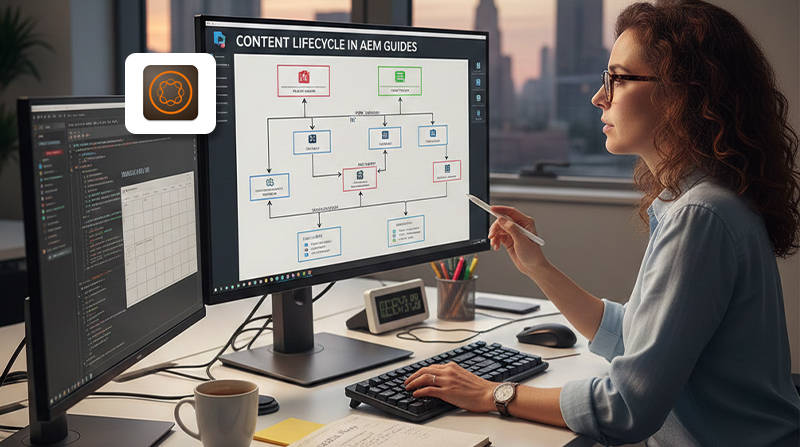
How to Manage Content Lifecycle in AEM Guides 

Key takeaways 

  • AEM Guides manages content as a lifecycle, not a one-time publish event 
  • Structured workflows reduce review delays and governance gaps 
  • Document states bring clarity to ownership and readiness 
  • Reuse and version control lower long-term maintenance effort 
  • Lifecycle discipline directly improves speed, quality and compliance 

Every content team reaches a moment of friction. Drafts pile up. Reviews stall. Updates land late or worse, land in the wrong place. Nobody planned for chaos, but complexity crept in anyway. 

This is where Adobe Experience Manager (AEM) Guides, changes the conversation. It treats content as a living asset, not a static deliverable. The platform is built to manage the entire content lifecycle, from authoring through review, publication, reuse and retirement, with structure and accountability baked in. 

Let’s walk through how content lifecycle management actually works in AEM Guides, what problems it solves and how teams can use it to regain control as content scales. 

Why Content Lifecycle Management Breaks Down in Large Teams 

Content doesn’t fail because teams lack tools. It fails because ownership blurs over time. 

In unstructured environments, content often lives in shared folders, emails or page-based CMS workflows. Drafts move forward without context. Reviews happen inconsistently. Published content stays live long after it should have been updated or retired. 

As volume grows, teams face familiar pain points: 

  • No single source of truth 
  • Manual review cycles that slow delivery 
  • Difficulty tracking what is approved, outdated or in progress 
  • Risky updates that break reused content 

AEM Guides addresses these issues by anchoring content lifecycle management in structure, workflow and state. 

How AEM Guides Defines the Content Lifecycle 

AEM Guides is built on DITA XML, which already assumes that content evolves over time. Topics are created, reviewed, published, reused, revised and eventually retired. 

The platform formalizes this lifecycle through three core mechanisms: 

  • Structured authoring and versioning 
  • Workflow-driven reviews and approvals 
  • Document states that reflect real content readiness 

If you want a baseline understanding of the platform itself, this overview of what AEM Guides is provides helpful context. 

Structured Authoring as the Starting Point 

Lifecycle management starts at authoring. In AEM Guides, content is created as structured DITA topics rather than freeform pages. 

This matters because structure: 

  • Enforces consistency from the first draft 
  • Makes reuse predictable and safe 
  • Allows lifecycle actions to apply at the topic level 

Authors work inside a web-based editor that validates structure automatically. Errors surface early, not during publishing. Over time, this reduces rework and downstream review friction. 

For teams new to structured content, DITA 101: structured content for reuse and compliance explains why this model scales better than page-based authoring. 

Version Control and Traceability 

Every topic in AEM Guides is versioned. This is not a cosmetic feature. It is the backbone of lifecycle control. 

Versioning allows teams to: 

  • Track who changed what and when 
  • Roll back safely when issues arise 
  • Compare revisions during review cycles 

Because reuse is reference-based, a single topic version can appear in multiple deliverables. Updates are deliberate, visible and auditable. 

In regulated or high-risk environments, this traceability becomes essential rather than optional. 

Document States Bring Clarity to Content Readiness 

One of the most practical lifecycle features in AEM Guides is document state management. 

Document states reflect where content sits in its lifecycle. Common examples include: 

  • Draft 
  • In review 
  • Approved 
  • Published 
  • Archived 

These states are not just labels. They can drive permissions, workflows and publishing rules. 

For example: 

  • Only approved content can be published 
  • Archived topics are excluded from outputs 
  • Draft content remains visible only to authors 

AEM Guides lets teams customize document states to match their internal processes. This flexibility is useful for organizations with complex approval or compliance requirements. 

Document states replace guesswork with clarity. Everyone knows what is ready, what is blocked and what is no longer valid. 

Workflow-Driven Reviews and Approvals 

Lifecycle management breaks down fastest during reviews. Emails get missed. Feedback gets lost. Deadlines slip. 

AEM Guides integrates structured workflows directly into the authoring environment. Reviews are assigned, tracked and enforced by the system. 

Key workflow benefits include: 

  • Clear ownership at each stage 
  • Parallel or sequential reviews 
  • Automated notifications and reminders 
  • Audit trails for approvals 

This aligns closely with broader AEM governance patterns. For a deeper look at how workflows support accountability, see Enforcing Content Governance with AEM Workflows. 

Publishing as a Controlled Lifecycle Step 

In AEM Guides, publishing is not the end of the lifecycle. It is one controlled step within it. 

Teams can publish content to: 

  • PDF outputs 
  • HTML deliverables 
  • AEM Sites for web experiences 

Because publishing is rule-based, only content in the correct state is included. Conditional attributes ensure that the right variations reach the right audiences. 

This reduces last-minute fixes and prevents incomplete or unapproved content from going live. 

Reuse and Lifecycle Impact 

Reuse is where lifecycle discipline pays off over time. 

When content is reused correctly: 

  • Updates happen once, not dozens of times 
  • Reviews focus on meaningful changes 
  • Outdated content is easier to identify and retire 

AEM Guides tracks where topics are used, which makes lifecycle decisions safer. Before updating or archiving a topic, teams can see its downstream impact. 

This visibility is difficult to achieve in traditional CMS setups. 

Managing Updates, Retirement and Cleanup 

Content lifecycle management does not end at publication. Over time, content must be reviewed, refreshed or retired. 

AEM Guides supports this through: 

  • Usage reports that highlight heavily reused topics 
  • Version histories that show content age 
  • Document states that mark content as obsolete 

Teams can archive content without deleting it, preserving history while keeping outputs clean. 

This discipline prevents content sprawl, which is one of the most common long-term problems in enterprise documentation systems. 

Common Lifecycle Challenges AEM Guides Helps Resolve 

Challenge How AEM Guides helps 
Unclear ownership Workflow assignments and document states 
Review bottlenecks Automated, trackable approvals 
Risky updates Versioning and reuse visibility 
Outdated content Lifecycle states and archiving 
Compliance gaps Audit trails and controlled publishing 

How Lifecycle Management Supports Broader AEM Strategy 

Content lifecycle discipline does not live in isolation. It supports broader digital experience goals. 

When content is structured, governed and lifecycle-aware: 

  • AEM Sites teams move faster 
  • Personalization programs rely on trusted content 
  • Customer journeys stay consistent across channels 

If your broader AEM platform is already showing signs of strain, getting your AEM implementation back on track outlines where lifecycle gaps often appear first. 

Lifecycle Discipline is a Growth Strategy 

Managing content lifecycle in AEM Guides is not about process overhead. It’s about protecting quality as scale increases. 

Structured authoring, version control, document states and workflows work together to keep content accurate, reusable and accountable over time. 

If your organization treats content as a long-term asset rather than a one-off deliverable, lifecycle management stops being optional. It becomes the foundation. 

If you are planning to adopt AEM Guides or struggling to govern content at scale, NetEffect can help design lifecycle models that align with your teams, tools and growth plans. Talk to us about making content sustainable. 

Frequently Asked Questions 

What is content lifecycle management in AEM Guides? 

Content lifecycle management in AEM Guides refers to the structured way content is created, reviewed, approved, published, reused, updated and eventually retired. Each stage is supported by built-in versioning, workflows and document states. This ensures content moves forward with clear ownership and accountability. It also helps teams avoid outdated or inconsistent information remaining live longer than intended. 

How do document states help content teams? 

Document states provide clear visibility into where content sits in its lifecycle, such as draft, in review, approved or archived. These states are more than labels, they control permissions, publishing eligibility and workflow behavior. Teams no longer need to guess whether content is ready or blocked. This clarity reduces review delays and prevents incomplete content from reaching production. 

Can workflows be customized in AEM Guides? 

Yes, workflows in AEM Guides are highly configurable to match how teams actually work. Organizations can define review stages, approval roles and escalation paths based on internal governance needs. This is especially useful for enterprises with compliance, legal or multi-team review requirements. Custom workflows ensure process discipline without forcing teams into rigid, one-size-fits-all models. 

Does lifecycle management increase authoring effort? 

In most cases, it reduces overall effort rather than adding to it. While structure and workflows introduce some upfront discipline, they eliminate repeated rework, unclear feedback loops and manual tracking. Authors spend less time chasing approvals or fixing downstream issues. Over time, this leads to faster publishing cycles and more predictable delivery. 

Is AEM Guides suitable for non-regulated industries? 

Yes, content lifecycle management is valuable well beyond regulated environments. Marketing, product and support teams also benefit from clearer ownership, safer reuse and controlled updates. As content volume grows, informal processes tend to break down. AEM Guides helps teams maintain quality and speed even when compliance is not the primary driver. 

Categories
AEM

How does AEM Guides leverage DITA XML? 

Key Takeaways

  • AEM Guides uses DITA XML as a structured backbone, not a formatting layer
  • DITA enables true content reuse, version control and conditional publishing
  • AEM Guides brings DITA into a modern, web-based authoring and delivery model
  • Structured content reduces duplication, risk and long-term maintenance costs
  • The real value shows up at scale, across products, channels and teams

We’ve all seen it happen. Documentation grows fast, teams grow faster and suddenly the same paragraph lives in ten places, slightly different each time. Updates turn risky. Compliance checks turn slow. Writers spend more time hunting content than shaping it.

This is where Adobe Experience Manager (AEM) Guides earns its place. At its core, it is built around Darwin Information Typing Architecture (DITA) XML, a structured authoring standard designed for reuse, scale and precision. Not as a side feature. As the foundation.

Let’s walk through how AEM Guides actually leverages DITA XML, what that means in real projects and why enterprises lean on this combination when content starts to matter more than volume.

Why DITA XML Still Matters

DITA isn’t new. What makes it relevant today is not age but discipline.

DITA enforces structure. Every piece of content has a role, a type and rules. Tasks are tasks. Concepts are concepts. References stay references. That consistency is what makes reuse and automation possible.

Without structure, content systems rely on human memory. With DITA, systems do the remembering.

If you want a deeper foundation on this, our NetEffect team breaks it down in DITA 101: Structured Content for Reuse and Compliance, which shows how structured authoring reduces risk in regulated and complex environments.

Learn More: What is AEM Guides?

What AEM Guides Adds on Top of DITA

DITA alone does not solve workflow, usability or publishing complexity. That is where AEM Guides steps in.

AEM Guides is Adobe’s enterprise component content management system (CCMS) built natively on Adobe Experience Manager. It doesn’t replace DITA. It operationalizes it.

Here’s how.

Structured Authoring Through the Web Editor

AEM Guides provides a browser-based Web Editor that understands DITA semantics. Writers are not dealing with raw XML unless they choose to. Instead, they work inside a structured interface that enforces DITA rules quietly in the background.

What this means in practice:

  • Content types are predefined and validated
  • Invalid structures are blocked early, not caught later
  • Authors focus on meaning, not markup

This reduces onboarding time without compromising structure. Teams get consistency without turning writers into XML specialists.

Topic-Based Content as a First-Class Concept

DITA is topic-driven by design and AEM Guides fully embraces that.

Each topic is stored once and reused wherever needed. A single safety warning, procedure or legal note can appear across multiple guides, products or regions.

When that topic changes, every place it appears updates automatically.

This is not copy-paste reuse. It is reference-based reuse, which is a critical difference.

Learn More: DITA 101: How Structured Content Enables Reuse, Localization and Compliance

Content Reuse and Conditional Publishing

One of the strongest advantages of DITA is conditional text. AEM Guides exposes this capability cleanly.

Teams can tag content with conditions such as:

  • Product variants
  • Regions and locales
  • Customer tiers
  • Regulatory environments

During publishing, AEM Guides assembles the right version of content for the right audience. No forks. No manual pruning.

This becomes especially valuable when documentation supports multiple products or markets from a shared source.

Version Control and Governance at Scale

DITA XML content in AEM Guides lives inside AEM’s repository. That brings enterprise-grade versioning, permissions and workflows into the picture.

Editors can:

  • Track changes at the topic level
  • Roll back safely when needed
  • Enforce reviews before publication

When paired with AEM workflows, content governance stops being aspirational and becomes operational. We explore this more deeply in Enforcing Content Governance with AEM Workflows, which shows how structure and process reinforce each other.

Learn More: How to Enforce Content Governance Using AEM’s Page Publication Workflows

Multi-Channel Publishing Without Rewriting

DITA was designed for multi-channel delivery long before omnichannel became a buzzword.

AEM Guides extends that promise by publishing structured DITA content to:

  • PDF outputs
  • HTML and responsive web experiences
  • Adobe Experience Manager Sites
  • APIs for downstream systems

The same source feeds all channels. Formatting adapts. Content stays consistent.

This approach aligns closely with how modern digital experience platforms expect content to behave: modular, composable and channel-agnostic.

How AEM Guides Supports Translation and Localization

Structured content simplifies translation. AEM Guides builds on that with native localization workflows.

Because topics are reused and versioned, translation teams only work on what changed. Not entire documents. This reduces cost, turnaround time and errors.

DITA’s structure also improves translation memory efficiency, which matters when content volumes grow.

Real-World Benefits at Enterprise Scale

Here is where theory meets delivery.

Organizations that adopt AEM Guides with DITA XML typically see:

Area Impact 
Content reuse Fewer duplicates, single source of truth 
Authoring efficiency Faster updates, less rework 
Compliance Easier audits and controlled changes 
Localization Lower translation costs 
Publishing Consistent output across channels 

These gains compound over time. The larger the content ecosystem, the greater the return. This is why AEM Guides often enters the picture when documentation moves from a cost center to a strategic asset.

How This Fits Into the Broader AEM Ecosystem

AEM Guides does not live in isolation. It integrates directly with Adobe Experience Manager Sites, Assets and workflows.

That matters when documentation supports customer journeys, not just products.

Structured content created in AEM Guides can feed experiences that are personalized, contextual and consistent across touchpoints. This is where documentation starts contributing to experience design, not just support.

If your AEM platform is struggling under content complexity, our guide on Getting Your AEM Implementation Back on Track outlines the common pitfalls and where structured content often fits into the fix.

Learn More: Get your Adobe Experience Manager (AEM) implementation on track

Where Teams Often Hesitate and What to Ask Instead

DITA can feel intimidating at first. The structure forces decisions early which isn’t always comfortable.

The better question is not, “Is DITA too rigid?” but rather, “How much flexibility do we actually need and how much inconsistency can we afford?”

For teams managing large, regulated or fast-changing content sets, structure is not a constraint. It is a safeguard.

Structure as a long-term advantage

AEM Guides leverages DITA XML by staying faithful to its principles while removing its friction. Structured authoring, true reuse, controlled publishing and enterprise governance all come together in one system.

This is not about writing more content. It’s about managing content responsibly as it grows.

If your documentation ecosystem is expanding or already straining, this combination deserves a serious look.

If you are evaluating AEM Guides or trying to align structured content with your broader AEM strategy, talk to our team at NetEffect. We help enterprises design, implement and scale content systems that last.

Frequenty Asked Questionss

Q1. What role does DITA XML play inside AEM Guides?

DITA XML is the structural backbone of AEM Guides. It defines how content is authored, validated, reused and governed across the platform. By enforcing consistent topic structures, DITA allows teams to update content once and reflect those changes everywhere it is used. This reduces duplication and improves long-term maintainability.

Q2. How does AEM Guides improve content reuse compared to traditional CMS platforms?

Traditional CMS platforms reuse content at the page level, which often leads to duplication. AEM Guides uses DITA’s topic-based model, allowing individual sections, warnings or procedures to be reused across multiple outputs. Updates happen centrally, not manually. This approach improves consistency and significantly reduces authoring and translation effort at scale.

Q3. Can non-technical writers realistically work in AEM Guides?

Yes. AEM Guides provides a web-based editor that hides most XML complexity while still enforcing DITA structure. Writers work within guided templates and validated content types rather than raw markup. This allows editorial teams to focus on clarity and accuracy without needing deep technical skills, even in large, distributed teams.

Q4. How does AEM Guides support multi-channel publishing and AEM Sites?

AEM Guides publishes structured DITA content to multiple formats from a single source. Teams can generate PDFs, HTML outputs and content for AEM Sites without rewriting material. Because structure and presentation are separated, formatting can change without affecting source content. This supports consistent delivery across documentation and digital experiences.

Q5. Why is AEM Guides a strong fit for regulated or complex industries?

Regulated industries require controlled change, traceability and consistency. AEM Guides supports these needs through topic-level versioning, approval workflows and conditional publishing. Teams can manage variations by product, region or regulation without branching entire documents. This reduces compliance risk while keeping content manageable as complexity grows.

Categories
AEM

Migrating Legacy Documentation into AEM Guides: Process and Tools 

Key Takeaways

  • Migration moves from static document silos to a dynamic, structured content ecosystem using DITA (XML).
  • A structured three-month timeline covering assessment, remediation and deployment ensures a predictable transition with minimal content freeze.
  • High-tech organizations leverage AEM Guides to unify technical documentation with marketing assets, securing a single source of truth.
  • Structured migration reduces localization costs and eliminates the manual coordination tax associated with version updates.
  • Integration with AEM workflows enforces compliance and quality standards across the global content supply chain.

Even with the best of intentions, many organizations spread their technical documentation in various locations. It doesn’t happen all at once, but slowly. A user manual sits in FrameMaker. Release notes are hidden in Word. API guides live in GitHub. Nobody planned it that way. Growth just made it happen.

Then someone asks a simple question: “Where’s the latest spec for Feature X?”

And you realize the answer requires opening four files, cross-referencing three versions and hoping nothing got missed in translation.

That’s your migration moment.

When Documents Become Bottlenecks

Modern enterprises collect data faster than they can organize it. In sectors like high-tech and SaaS, product knowledge gets trapped. Legacy Word files. FrameMaker documents. HTML silos scattered across servers.

Manual updates turn into high-risk coordination exercises. One feature change forces writers to hunt through dozens of manuals. It’s slow. Prone to error. And it scales poorly.

Adobe Experience Manager (AEM) Guides offers a different approach. Instead of thinking in documents, you think in components. Documentation becomes modular data. That unlocks reuse across portals, apps and AI interfaces. A unified environment where content flows instead of sits.

But getting there requires more than an upload. Success demands a rigorous migration strategy that preserves integrity, enforces governance and sets the stage for a composable tech stack with AEM.

Content Assessment and Modeling

The first phase isn’t technical. It’s analytical.

Before refactoring a single line of code, audit the legacy library. Look for content debt: inconsistent terminology, duplicate instructions, outdated safety warnings. The things that accumulated when nobody was watching.

Data Cleanup and Remediation

Legacy content carries formatting baggage. Manual overrides in Word. Proprietary tags in FrameMaker. Structural quirks that will break a clean XML schema. Organizations face a choice:

Automated Conversion: Tools like the AEM Guides ingestor map legacy styles to DITA elements. It’s ideal for large-scale migrations where bulk structural mapping can run via scripts. Fast but requires validation.

Manual Refinement: Reserve human intervention for high-value core topics that need new metadata tagging or structural changes. Slower but precise.

Most migrations blend both. Automate what you can, refine what matters.

Information Typing

Successful migration sorts content into three DITA pillars. Concepts explain the why. Tasks walk through the how. Reference provides the specs. This classification prevents content blurring and prepares documentation for a scalable AEM component library.

Not every paragraph fits neatly. That’s fine. The goal is clarity, not perfection.

The Three-Month Blueprint

A common fear is that migrating legacy documentation disrupts daily operations for months. Industry benchmarks tell a different story. A methodical transition can execute in a three-month window without freezing the live site.

Month 1: Assessment and Cloud Readiness

The focus here is on infrastructure. If moving to AEM as a Cloud Service, refactor deprecated code and prepare the Cloud Manager environment. Unlike on-premise setups, the cloud model shifts costs from CapEx to OpEx. You get automated updates and 99.9% uptime.

According to Adobe’s own migration documentation, cloud readiness also involves validating current integrations and identifying potential conflicts before content moves.

Month 2: Code Migration and Content Ingestion

This is where the actual move happens. Content ingests in parallel with live operations. Technical teams validate third-party integrations, such as CRM or PLM systems. Content teams map legacy files into DITA maps.

Parallel operation is key. Users don’t see disruption while the new system builds underneath.

Month 3: Testing, Training and Final Go-Live

The final month dedicates to User Acceptance Testing (UAT) and team enablement. Because AEM Guides shares a backend with the standard AEM interface, the learning curve for authors drops significantly.

The goal is simple: decouple marketing campaigns from technical deployment windows. Allow faster time-to-market for product documentation.

Strategic Migration Tools

Adobe provides a suite of native tools to streamline the transition from unstructured data to structured XML. Tool selection depends on source format and target schema complexity.

AEM Guides Ingestor: The workhorse for migrating Word (.docx) and HTML content. Administrators define mapping files that translate legacy heading levels, lists and tables into valid DITA elements. It’s not magic, but it’s close.

FrameMaker to DITA Conversion: For high-tech companies with a FrameMaker history, migration is even smoother. FrameMaker’s native DITA support allows direct export-import into the AEM repository. One format in, one format out.

JSON and Markdown Ingestion: Modern software teams embrace “docs-as-code.” AEM Guides supports ingestion of Markdown and JSON, keeping developer-facing API documentation in sync with core product manuals.

Strategic migration requires initial investment in data cleanup. But the move eliminates long-term operational bottlenecks. Structured content models reduce localization overhead and manual maintenance. These efficiencies deliver significant ROI as the organization scales content output.

Performance and Edge Delivery

A strategic benefit of migrating technical documentation into the AEM Cloud environment is access to Edge Delivery Services (EDS). Traditional documentation portals often suffer from slow loading times due to heavy server-side processing of complex XML maps.

EDS provides a performance-first architecture that can achieve a 100% Lighthouse score. It introduces document-based authoring, where subject matter experts contribute content via familiar tools like Google Docs or Microsoft Word. AEM then renders these into high-performance web pages.

This democratizes content creation. It removes the technical barrier for engineers who hold critical product knowledge but may not be XML-proficient.

Governance and Scalability

One primary driver for a CCMS migration is the need for strict governance. In regulated industries like semiconductors or medical devices, an error in a manual isn’t just a typo. It’s a compliance failure.

By enforcing content governance with AEM workflows, organizations ensure no topic publishes without passing through rigorous review cycles. This structured approach also streamlines localization.

Instead of translating a 500-page manual, the system identifies only the specific components or topics that changed. Word count sent to translation agencies drops drastically. So does cost.

The Business Case

Migration to AEM Guides isn’t merely backend refactoring. It’s a growth enabler. It allows high-tech firms to:

Unify the Brand Voice: Ensure tone in technical manuals matches the sophistication of the marketing site.

Achieve Omnichannel Reach: Push the same Safety Warning component to a web portal, mobile app and customer support chatbot simultaneously.

Reduce Coordination Tax: Eliminate weeks of manual labor required to manage versions and releases across global markets.

According to a 2021 Forrester study commissioned by Adobe, 57% of organizations interested in or planning to implement a CCMS expected it would increase their ROI on content strategy, while 50% anticipated reduced translation costs.

AEM implementations deliver better ROI when they move beyond simple page management and embrace the power of structured, intelligent content.

Future-Proof Content Architecture

The move from legacy documentation to AEM Guides represents a fundamental evolution in how an enterprise communicates with customers. It’s a transition from being a publisher of documents to a provider of precision information.

By breaking down content silos and embracing a modular, cloud-based architecture, organizations ensure their documentation is as innovative as the products they support. A successful migration saves time and creates a scalable, compliant and highly efficient content supply chain ready for the demands of the next decade.

Ready to architect your migration? NetEffect helps enterprises bridge the gap between legacy data and a modern, cloud-first content ecosystem. Whether navigating a complex DITA transition or looking to optimize AEM Cloud performance, our team provides the strategic oversight needed to turn documentation into a business asset.

Contact NetEffect to Start Your Migration Journey

Frequently Asked Questions

Q1. How does the content freeze work during migration?

Most organizations use incremental migration tools to keep freezes minimal. While new feature development typically pauses during final environment setup, the actual freeze on content updates can often be limited to the final cut-over window.

Q2. Can we migrate from non-Adobe systems into AEM Guides?

Yes. Using tools like Project Site Lip and agentic AI, AEM Guides can scan non-AEM sites, analyze content purpose and map it to corresponding blocks in your new AEM environment.

Q3. What is the biggest technical challenge during migration?

The most significant hurdle is often “dirty data” from legacy Word files. Standardizing styles and ensuring that lists, tables and nested elements follow a valid DITA schema is the most labor-intensive part of the process.

Q4. Does AEM Guides support headless documentation?

Absolutely. Because DITA content is presentation-neutral XML, AEM can serve that content via APIs to mobile apps, IoT devices or third-party developer portals without requiring manual reformatting.

Categories
AEM

From RFP to Go-Live: How Enterprises Implement AEM Successfully 

Key Takeaways

  • Success begins with an RFP that prioritizes business outcomes and technical scalability over mere feature checklists.
  • Implementing AEM workflows and content governance early prevents the typical “content sprawl” that drains ROI post-launch.
  • Modern AEM implementations favor a composable tech stack, allowing enterprises to integrate best-of-breed tools without vendor lock-in.
  • Building a reusable component library is the most effective way to reduce long-term development costs and ensure brand consistency.
  • The “Go-Live” phase is not the finish line. Successful enterprises use data-driven debugging and performance monitoring to continuously refine the CX.

For a global enterprise, choosing Adobe Experience Manager (AEM) is a statement of intent. It signals a move toward customer experiences that actually work and content that scales. But here’s the thing: the gap between purchasing the license and achieving a successful “Go-Live” is often where the most ambitious digital transformations fall apart.

AEM implementation is not a “plug-and-play” exercise. It’s an intricate orchestration of technical architecture, content strategy and organizational change. To move from the Request for Proposal (RFP) to a high-performing production environment, enterprises must follow a rigorous, phase-based roadmap that prioritizes results over reports.

The Strategic RFP: Setting the Foundation

Most failed implementations can be traced back to a poorly defined RFP. If the initial document focuses solely on “features” rather than “outcomes,” the project risks scope creep from day one. An enterprise RFP for AEM must address the complexity of the existing ecosystem.

Before engaging AEM implementation partners, the organization must define its North Star. Are you solving for localized content delivery across 50 countries? Or are you focused on consolidating disparate legacy systems into a composable tech stack with AEM?

A successful RFP doesn’t just ask “Can AEM do this?” It asks, “How will AEM integrate with our existing PIM, CRM and ERP to drive a unified customer journey?” This clarity ensures that when you choose a partner, they’re aligned with your long-term business maturity, not just your immediate technical needs.

Discovery and Architectural Design

Once a partner is onboarded, the focus shifts to architectural integrity. This is where the “Define” and “Design” phases overlap. A common mistake at this stage is over-customization. AEM is powerful out of the box. The goal should be to use core features while building a scalable AEM component library for enterprise delivery.

Core Component Strategy

Enterprises should adopt a “Core Components first” mindset. By extending Adobe’s standardized components rather than building from scratch, you ensure better compatibility with future AEM version updates and reduce technical debt. This approach directly impacts AEM implementation costs. The more you stick to best practices, the lower your long-term maintenance burden.

Content Governance and Workflows

In an enterprise environment, content is created by hundreds of users across various departments. Without a strict roadmap for enforcing content governance with AEM workflows, the system quickly becomes a digital junkyard. Successful implementations design approval cycles, permission sets and automated metadata tagging during the design phase, not as an afterthought.

Development and Composable Integration

The development phase is where the vision meets reality. For the modern enterprise, “monolithic” is a dirty word. Today’s strongest Adobe AEM implementations lean into the composable nature of the Adobe ecosystem.

API-First Connectivity

AEM should sit at the center of your Digital Experience Platform (DXP), but it shouldn’t be an island. Whether you’re using AEM Sites for web delivery or AEM Assets for DAM (Digital Asset Management), the integration layer must be robust. Using a headless or hybrid approach allows your marketing team to create content once and deploy it across web, mobile and even IoT devices without duplicating effort.

Localization and Translation Best Practices

For global enterprises, the “Translation Integration Framework” within AEM is a critical success factor. Best practices involve setting up “Live Copy” and “Language Masters” early. This allows for a “hub-and-spoke” model where global brand standards are pushed from the center while local teams have the flexibility to adapt content for cultural nuances without breaking the site’s architecture.

Quality Assurance and Debugging

Testing an enterprise-scale AEM instance requires more than just checking if links work. It requires a deep dive into performance, security and author experience (AX).

Many teams focus heavily on the end-user experience but forget the AX. If it takes a marketing manager 10 minutes to publish a simple update because the dialogue boxes are too complex, the implementation has failed its primary user. Debugging should include “Load Testing” to ensure that the site handles traffic spikes (common in manufacturing or retail sectors) and “Regression Testing” to ensure that new components don’t break existing templates.

As seen in complex manufacturing case studies, the move to AEM often involves migrating thousands of legacy assets. Validating data integrity during this migration is where the “Resolve” value of NetEffect becomes critical.

The Path to Go-Live and Beyond

The “Go-Live” phase is the most visible part of the journey, but it’s actually just the beginning of the platform’s value realization. A successful transition to production involves a “Warm-up” period for the dispatcher (AEM’s caching layer) to ensure optimal performance from the moment the site goes public.

Post-Launch Performance Monitoring

Once live, the focus shifts to ROI. Enterprises that implement AEM successfully don’t just walk away. They use Adobe Analytics and Target to begin A/B testing and personalization. By analyzing real-time data, you can refine your component library and workflows to further streamline operations.

Scalability and Future-Proofing

Enterprise needs change. A successful implementation creates a system that’s flexible enough to handle new brand acquisitions, new product lines or shifts in market strategy. This is why a “reusable component” strategy is so vital. It allows you to launch new microsites in days rather than months.

Results, Not Reports

Successful AEM implementation is the result of meticulous planning, technical excellence and a commitment to governance. From the first line of your RFP to the final deployment on the cloud, every decision should be measured against its ability to drive long-term value.

At NetEffect, we don’t just provide a roadmap; we own the execution. We understand that for an enterprise, AEM is the engine of your digital presence. Our approach ensures that your engine is built for speed, scale and uncompromising quality.

Ready to modernize your digital experience?

Whether you’re in the RFP stage or looking to rescue a stalled implementation, our experts are here to ensure your AEM journey delivers the results your business demands.

Consult with our AEM Strategists

Frequently Asked Questions

Q1. How long does a typical enterprise AEM implementation take?

While it varies by complexity, a standard enterprise implementation (from discovery to go-live) typically ranges from six to nine months. This includes legacy data migration and the creation of a custom component library.

Q2. What are the biggest hidden costs in AEM implementation?

The most common hidden costs are over-customization of core components, lack of a clear content migration strategy and insufficient training for internal content authors. Focusing on out-of-the-box features can significantly reduce these.

Q3. Why do we need an AEM implementation partner?

AEM is a complex enterprise tool. A partner brings the “lessons learned” from dozens of previous builds, helping you avoid common pitfalls in permissions, caching and third-party integrations that internal teams may not have encountered.

Q4. Can AEM work with a composable/headless architecture?

Yes. Modern AEM implementations often utilize a hybrid approach, using AEM as a headless CMS for certain channels while retaining the powerful drag-and-drop authoring capabilities for the main web presence.

Q5. How does content governance impact ROI?

Poor governance leads to brand inconsistency and manual rework. Automated AEM workflows ensure that content meets legal and brand standards before it goes live, reducing the risk of errors and freeing up your team for high-value work.

Categories
AEM

How NetEffect Unified 180 Websites into a Single Adobe Experience Manager Ecosystem 

Key Takeaways

  • Adobe AEM enables global consistency with local flexibility. A centralized Adobe AEM ecosystem supports governance, reusability and speed while allowing regions to adapt content for their markets.
  • AEM migration is an opportunity, not just a transition. When designed correctly, it becomes a foundation for long-term scale, governance and performance.
  • Optimization determines long-term success. Ongoing Adobe AEM optimization is critical to sustaining speed, consistency and value after unification.

When global scale grows faster than governance, even the strongest brands start to fragment.

That was the reality for a global professional services firm managing more than 180 country websites. Each market operated independently. Publishing happened on its own timelines, using its own templates, interpreting the brand in its own way. Over time, the digital ecosystem became difficult to manage and nearly impossible to standardize.

The challenge was not a lack of content or talent. It was the absence of a shared system that could bring structure, speed and consistency without limiting local teams.

Does this sound familiar?

Here’s how we guided them to an effective, easy-to-manage solution.

Why Managing Content Across 180 Sites Became Unsustainable

With teams across more than 150 countries publishing independently, the organization had effectively created 180 versions of the same brand.

Updating a single piece of content meant navigating dozens of variations and approval paths. Content teams were buried in manual work. Global leaders lacked visibility into what was live, where it lived and how it performed. Brand consistency and customer experience were steadily eroding.

The firm needed more than a content platform. It needed an operating model that could support global governance while still empowering regional teams.

Why Adobe AEM Became the Platform of Choice

The goal was clear: one centralized experience platform that could scale globally, enforce governance and still give local teams the freedom to move fast.

We helped them architect the solution around Adobe Experience Manager (AEM). AEM was selected for its flexibility, scalability and strong governance capabilities. The engagement expanded into a broader transformation powered by AEM Sites and AEM Guides.

From the outset, the approach focused on simplifying complexity rather than adding layers to it.

How NetEffect Approached the Problem Differently

Before choosing NetEffect, the firm evaluated proposals from several large consulting providers. Those approaches relied on oversized teams, long timelines and heavy cost structures.

We took a different path.

Instead of starting with prolonged discovery and slide-heavy presentations, our team led with working prototypes. Within weeks, the client saw live components, automated workflows and a tangible blueprint for scaling AEM across regions.

We embedded directly with the client’s marketing and content teams, building the platform while transferring knowledge. The delivery model emphasized speed, agility and measurable outcomes without the overhead typical of large enterprise vendors.

That balance of momentum, transparency and cost efficiency ultimately made the difference.

How Reuse Became the Core of the AEM Architecture

The platform was designed around a simple principle: build once, reuse everywhere.

We implemented a centralized, multi-tenant AEM architecture that supports hundreds of countries and service-line websites from a single foundation.

Key elements of the build included:

  • A modular component library that enabled regions to assemble pages without custom development
  • AEM Guides for structured content authoring, making documentation and learning content consistent and reusable
  • Automated translation workflows integrated with Adobe’s localization services
  • Real-time analytics dashboards connected to Adobe Analytics and Power BI for performance tracking

The result was a unified content engine. Authors could publish confidently, knowing every asset met brand, accessibility and compliance standards. Global teams gained control without slowing local execution.

What Changed When the Platform Finally Worked as One

The impact was both immediate and measurable.

Publishing cycles became 60% faster through automation and structured content reuse.

Authoring effort dropped by 30%, giving teams more time to focus on storytelling rather than templates and manual updates.

Brand consistency improved across more than 180 websites, while regional teams retained the flexibility to adapt tone and messaging for local markets. SEO and accessibility performance also improved, increasing global visibility and engagement.

What once took weeks now took days. Leadership finally had a clear, real-time view of what was published and how it performed across regions.

Read the complete case study to explore how NetEffect unified 180+ websites into a single Adobe AEM ecosystem and delivered measurable gains in speed, governance and visibility across markets.

When Technology Started Supporting the Way Teams Work

This transformation went beyond technology.

AEM and AEM Guides did not replace local creativity. They amplified it. Teams gained the structure needed to collaborate globally, the freedom to tailor content locally and the insight to measure what mattered.

Global alignment stopped being an aspiration and became a daily operating reality.

Want to Go Deeper into AEM Optimization?

Large-scale unification is only the first step. Sustained success depends on how well Adobe AEM is optimized after consolidation.

In this engagement, AEM was not treated solely as a publishing tool. It became the operational backbone for governance, reuse and speed across regions. Decisions around component design, structured content, automation and analytics ensured the platform could support long-term growth without adding operational friction.

For organizations planning an AEM migration or reassessing an existing AEM setup, these architectural choices make the difference between short-term gains and durable scale.

Explore this further: NetEffect’s whitepaper on AEM Optimization for Enterprises outlines proven strategies to improve performance, strengthen governance and increase author efficiency across complex enterprise AEM environments. It is a practical guide for teams looking to get more value from Adobe AEM beyond initial implementation.

Download the whitepaper to go deeper into platform strategy, not just platform setup.

If Your AEM Ecosystem Is Holding You Back, This Is the Moment to Fix It

Unifying 180 websites was not simply an exercise in consolidation. It was a deliberate shift toward a more resilient and scalable digital operating model.

By aligning governance, authoring workflows and analytics within a single Adobe AEM ecosystem, the organization reduced complexity while increasing speed. Local teams gained clarity instead of constraints. Global leaders gained visibility instead of guesswork. The platform supported both consistency and flexibility without forcing trade-offs.

For enterprises facing fragmented digital estates, an AEM migration is often seen as a technical hurdle. This case shows it is an opportunity to rethink how content is created, governed and scaled across markets.

NetEffect helps global organizations turn Adobe AEM into a true enterprise accelerator, not just a CMS. If your teams are struggling with scale, governance or slow publishing cycles, it may be time to rethink how your AEM ecosystem is designed and operated.

Talk to NetEffect to explore how a unified, optimized AEM platform can support your next phase of growth.

Frequently Asked Questions

1. How long does it typically take to unify multiple websites into a single Adobe AEM platform?

The timeline varies based on the complexity and number of sites involved. NetEffect’s approach prioritizes speed through working prototypes rather than lengthy discovery phases. In this case, the team delivered live components and automated workflows within weeks, not months. The key differentiator was NetEffect’s lean, prototype-driven delivery model that embedded directly with internal teams while building and transferring knowledge simultaneously.

2. What are the main benefits of consolidating multiple country websites into one AEM ecosystem?

Organizations typically see three significant improvements:
Publishing cycles can accelerate by up to 60% through automation and content reuse.
Authoring effort drops significantly (around 30% in this case) as teams spend less time on manual updates and template work.
Perhaps most importantly, you gain real-time visibility across all markets while maintaining brand consistency, yet still allowing regional teams the flexibility to adapt messaging for local audiences.

3. What makes a successful AEM migration different from simply moving content to a new CMS?

A successful AEM migration goes beyond technical migration. It requires building a new content operating model that supports both governance and speed. The architecture should focus on reusability through modular components, structured content authoring, and automated workflows. Without these elements, you’re just moving the same problems to a new platform. The real value comes from rethinking how content is created, governed, and scaled across your organization, not just where it lives.

Categories
AEM

3 Pillars of AEM Cloud Service Success

Key Takeaways

  • Success in AEM Cloud Service depends on shifting from a “server-management” mindset to a “performance-optimization” strategy.
  • Moving to the cloud eliminates capital expenditure (CapEx) on hardware and redirects budget toward high-value feature development.
  • AEM Cloud’s built-in security protocols and auto-updates ensure that global enterprises remain compliant without manual patching.
  • The integration of Content and Commerce enables teams to move from ideation to deployment in days rather than weeks.
  • Leveraging automated workflows is essential for maintaining brand integrity across a globally distributed cloud architecture.

Digital maturity isn’t a destination anymore. It’s table stakes.

As Adobe Experience Manager (AEM) evolves, the shift toward AEM Cloud Service has become the standard for organizations trying to scale their digital footprint. But here’s the thing: a cloud migration is only as successful as the strategy behind it.

At NetEffect, we look at successful transitions through three lenses: Cost, Compliance and Content Velocity. When these three elements work together, AEM as a cloud service becomes a real engine for ROI. Without that balance? You’re just renting expensive hosting.

Cost Optimization and TCO Realization

One of the biggest reasons companies move to AEM Cloud Service is the promise of reduced overhead. In traditional on-premise or managed-host models, costs get weighed down by server maintenance, manual upgrades, and hardware lifecycle management. It adds up.

Shift from CapEx to OpEx

AEM Cloud Service changes the financial model entirely. By removing the need for physical infrastructure, enterprises can shift their budget from capital expenditure (CapEx) to operational expenditure (OpEx). Translation? Dollars once spent on “keeping the lights on” now go toward building better customer experiences.

Resource Efficiency and Scalability

The architecture is built on a containerized model that auto-scales based on traffic. For enterprises, this kills “over-provisioning,” the costly habit of paying for server capacity that sits idle most of the time. Black Friday surge or quiet Tuesday, the cloud adjusts. You only pay for what you actually use.

Uncompromising Compliance and Security

For global organizations, especially in manufacturing, finance or retail, compliance isn’t optional. It’s a baseline. Managing security patches and version updates in a traditional AEM environment is time-consuming and prone to human error.

The “Always Current” Advantage

AEM Cloud Service runs on an “always current” model. Adobe automatically pushes updates, so the platform stays protected against the latest vulnerabilities. This removes what we call “Update Anxiety,” where skipping a version update could mean falling out of compliance with GDPR or CCPA.

Content Governance as Security

Compliance isn’t just about hackers. It’s about brand and legal safety. In a globally distributed environment, enforcing content governance is vital. Cloud-native workflows allow for automated legal and brand checks before any asset goes live. Every piece of content, regardless of its origin, meets the enterprise’s compliance threshold without slowing production.

Content Velocity and Market Responsiveness

The final pillar, and the most visible one, is content velocity. In today’s market, the “first-mover advantage” belongs to the company that can turn a trend into a campaign in 48 hours. Not weeks.

The Composable Content Strategy

To hit high velocity, enterprises need to move away from rigid page-building and toward reusable, atomic components. By using a scalable component library, marketing teams can assemble new experiences without waiting for developer sprints. This modular approach is the heart of a composable tech stack with AEM. It allows for rapid experimentation and personalization.

Content and Commerce Integration

The fusion of content and commerce is where velocity creates revenue. AEM Cloud Service facilitates this by allowing seamless integration between the Digital Asset Management (DAM) and the e-commerce storefront. When product data and creative assets live in a unified cloud ecosystem, time-to-market for new product launches can drop by up to 60%.

Mastering the AEM Cloud Service Architecture

The underlying architecture is fundamentally different from its predecessors. It uses an “Apache Jackrabbit Oak” explicitly designed for the cloud, which separates storage from compute power.

For enterprises, this means zero-downtime updates. No more scheduling a 4:00 AM maintenance window to push a code change. The cloud architecture handles deployment in the background, so the customer experience is never interrupted. That reliability is the foundation for cost-efficiency and content velocity.

The Role of the Dispatcher in the Cloud

In the cloud model, the Dispatcher (AEM’s caching layer) is more critical than ever. Success requires a partner who understands how to optimize Cache Hit Ratios. A poorly configured cloud dispatcher can lead to slow load times, which directly negates the velocity gains the platform is designed to provide. We focus on this level of technical precision to ensure the architecture supports business goals.

Beyond the Migration

Success in AEM Cloud Service isn’t measured by your go-live date. It’s measured by the value you extract from the platform every day after. By focusing on these three pillars, Cost, Compliance and Content Velocity, enterprises can transform their digital presence from a cost center into a growth engine.

At NetEffect, we don’t just facilitate cloud migrations. We architect for excellence. Our “Define, Design, Develop, Debug, Deploy” framework is built to ensure your cloud journey is as efficient as the platform itself.

Ready to accelerate your cloud maturity? Let’s move beyond the basics of hosting and into the realm of true enterprise digital transformation.

Consult with our AEM Cloud Experts

Frequently Asked Questions

1. Is AEM Cloud Service more expensive than on-premise?

While the license fee may appear different, the Total Cost of Ownership (TCO) is typically lower. By eliminating hardware costs, manual upgrades and 24/7 infrastructure monitoring teams, the cloud model redirects funds toward revenue-generating activities.

2. How does AEM Cloud handle custom code?

AEM Cloud uses a standardized CI/CD pipeline (Cloud Manager). This requires custom code to be high-quality and compliant with Adobe’s best practices. Code that doesn’t pass the automated quality gates won’t deploy, which actually improves the long-term stability of your site.

3. What happens to my existing content during a cloud migration?

Adobe provides tools like the Content Transfer Tool and the Best Practices Analyzer to help migrate assets and code. However, a successful migration often involves “refactoring” content to fit a scalable component library for better future performance.

4. How does the cloud service improve SEO?

AEM Cloud Service delivers superior performance and speed through its global CDN (Content Delivery Network) and optimized caching. Since page speed and uptime are critical ranking factors, the cloud architecture naturally boosts organic search visibility.

5. Can we integrate third-party tools into the AEM Cloud architecture?

Absolutely. AEM Cloud Service is designed for a composable tech stack. Its API-first approach allows for seamless integrations with CRMs, PIMs and external marketing tools without compromising the core system’s security.

Categories
AEM

What Is AEM Guides? CCMS, DITA and Why Enterprises Need Structured Content 

Key Takeaways

  • AEM Guides transforms AEM from a web CMS into a full Component Content Management System (CCMS), managing the entire lifecycle of technical and marketing content.
  • Using the Darwin Information Typing Architecture (DITA), enterprises create modular content that works across channels and languages.
  • Structured content eliminates copy-paste manual labor that causes documentation errors and drives up maintenance costs.
  • AEM Guides enables single-source publishing to PDF, HTML5, mobile apps and IoT devices at once, ensuring consistency across the customer journey.
  • Built-in AEM workflows make sure technical documentation meets legal and safety standards before deployment.

For a global enterprise, the volume of documentation is staggering. Technical manuals, API guides, user policies, support articles. The list keeps growing.

This content has lived in silos for years, disconnected from the primary marketing website. The fragmentation creates what we call “content debt.” It slows product launches. It confuses customers.

Adobe Experience Manager (AEM) has been the gold standard for web content management. But for organizations with complex, high-volume documentation needs, standard web pages aren’t enough.

That’s where AEM Guides comes in.

AEM Guides (formerly XML Documentation for AEM) is an enterprise-grade Component Content Management System that sits natively within the AEM ecosystem. It lets organizations move from unstructured content like static PDFs or isolated web pages toward structured content, where information breaks down into reusable, intelligent components.

The Architecture of Intelligence: CCMS and DITA

To understand what makes AEM Guides valuable, you need to grasp two foundational pillars: CCMS and DITA.

The Component Content Management System (CCMS)

A traditional CMS manages pages. A CCMS manages components.

In a CCMS, a single paragraph about safety procedures is a standalone asset. If that procedure appears in a manual, a website and a mobile app, it’s not copied three times. All three channels pull from the same single source.

This architecture is what makes it possible to enforce content governance with AEM workflows.

Darwin Information Typing Architecture (DITA)

DITA is the XML standard that AEM Guides uses to structure information. It treats content as a collection of topics: tasks, concepts or references.

Because DITA is machine-readable and highly structured, it enables three key benefits.

Conditional Processing: You can show different content to different users based on their role or product version.

Semantic Tagging: You add intelligence to content so search engines and AI models understand exactly what a piece of text represents.

Infinite Reusability: A single DITA topic can appear in a thousand different maps (documents) without ever creating a duplicate.

Not everyone needs this level of sophistication. But if you’re managing documentation at scale, the alternative is chaos.

Learn more: Composable Tech Stack with Adobe Experience Manager

Why Enterprises Actually Need Structured Content

In the current enterprise landscape, content velocity is a competitive advantage. If your technical team updates a product spec but your marketing site still shows the old version, you risk customer dissatisfaction. Or worse, legal liability.

Elimination of Content Silos

Most enterprises suffer from siloed knowledge. Engineers write in MS Word or Oxygen XML. Marketing writes in AEM Sites. Support writes in a separate knowledge base.

AEM Guides bridges this gap. By centralizing all content in a CCMS within AEM, everyone works in the same governance framework.

This unification is a primary driver for AEM implementations that deliver better ROI.

Accelerated Localization and Translation

For global organizations, translation is often the biggest bottleneck.

In an unstructured world, you translate entire documents even if only 5% of the content changed. With AEM Guides and DITA, you only translate the specific topics that were updated.

This granular translation can reduce costs by 30-60%, with organizations reporting significant savings on localization efforts.

Core Features of AEM Guides

The power of AEM Guides lies in its ability to handle industrial-scale content without losing the user-friendly interface that AEM is known for.

Web-Based XML Editor

XML authoring used to require specialized desktop software that was difficult for non-technical writers to use. AEM Guides provides a powerful, web-based editor that lets subject matter experts (SMEs) contribute structured content directly in the browser.

This democratizes the documentation process while maintaining the integrity of the XML structure.

Automated Publishing Pipelines

AEM Guides features a robust publishing engine that lets you generate multiple formats from a single DITA map. Whether you need a 500-page PDF for a regulatory filing or a responsive web experience for a customer portal, the system automatically handles the transformation.

This ensures the look and feel remain consistent through a scalable AEM component library for enterprise delivery.

Version Control and Content Auditing

In regulated industries like medical devices or aerospace, knowing who made changes and when is a legal requirement.

AEM Guides offers sophisticated versioning at the component level. You can freeze a specific version of a document for compliance while continuing to work on the next iteration in a separate branch.

Learn more: AEM Implementation Costs: A Strategic Guide

The Business Case for AEM Guides Migration

When NetEffect consults with enterprises on digital transformation, the conversation often turns to the “cost of poor content.”

If your support agents spend 30% of their time looking for the right documentation, or if you’re paying for redundant translations, your content strategy is a cost center.

Reduction in Support Tickets

Structured content makes information more findable. When technical documentation integrates natively into the AEM search ecosystem, customers find answers faster.

This reduces the volume of low-value support tickets, letting your team focus on complex resolutions.

Future-Proofing for AI and LLMs

AI models thrive on structured data. Feed an LLM a 200-page unstructured PDF and it may hallucinate. Feed it structured XML from AEM Guides and it understands the hierarchy, the context and the relationships between topics.

Organizations that implement AEM Guides today are building the training data for their future AI-driven support bots.

Learn more: AEM Implementations Deliver Better ROI

Implementation Roadmap: The NetEffect Approach

Transitioning to a CCMS is a significant organizational shift. At NetEffect, we follow our 5Ds framework (Define, Design, Develop, Debug, Deploy) to ensure a seamless transition.

Content Audit (Define): We identify where your current documentation lives and which assets are ripe for DITA conversion.

Information Architecture (Design): We define the DITA specializations and taxonomy that will make your content searchable and reusable.

Migration and Tooling (Develop): We leverage AEM Guides’ migration tools to ingest legacy content while building a composable tech stack.

Validation (Debug): We test the publishing pipelines to ensure every output, from PDF to web, is pixel-perfect.

Enablement (Deploy): We train your authors and subject matter experts to use the web editor, ensuring long-term platform adoption.

Results, Not Reports

AEM Guides is more than a technical documentation tool. It’s a fundamental shift in how enterprises communicate.

By moving to structured content, you eliminate the manual errors of the past and build a scalable foundation for the future.

At NetEffect, we understand that for a global enterprise, content is the product. Our approach to AEM Guides implementation ensures your technical documentation is as sophisticated and reliable as the products you build.

Ready to unify your content ecosystem?

Whether you’re looking to migrate legacy documentation or launch a new global portal, our AEM experts are here to ensure your structured content strategy delivers measurable ROI.

Consult with our AEM Strategists →

Frequently Asked Questions

Is AEM Guides a separate license from AEM Sites?

Yes. AEM Guides is an add-on solution that sits on top of the AEM platform. It leverages the same underlying repository and infrastructure but provides specialized CCMS capabilities and XML authoring tools.

Do our writers need to know XML to use AEM Guides?

No. While AEM Guides is built on XML/DITA standards, the web-based editor provides a “What You See Is What You Get” (WYSIWYG) experience. Writers can create structured content as easily as they would in a standard word processor.

What is the difference between AEM Guides and a standard CMS?

A standard CMS manages pages for web delivery. A CCMS like AEM Guides manages content at the paragraph or topic level, allowing that specific information to be reused in PDFs, help centers, mobile apps and more without duplication.

How does AEM Guides help with SEO?

Structured content uses semantic tagging, which helps search engines understand the context of your technical documentation. Because AEM Guides content integrates into the AEM Sites environment, your documentation contributes directly to your domain authority.

Can we migrate legacy Word or FrameMaker documents to AEM Guides?

Yes. AEM Guides includes ingestion tools that can convert legacy formats like MS Word, FrameMaker and InDesign into DITA XML. However, this process usually requires an initial cleanup phase to ensure the structure is mapped correctly.